Product Tour

Let us show you how AWRA OpsHub carries work from stock movement to boardroom visibility.

We built AWRA OpsHub around the way operational work actually moves: inventory creates demand, procurement answers it, receiving updates stock, sales and POS consume it, finance reconciles it, and reports explain what happened. This tour follows that chain step by step.

As you move through the page, we’ll show you how AWRA feels at the screen level and how each workflow supports the business process behind it. The screenshots are here so you can inspect the product surface; the illustrations are here to make the operating model easier to understand.

Operations team reviewing connected workflows in AWRA OpsHub
6 Workflows
8+ Screens
1 Ops Hub

Guided workflow

We show AWRA as a connected operating flow, not a list of isolated features.

Many product tours jump from module to module. We follow the operational chain because that is where AWRA’s value lives. Every workflow strengthens the next one: clean inventory improves procurement, procurement improves receiving, receiving improves stock availability, sales consumes accurate stock, finance gains traceable records, and reports become more trustworthy.

01 Inventory foundation

Start with accurate stock, locations, items, and movement history.

We begin the tour where operational confidence begins: inventory. AWRA OpsHub gives your team a structured workspace for item records, quantities, locations, movements, adjustments, and warehouse context. Instead of leaving stock control inside static spreadsheets, we turn every stock action into a traceable operational event that can be reviewed, filtered, approved, and connected to procurement, sales, and finance workflows.

With AWRA, your team can organize stock by location, inspect item-level history, and understand how operational changes affect availability. This matters when you manage multiple branches, field stores, clinics, classrooms, depots, warehouses, or retail points. A stock count is not just a number. It is a promise to sales, procurement, operations, finance, and customers.

We designed the inventory workspace for daily operational use: fast scanning, clean tables, clear status signals, and a history trail that helps managers understand what happened without chasing explanations manually. When inventory is disciplined, every workflow that depends on stock becomes calmer.
Multi-location stock visibility
Item movement history
Adjustments and reconciliations
Low-stock and usage signals
Start with accurate stock, locations, items, and movement history.
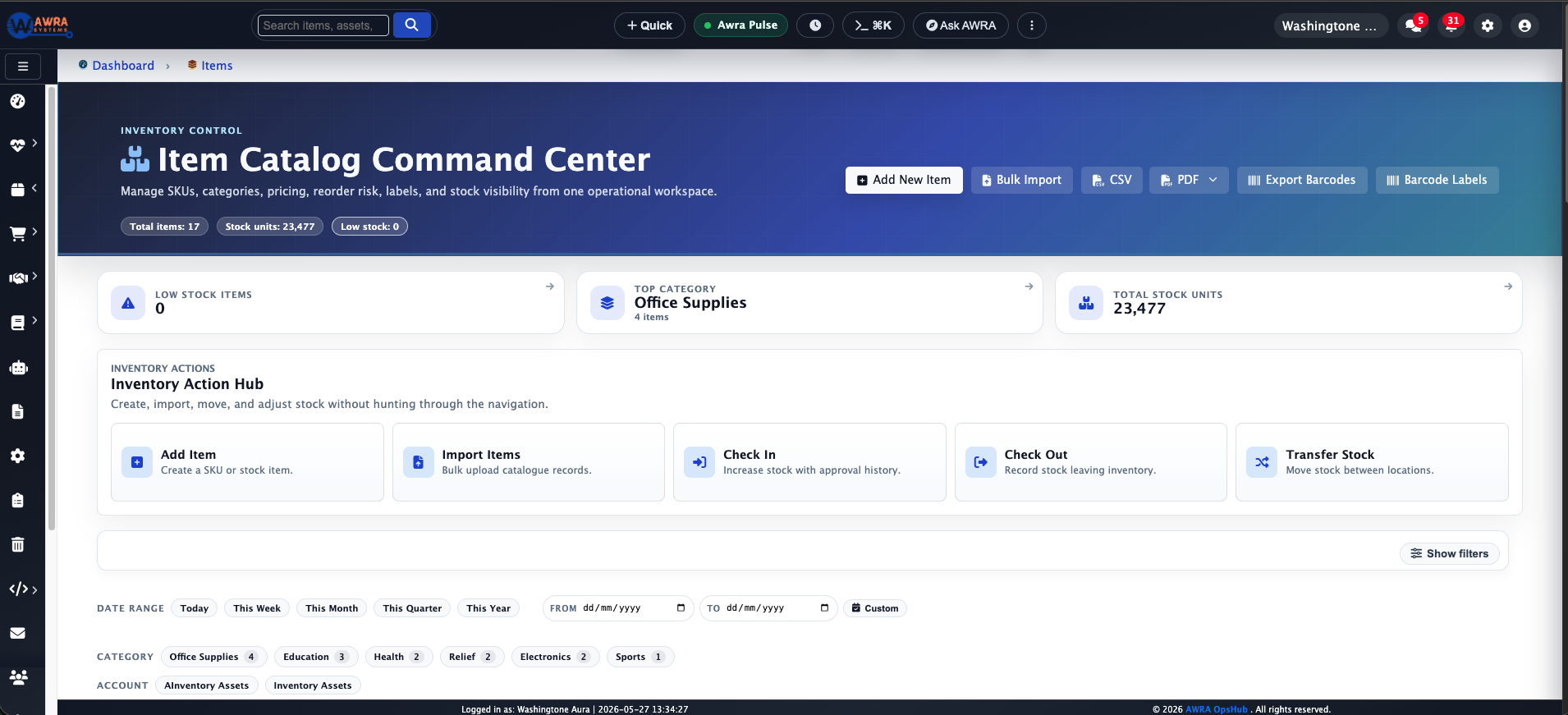
AWRA inventory overview dashboard showing stock records

02 Procurement control

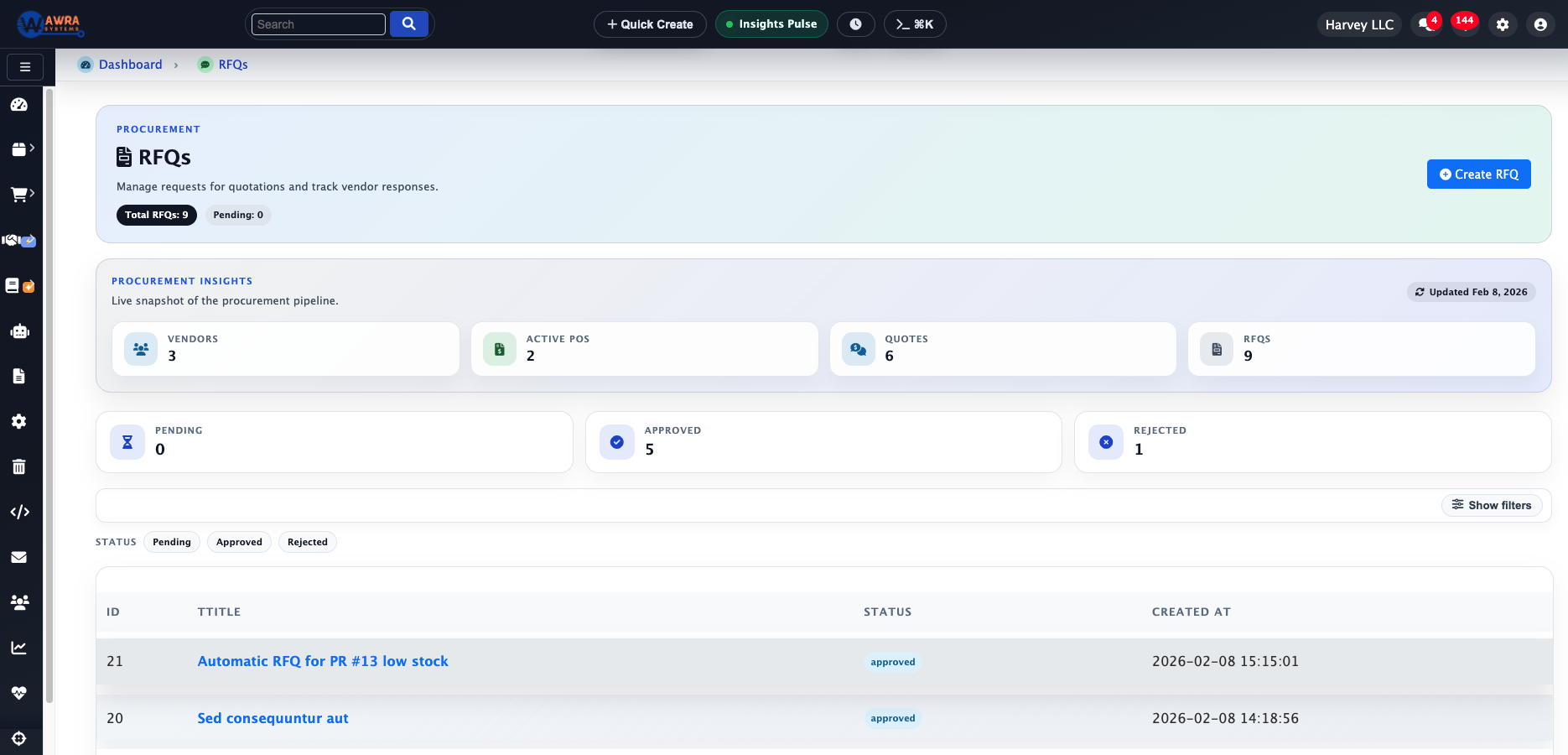
Turn stock needs into structured requests, RFQs, vendor decisions, and purchase orders.

Once inventory demand is clear, we move the work into procurement. AWRA helps your team convert requests into RFQs, compare vendor responses, document approvals, and create purchase orders without losing the reason behind each decision. This is especially important when you need accountability around pricing, supplier selection, and budget pressure.

Purchasing becomes chaotic when quotes live in email, supplier notes live in chat, and approvals live in memory. We keep those steps close together. AWRA supports a cleaner request-to-order flow so managers can see who asked for something, which vendors were considered, how quotations compared, and what was approved before money is committed.

We want procurement teams to use AWRA as a working desk, not an archive. The goal is not only to digitize purchasing. The goal is to make purchasing explainable, auditable, and easier to improve over time.

Structured purchase requests
RFQ and quotation review
Vendor score context
Approval-ready purchase orders
Turn stock needs into structured requests, RFQs, vendor decisions, and purchase orders.
AWRA procurement RFQ workspace

03 Receiving and stock flow

Connect purchasing decisions back to receiving, inspection, and stock availability.

Procurement only becomes real when goods or services are received. AWRA helps close that loop by linking purchasing context back into inventory movement. Your receiving team can work from approved orders, confirm quantities, and keep the operational record aligned with what finance and managers expect to see.

This is where our connected operating model becomes visible. A purchase order should not sit alone. It should update stock availability, inform finance, preserve vendor history, and support reporting. We designed AWRA so receiving becomes part of a broader operational record instead of a separate clerical task.

For organizations with warehouse teams, stores teams, or department-level receivers, AWRA reduces the gap between what was ordered, what arrived, what was accepted, and what is now available for use or sale.

Order-to-stock continuity
Receiving confirmation
Vendor performance context
Cleaner operational audit trail
Connect purchasing decisions back to receiving, inspection, and stock availability.
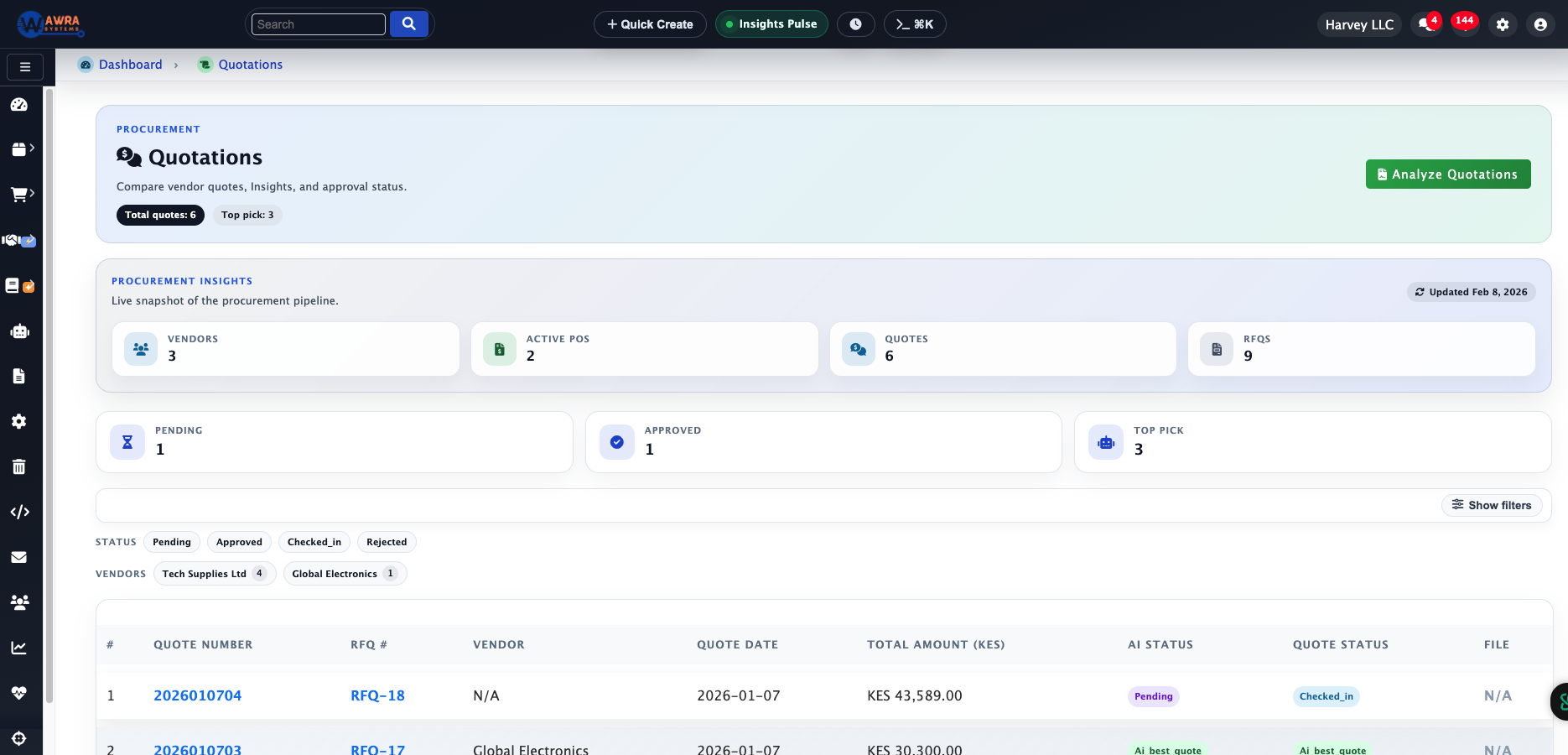
AWRA procurement quotations screen

04 Sales and POS

Move from stock availability to customer transactions, invoices, and point-of-sale activity.

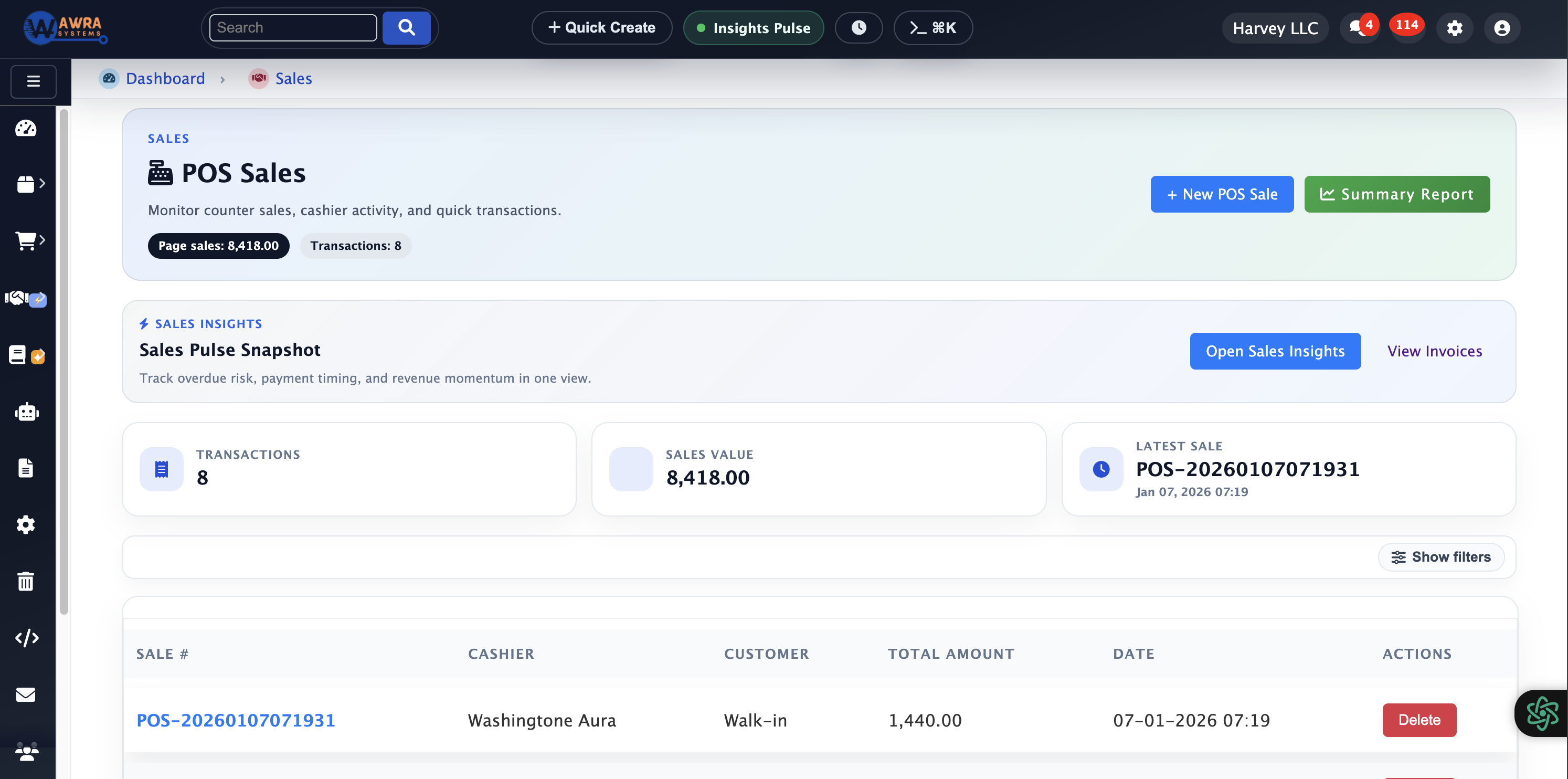
After stock is controlled and procurement is connected, the next workflow is revenue. AWRA supports sales operations with invoice workflows and POS activity that stay aware of inventory context. That means your team can sell with clearer visibility into what is available, what has moved, and what should be replenished.

Sales teams need speed, while finance and operations need accuracy. We balance those needs by keeping customer-facing activity connected to the operational backbone. Sales and POS actions should not create a reporting gap. They should update the picture for inventory, finance, and management.

We treat sales as part of the same operating system rather than a separate module. This helps your team understand how customer activity affects stock, procurement planning, margin review, and reporting.

Sales invoices and POS flow
Stock-aware transactions
Customer and item visibility
Revenue activity tied to reports
Move from stock availability to customer transactions, invoices, and point-of-sale activity.
AWRA point of sale workspace

05 Finance and accounting

Keep purchasing, sales, reconciliation, and accounting context aligned.

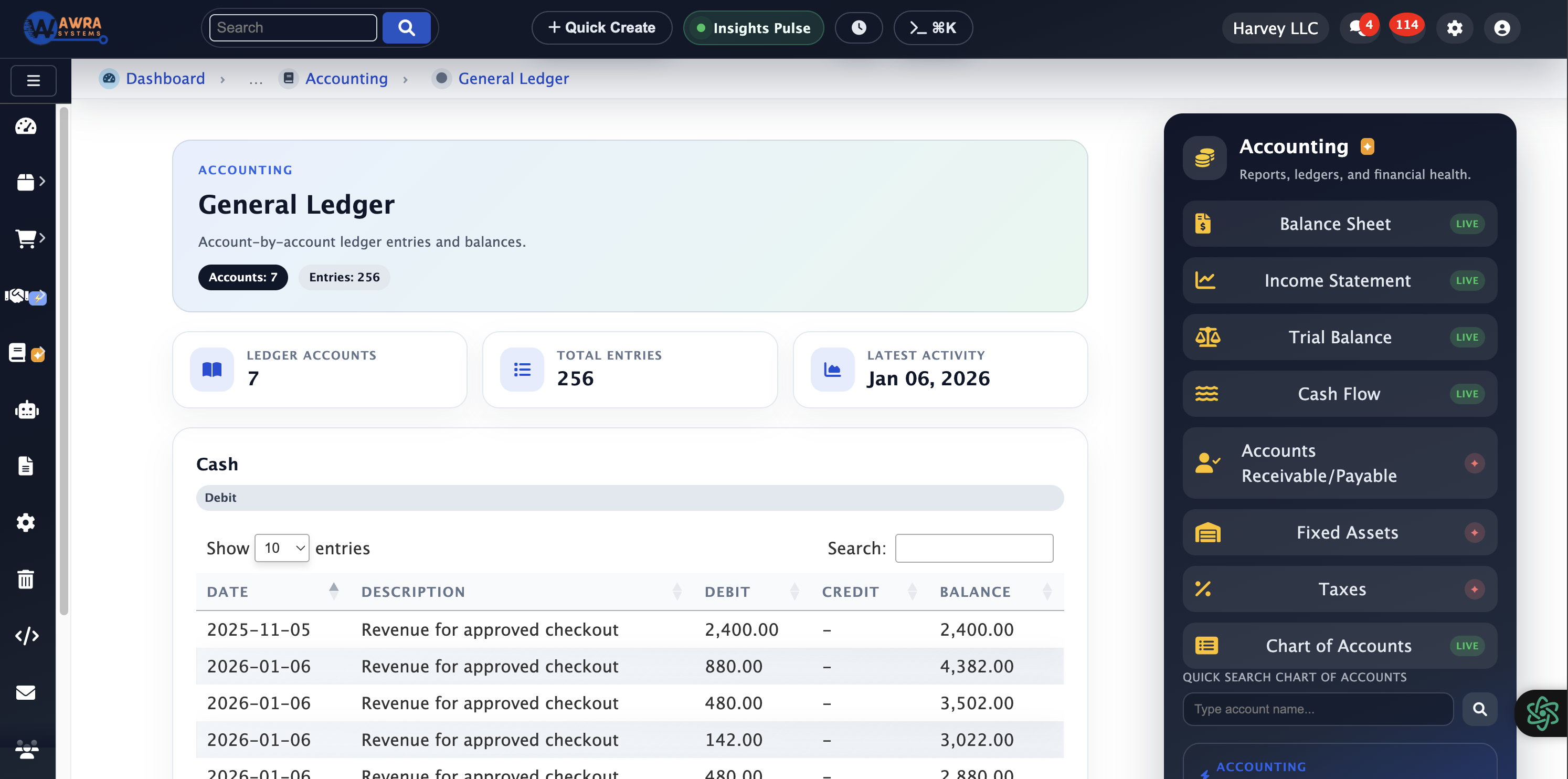
Finance teams need more than totals. They need to understand where operational records came from and whether those records can be trusted. AWRA connects procurement and sales activity to finance context so your team can review invoices, ledger-facing records, and accounting workflows with better visibility.

This is where operational discipline becomes financial clarity. If purchase orders, receiving events, stock adjustments, sales invoices, and payments are scattered, finance spends too much time chasing explanations. We reduce that friction by preserving links between operational events and the financial review process.

We are not trying to replace every finance tool in your organization. We are helping you make operational finance cleaner, more explainable, and easier to synchronize with accounting processes and external systems where needed.

Invoice and ledger visibility
Operational finance context
Accounting sync readiness
Cleaner reconciliation support
Keep purchasing, sales, reconciliation, and accounting context aligned.
AWRA accounting dashboard

06 Reports and intelligence

Turn operational events into management visibility and decision support.

The final workflow in our tour is reporting. Once stock, procurement, sales, POS, and finance are connected, your managers can stop relying on fragmented summaries and start reading the business through operational signals. AWRA reporting is designed to help leaders understand performance, exceptions, usage patterns, and risks before they become expensive problems.

Reports are most useful when the source data is trusted. That is why our reporting layer is tied to the workflows that created the data. A procurement metric is stronger when it can be traced back to RFQs and approvals. A sales metric is stronger when it connects back to inventory and finance. A stock metric is stronger when movement history is visible.

We end the tour here because this is the leadership layer: dashboards, analytics, AI-assisted insights, and governance signals that help your team decide what to do next.

Operational dashboards
AI-assisted insights
Procurement and stock analytics
Audit-ready management visibility
Turn operational events into management visibility and decision support.
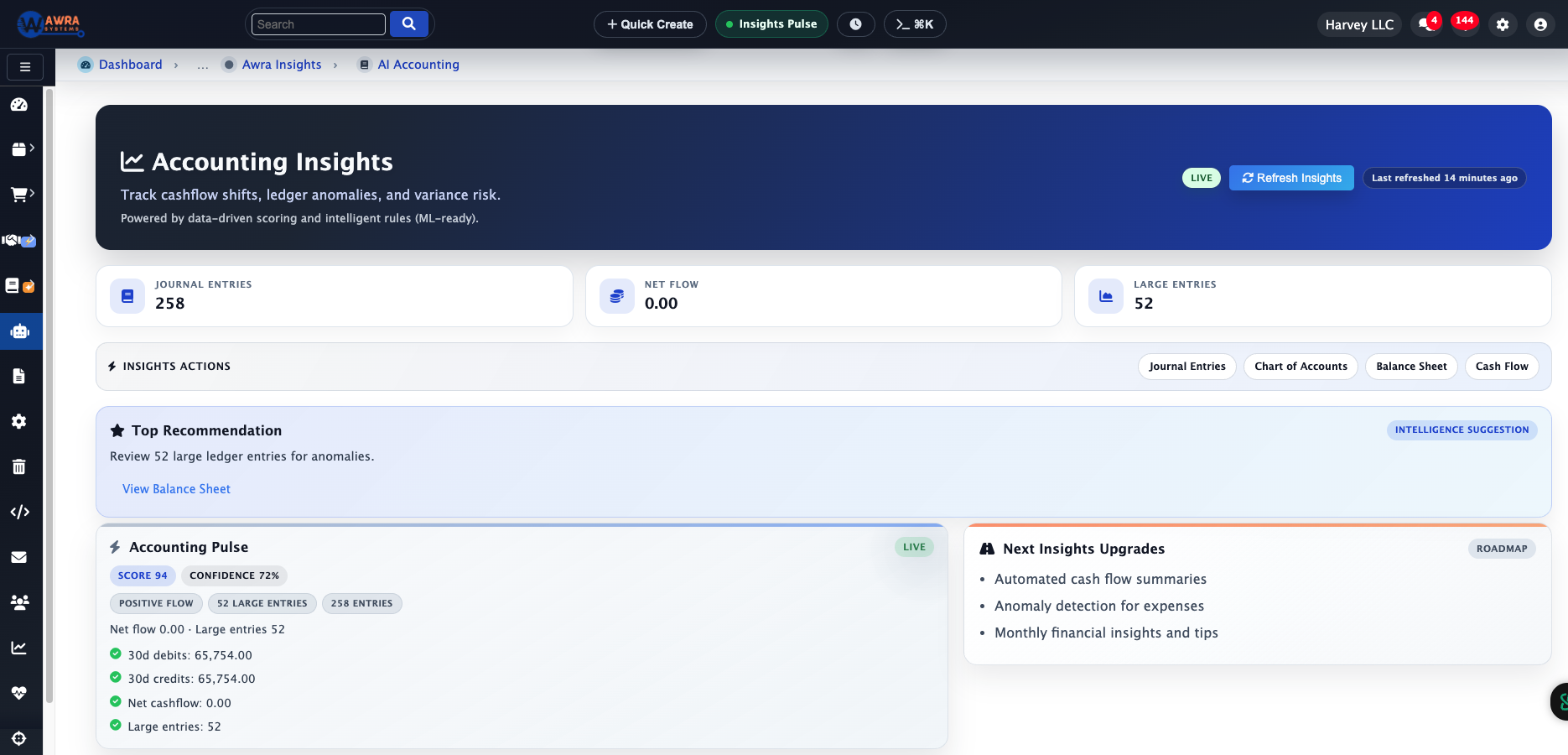
AWRA insights and reporting dashboard

Screen gallery

A closer look at the screens teams use every day.

We made this section intentionally screenshot-heavy because serious buyers need to see the working surface. You can inspect tables, dashboards, procurement screens, sales workspaces, and accounting views before booking a walkthrough.

We built the interface for repeated operational use: scanning, comparing, approving, reconciling, and reporting. Density matters, but so does legibility. AWRA gives your team useful information without forcing everyone to dig through disconnected tabs.

Inventory overview screen

Inventory overview

Review quantities, locations, item states, and movement context from a single operational view.

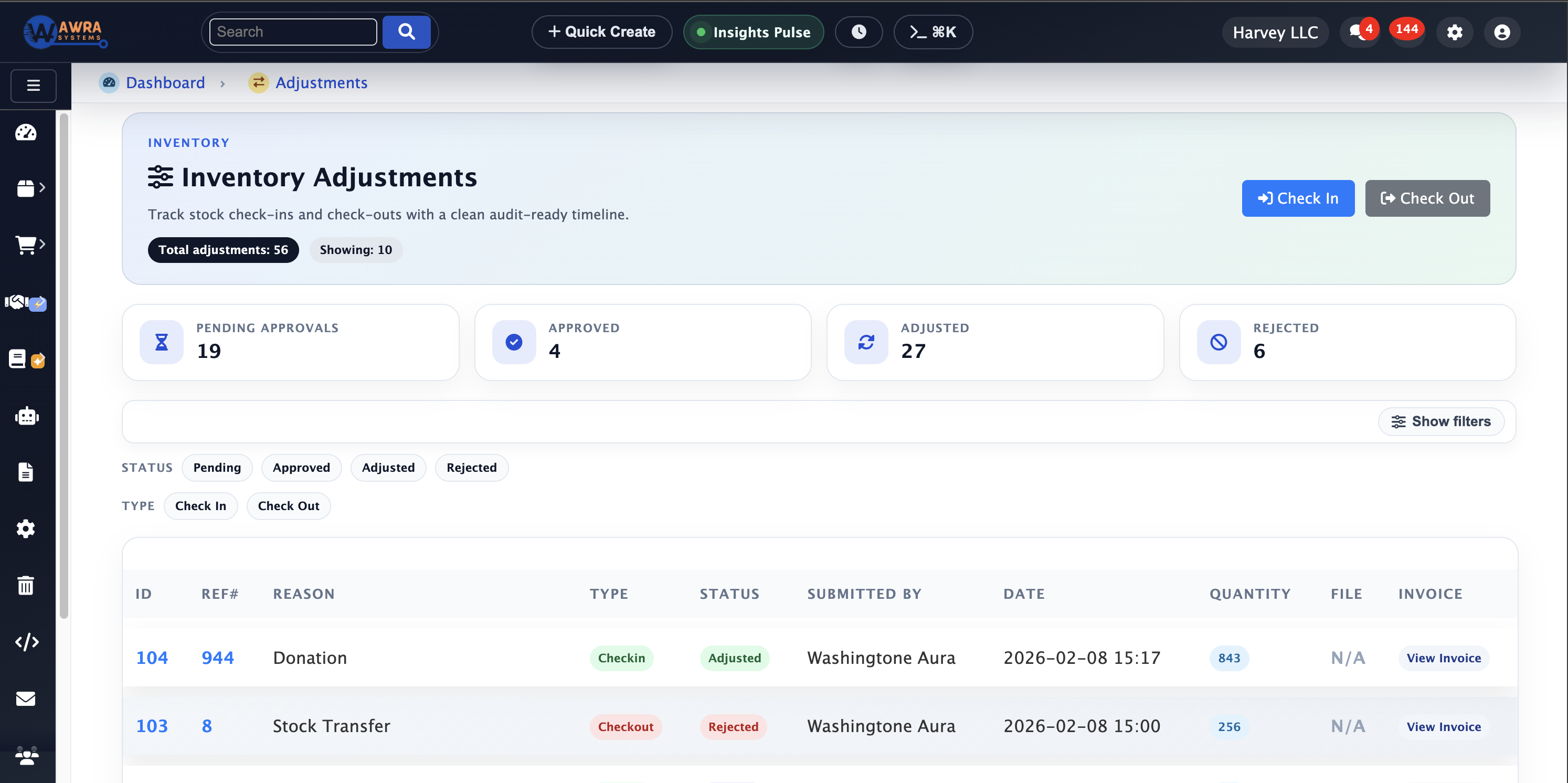
Inventory adjustments screen

Inventory adjustments

Document count corrections, damaged items, transfers, and controlled stock changes with a clearer trail.

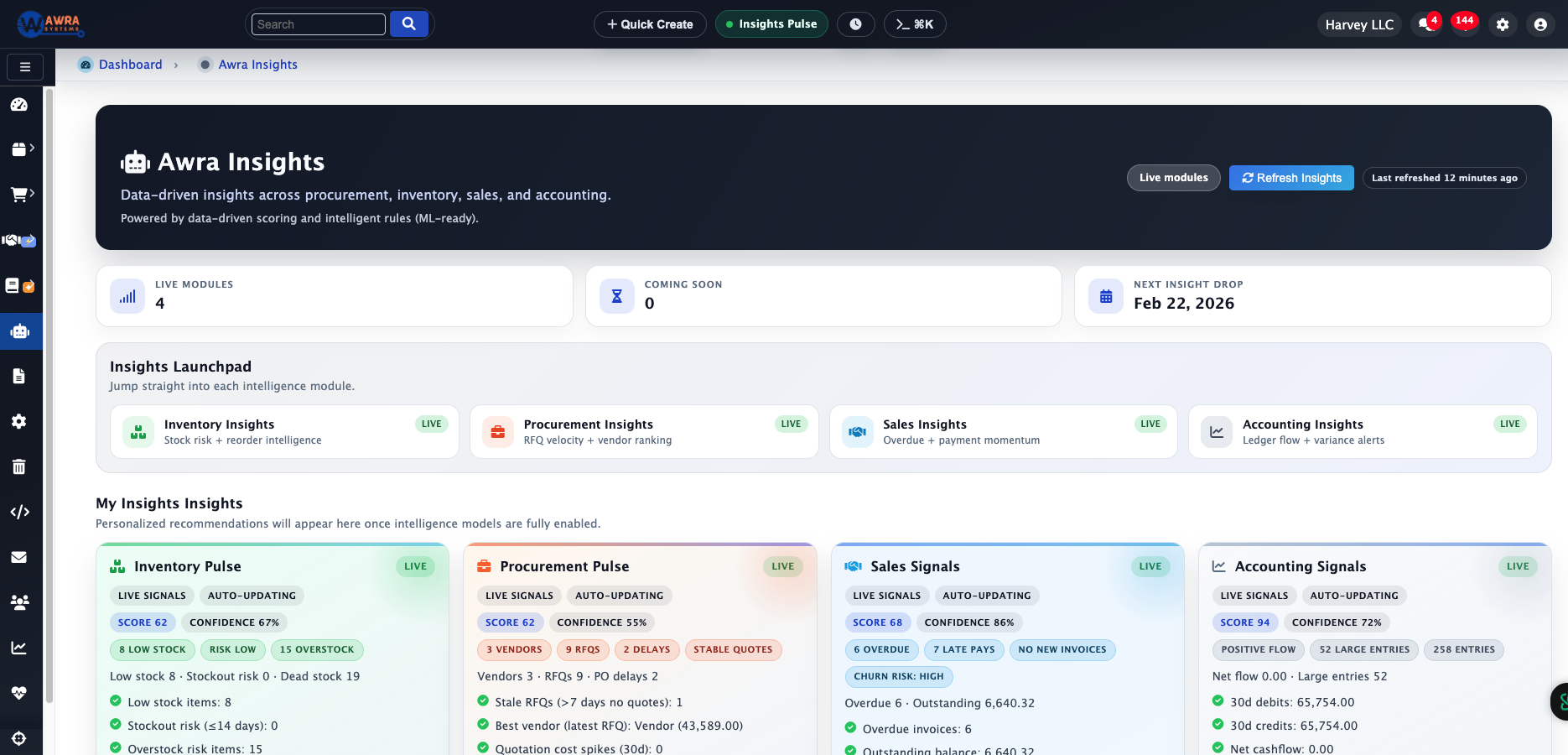
Procurement insights screen

Procurement insights

See procurement activity through supplier, request, order, and approval patterns.

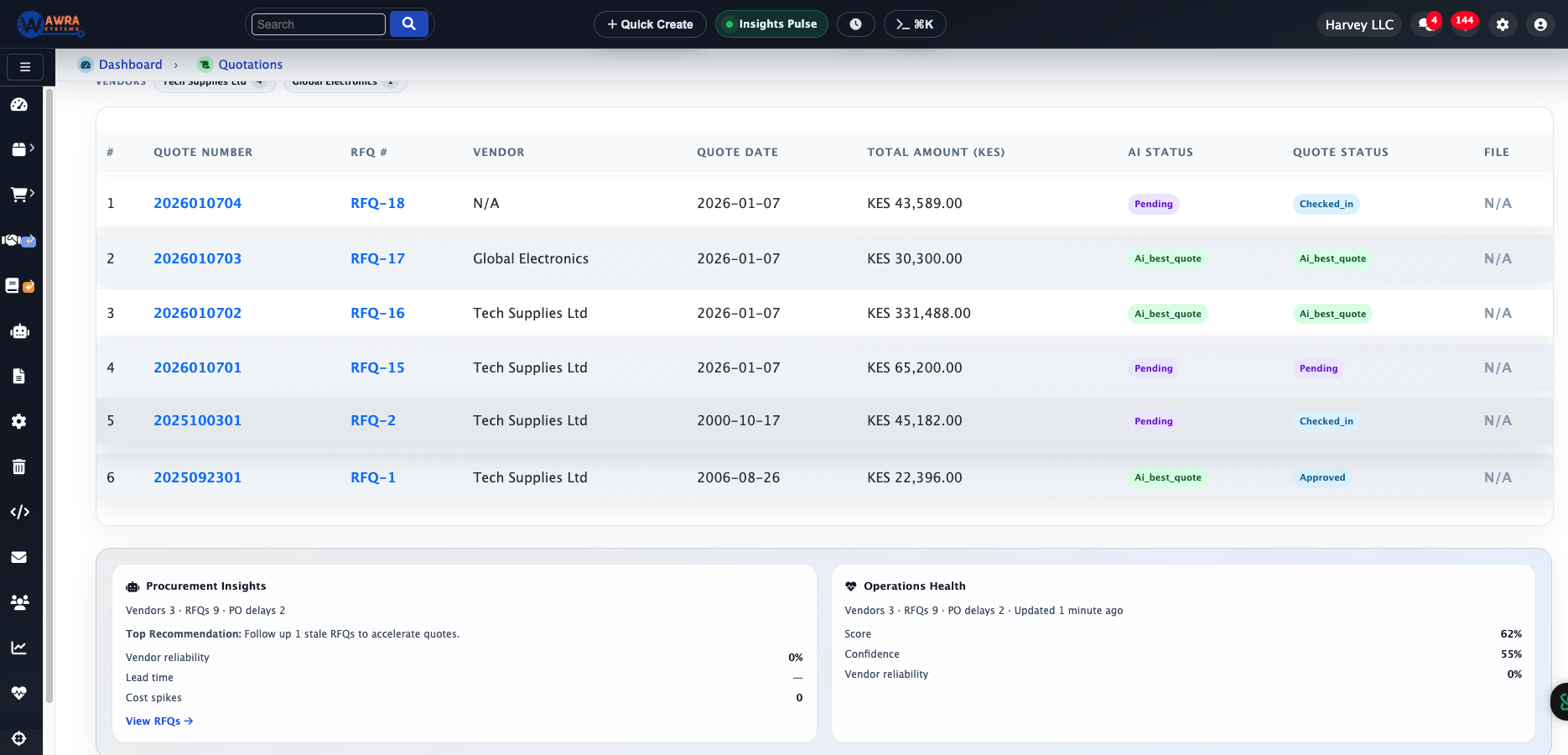
Quotation comparison screen

Quotation review

Compare vendor responses and preserve the context behind supplier decisions.

Sales POS screen

Sales POS

Support front-line selling while keeping stock and reporting aligned.

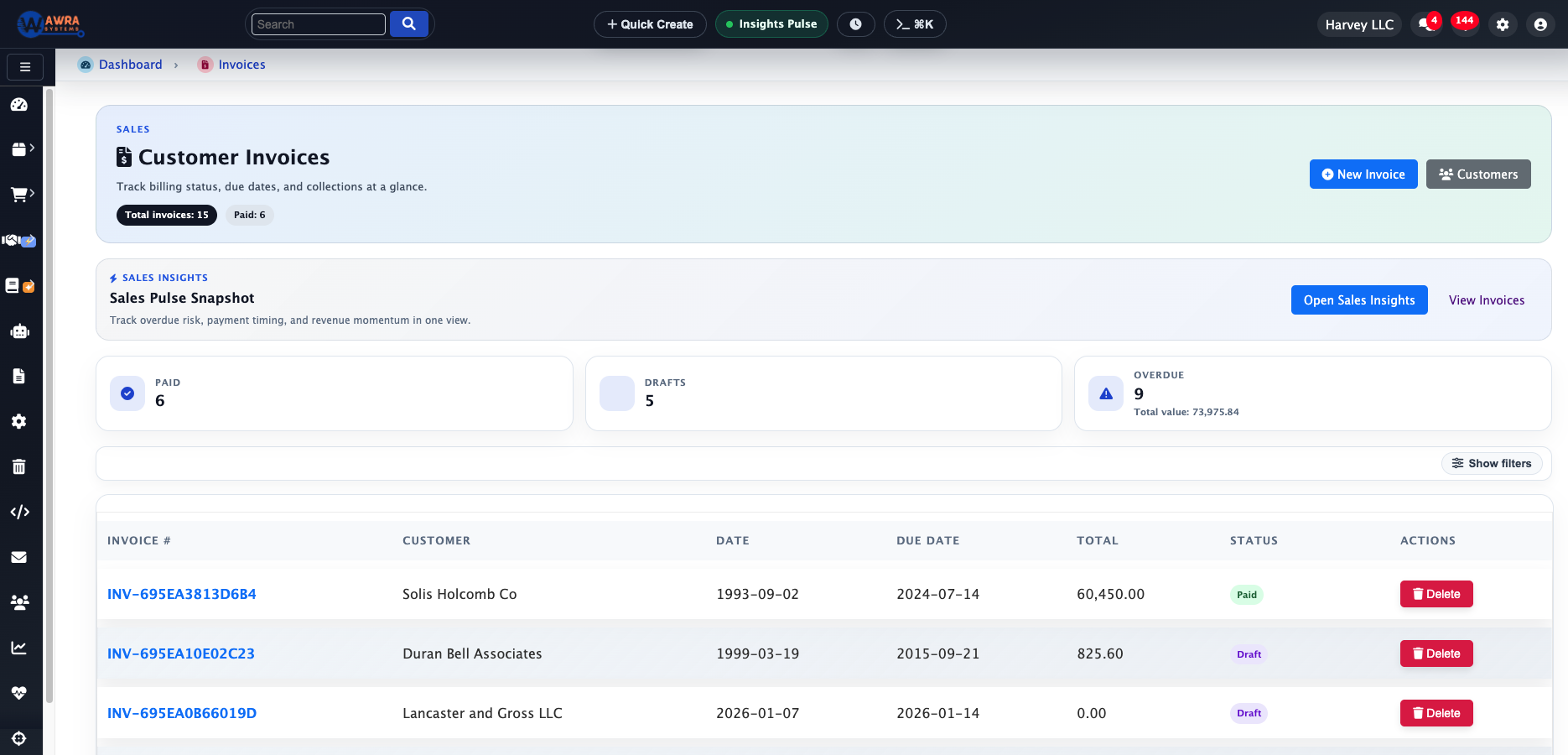
Sales invoices screen

Sales invoices

Track sales documents, customer activity, and revenue flow across operational teams.

Accounting dashboard screen

Accounting dashboard

Give finance teams context around operational records before reconciliation and reporting.

Accounting insights screen

BI insights

Read finance and operations through dashboards that connect back to source workflows.

Governance built in

We make the tour operational because control is part of the product.

AWRA is not just a set of screens. We give your team an operating layer that helps control who can act, what changed, when it changed, and how work moves between departments. That governance layer is especially important when you handle procurement approvals, multi-location inventory, vendor relationships, and finance records.

As teams grow, informal processes become expensive. A message in chat can become a missed approval. A spreadsheet can become the wrong stock count. A manual quote comparison can become an unexplained supplier decision. We reduce that risk by making operational decisions visible and reviewable.

Role-aware access

Keep daily workflows aligned with user responsibilities and approval boundaries.

Audit trails

Preserve a clearer record of operational actions, changes, and decisions.

Workflow approvals

Route sensitive actions through the right review path before they become final.

Reliable reporting

Make dashboards stronger by tying them back to source operational events.

Governance controls protecting operational workflows

Implementation view

How we help teams turn the tour into a rollout path.

A product tour is most useful when it helps you imagine rollout. When we work with teams, we usually start by clarifying inventory structure, importing or cleaning item data, defining user roles, and mapping the approval paths that matter most. From there, your team can phase procurement, sales, finance, reporting, and integrations based on operational urgency.

Phase 1

Structure the operation

Set up organizations, locations, users, items, permissions, and the core operating vocabulary your team will share.

Phase 2

Stabilize stock and procurement

Bring inventory, requests, vendors, RFQs, quotations, approvals, and purchase orders into one controlled flow.

Phase 3

Connect revenue and finance

Introduce sales, POS, invoices, accounting review, and sync patterns where finance needs stronger operational context.

Phase 4

Optimize and report

Tune dashboards, automation, alerts, integrations, and review cadences so leadership can act on cleaner signals.

Implementation team collaborating on AWRA rollout

What to review next

Use our tour as your evaluation map.

If you are evaluating AWRA, we recommend reviewing each workflow with the people who own that part of the operation. Inventory teams should inspect stock movement and adjustments. Procurement teams should inspect RFQs, quotations, approvals, and vendor records. Sales teams should inspect POS and invoices. Finance should inspect reconciliation context and reporting. Leadership should inspect dashboards and audit visibility.

We want the tour to help you ask better operational questions: Which workflow causes the most manual work today? Where do approvals slow down? Which records are hardest to trust? Which reports arrive too late? Which integrations would remove repeated data entry?

Help Center

Need a quick answer while you read?

Run inventory, procurement, assets, sales, and field work with approved AWRA guidance for setup, migration, integrations, security, pricing, and support.

Search all approved AWRA public help articles.

Open Help Center