

Ask AwraIQ about features, pricing, onboarding, login, integrations, security, demos, mobile apps, automation, reports, or support.
Financial Governance Boardroom
Budget vs Actual Spend Thresholds QuickBooks Sync
Finance control for spending before it becomes cleanup.
AWRA financial governance connects operational spending to budget rules, approval authority, vendor activity, and audit history so finance teams can manage risk before month-end surprises appear.
Cash Position Watched
Budget Drift Flagged
Audit Trail Ready

Next Review Overspend Queue
Risk High-value requests, budget pressure, and unreconciled spend surface as review work.
Month Close Tasks Tracked
Open Close blockers, sync status, approvals, and evidence stay visible to finance owners.
Executive finance view
Finance should see operational risk while there is still time to act.
The governance layer turns procurement, vendor spend, inventory movement, sales posting, and budget limits into signals finance teams can review before they become reconciliation problems.
Cash Position
Surface cash pressure, outstanding balances, pending commitments, and payment timing in one view.
Budget Vs Actual
Compare planned spend with actual commitments across departments, projects, vendors, and categories.
Approval Thresholds
Route high-value or budget-sensitive requests to the right reviewers before money is committed.
Financial Alerts
Flag overspend risk, unreconciled activity, delayed approvals, tax exposure, and close blockers.
Control workflow
From request to reconciliation, every step carries financial context.
Financial governance works best when it is connected to the actions that create spend: procurement requests, RFQs, purchase orders, vendor bills, inventory receiving, and payment activity.
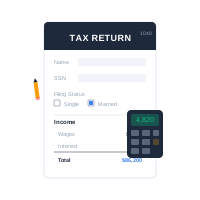
01
Define Budget Lines
Set budgets by department, project, location, category, or operational owner.
02
Attach Spend Context
Connect procurement and operational actions to the budget or cost area they affect.
03
Trigger Review
Escalate requests that exceed thresholds, create variance risk, or require executive approval.
04
Sync And Reconcile
Use connected accounting flows and payment records to reduce manual reconciliation effort.
05
Preserve Evidence
Keep approval history, budget changes, vendor context, and posting evidence available for review.
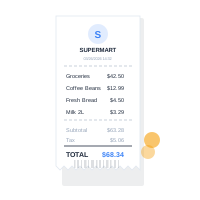
Governance architecture
Controls that help teams move without hiding risk.
The goal is not to block every request. It is to make sure decisions carry enough context for managers, finance, and auditors to trust the outcome.
Budgets Multi-Level
Approvals Threshold-Based
Accounting QuickBooks Ready
Evidence Audit-Ready
Smart Recommendations
Finance governance teams usually explore these next.
Spend governance works best when authority, sync readiness, and audit evidence are visible beyond the policy page.
Related control feature
Budget Controls
Define budget lines, threshold rules, committed spend views, and review paths before financial risk reaches close.
Open recommendation Related sync feature
QuickBooks Sync Health
Track vendor, item, purchase order, mapping, retry, and accounting sync readiness before reconciliation stalls.
Open recommendation Related AI feature
Accounting Insights
Surface margin anomalies, cash-flow shifts, expense spikes, and close blockers early enough for finance review.
Open recommendationRecommended finance control path
From budget signal to audit-ready evidence.
01
Define budget
02
Route approval
03
Sync records
04
Preserve proof
Customers like you also use
Enterprise controls
Finance governance across modules, roles, and plans.
AWRA keeps financial control close to daily work while respecting role permissions, plan access, organization configuration, and accounting integration boundaries.
Spend Guardrails
Set warnings, escalation points, and review paths for budget-sensitive actions.
Procurement Alignment
Connect requests, RFQs, POs, and vendor decisions to budget visibility.
Reconciliation Status
Track sync readiness, payment matching, and records that still need finance attention.
Period Close Tasks
Surface close blockers, unreconciled records, tax alerts, and pending approvals.
Role-Based Authority
Keep high-impact finance actions available only to the right users.
Accounting Deep Sync
QuickBooks Online can sync vendors, items, and purchase orders; other reconciliation flows stay explicit and controlled.
Common questions
Financial governance that finance and operations can both understand.
Is this a replacement for accounting?
No. It is an operational governance layer that supports budgeting, approvals, spend control, and accounting sync workflows.
Can budgets block procurement?
Budget thresholds can trigger warnings, escalation, or review workflows depending on organization configuration.
Does it support QuickBooks?
Yes. QuickBooks Online sync is supported for connected vendor, item, and purchase order workflows.
Who can change financial controls?
Sensitive configuration should remain permission-protected and available only to authorized finance or admin roles.
Help Center
Need a quick answer while you read?
Run inventory, procurement, assets, sales, and field work with approved AWRA guidance for setup, migration, integrations, security, pricing, and support.