

Ask AwraIQ about features, pricing, onboarding, login, integrations, security, demos, mobile apps, automation, reports, or support.
Sales · Customer Credits
Give a customer credit — without touching the original invoice.
Overbilled, a return, a goodwill gesture, a post-invoice adjustment. Issue a credit note, point it at an open invoice, and the balance drops on the spot — the original document stays intact and the reason stays on record.
Auto-numbered CR · Applies to an open invoice · Partially or fully credited · Reason on record · Web + mobile API
Invoice · INV-2048Open
CustomerAcme Distributors
Balance dueKES 50,000
−
Credit Note · CR-0007Applied
ReasonDamaged units returned
AmountKES 12,000
INV-2048 · recalculatedPartially credited
New balance dueKES 38,000
0 editsthe original invoice is never altered or deleted
Instantthe invoice balance recalculates the moment you apply
Every CRauto-numbered and traceable, with a reason attached
2 statesinvoices move to partially or fully credited
Why credit notes exist
The invoice was right yesterday. Today it needs to say less.
An invoice is a promise, and once it is sent it should not quietly change — an auditor, a customer, and your own books all rely on it staying exactly as issued. But business keeps moving after the invoice goes out. Goods come back. A line was overbilled. You agree a discount to keep a good customer happy. A dispute settles halfway.
A credit note is how you reduce what a customer owes without rewriting history. Instead of editing or deleting the original invoice — which destroys the trail — you issue a separate, numbered document that records the credit and the reason for it, then apply it against the open invoice. The invoice keeps its original figure; its balance simply reflects the credit you granted.
Returns
Customer sent goods back — credit the value against what they still owe.
Overbilling
A quantity or price was too high on the invoice you already sent.
Goodwill
A negotiated discount or gesture to retain a valued account.
Disputes
A disagreement settles for less than the original amount billed.
The life of a credit note
Issue, apply, done — or cancel if it never lands.
Step 01 · Issue
Raise the credit against a customer
Pick the customer, enter the amount and a reason, and save. A sequential CR number is generated automatically so every credit is uniquely traceable. At this point its status is issued.
Step 02 · Apply
Point it at one open invoice
Choose an invoice that still has a balance — the picker only shows invoices with something outstanding. You can even select the invoice while creating the note to apply it immediately. The credit is capped at the invoice balance, so the invoice is never overpaid.
Step 03 · Recalculated
The invoice reflects the credit
Applying increases the invoice's amount paid and reduces its balance due on the spot, moving it to partially_credited or credited. The credit note is now applied and locked, with the applied date stamped on it.
Alternate · Cancel
Void one that shouldn't stand
Raised a credit note in error and haven't applied it yet? Cancel it and it moves to cancelled. Notes already applied to an invoice are protected — they can't be silently cancelled out from under the books.
The math, made honest
Watch a balance recalculate two ways.
Whether the credit clears part of an invoice or all of it, the outcome is deterministic — no manual re-typing, no risk of the numbers drifting apart.
Partial credit
Credit is smaller than the balanceInvoice balance due50,000
Credit note applied− 12,000
New balance due38,000
Invoice statusPartially credited
Full credit
Credit meets or exceeds the balanceInvoice balance due50,000
Credit note applied− 50,000
New balance due0
Invoice statusFully credited
What you get
Simple to raise. Safe by design.
Auto-numbered
Every credit note gets a unique, sequential CR number the moment it's created — no manual numbering, no duplicates.
Reason on record
A free-text reason travels with each note and shows on its detail view, so anyone reviewing later knows exactly why the credit was granted.
Invoice-aware
The apply picker only offers invoices with an outstanding balance, so a credit can never be pointed at something already settled.
Applied notes are locked
Once applied, a note can't be cancelled — protecting the invoice figures it has already adjusted from being quietly reversed.
Clear status at a glance
The register shows every note as issued, applied or cancelled with colour-coded badges, filterable and linked straight to detail.
Custom fields
Extend the credit note with the fields your policy needs — approval reference, dispute ID, cost centre — via enterprise custom fields.
Permission-gated
Viewing credit notes needs sales-view rights; issuing, applying and cancelling need sales-manage rights — a clean separation of duties.
Mobile API
A token-authenticated JSON API mirrors every action — list, create, view, apply and cancel — for field and mobile workflows.
Tied to the customer
Each note is linked to the customer it credits, so their credit activity sits alongside the invoices it relates to.
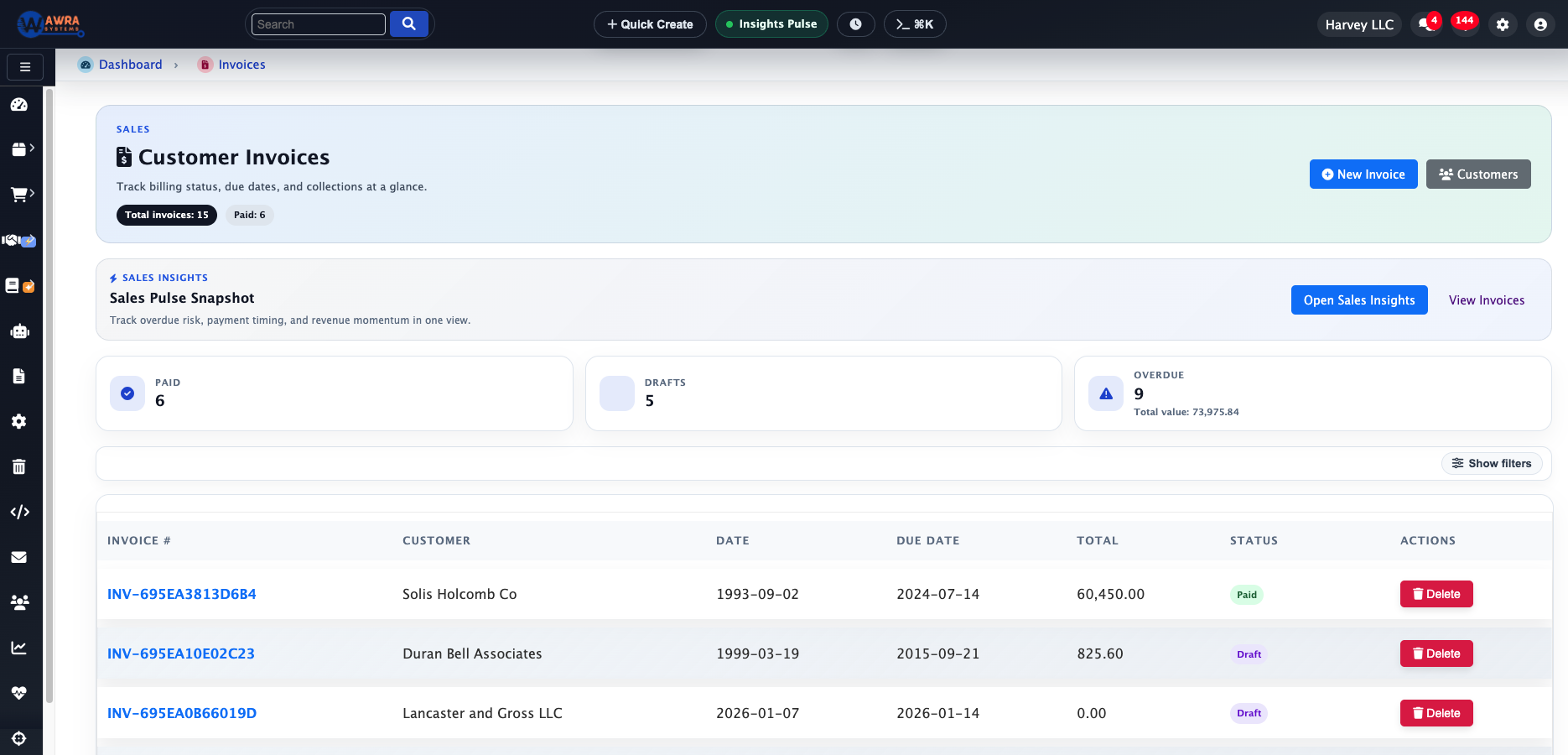
One receivables picture Explore Invoicing
Credits and invoices, side by side.
Credit notes don't live in a silo. They belong to the same sales and receivables workspace as the invoices they adjust, so the balance a customer owes you is always the balance after credits — not a figure you have to reconcile in your head.
Because applying a credit reduces the invoice's balance directly, that lower figure is what flows through to everything downstream that reads the invoice: what the customer sees they owe, and what shows as outstanding when you chase collections.
Clear scope
Exactly what it does — and what it deliberately doesn't.
A credit note is a single-amount, single-invoice sales adjustment. It records an amount and a reason, and applies once to one open invoice up to that invoice's balance. It is intentionally lean: no line items, no separate tax breakdown, and it isn't a cash-refund tool — it reduces what a customer owes, rather than paying money back out. That focus keeps it fast to raise and impossible to misuse.
The rest of the sales cycle
Credit notes are one move in a bigger flow.
They adjust invoices, invoices bill customers, and customers get chased and paid. Follow the thread:
Questions, answered
Credit notes FAQ.
What exactly is a credit note here?
An auto-numbered document that records an amount of credit owed to a customer plus a reason. Apply it to an open invoice and it reduces that invoice's balance — the original invoice is never edited or deleted.
Does applying a credit note change the invoice?
Yes — it increases the invoice's amount paid and reduces its balance due immediately, and moves the invoice to partially credited or fully credited depending on how the credit compares to the balance.
Can I apply one credit note to several invoices?
No. A credit note applies to a single invoice, up to that invoice's balance. Raise a separate note for another invoice — keeping each credit tied to one clear reason and one document.
Can a credit note be cancelled?
An issued note that hasn't been applied can be cancelled. Once it's been applied to an invoice it's locked, so the balances it changed can't be reversed without a trace.
Is a credit note a refund?
No. It reduces what a customer owes on an invoice rather than paying cash back out. If you need to move money, that's handled in payments — a credit note is purely a receivables adjustment.
Can I raise credit notes on mobile?
Yes. A token-authenticated JSON API mirrors the web actions — list, create, view, apply and cancel — so credit notes work from mobile and field apps too.
Put it right, cleanly
Adjust an invoice the way auditors like: transparently.
Issue the credit, apply it, and let the balance take care of itself — with the original invoice and the reason both preserved. That's AWRA Credit Notes.