Manual SMS matching
STK and card confirmations post straight back to the invoice or POS sale — no reading texts and typing receipts.
Take M-Pesa and card payments from your customers at the POS and on invoices — STK prompts, scan-to-pay QR, customer-initiated Paybill/Till, and cards — and watch each one reconcile itself onto the right sale.
It runs on your own Safaricom Daraja and Paystack accounts, so money settles directly to you — AWRA only triggers the request and records the result. Non-custodial by design, separate from your AWRA subscription billing.

Most businesses take the payment fine — it's the reconciliation that hurts. Cashiers eyeball confirmation SMS, finance re-keys receipts into the ledger, and half-paid invoices drift. Sales Payments closes that gap by tying every collection to the sale it settles, automatically.
STK and card confirmations post straight back to the invoice or POS sale — no reading texts and typing receipts.
Funds settle to your own M-Pesa till and Paystack account. AWRA never holds your cash.
Each payment reduces the exact balance it pays; unmatched receipts are surfaced for one-click attach.
Connect your own Daraja and Paystack credentials once, then collect on invoices and at the POS. Confirmations flow back and reconcile themselves.
A cashier enters the phone number; the customer gets a PIN prompt and approves. The confirmation posts back and marks the sale paid.
Generate a dynamic M-Pesa QR for the exact amount — on screen at the till or printed on the invoice — for the customer to scan and pay.
Customers who pay your Paybill or Till on their own auto-confirm against the matching invoice once your C2B URLs are registered.
Accept Visa/Mastercard with a secure popup at the register (no page reload) or a hosted checkout link on invoices.
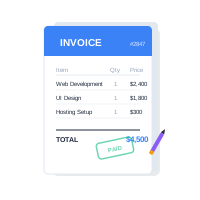
Each successful payment is matched to its invoice or POS sale, posts to the ledger, and updates the balance — no manual entry.
Payments that can't auto-match (e.g. a mistyped account number) are captured and attached to the right invoice or sale in one click.
Reverse an M-Pesa payment or refund a card — the customer is paid back and the balance re-opens. Off by default; you enable it per business.
Optionally email or SMS the customer a receipt the moment a payment succeeds, reusing your branded POS receipt.
One filterable dashboard of every transaction across methods and statuses — received, pending, failed, reversed — with refund actions inline.
Enter your own M-Pesa (Daraja) and Paystack keys under Payment Settings and run a one-click connection test. Money will settle to these accounts.
On an invoice or at the POS, pick a method — STK prompt, QR, or card popup — or let the customer pay your Paybill/Till directly.
Safaricom or Paystack sends a secure confirmation to AWRA. The transaction is logged, idempotently, with its receipt number.
AWRA matches the payment to the sale, posts it to the ledger, drops the balance, and (optionally) sends the customer a receipt.
Sales Payments uses your own Safaricom and Paystack credentials, so every shilling settles straight into your till and bank. AWRA initiates the request and records the outcome — it never holds, pools, or routes your funds. This is entirely separate from how you pay for your AWRA subscription.
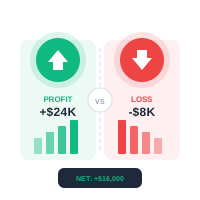
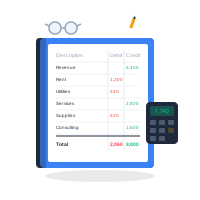
A single payments dashboard lists every transaction across M-Pesa and card — filter by date, method, and status, and see received, pending, failed, and reversed totals at a glance. Stuck payments are resolved automatically by a background status check, so nothing sits "pending" forever.
Refunds and reversals are off by default — a deliberate guardrail for a destructive action. When a business enables them, a confirmation dialog shows the method, receipt, and amount before any money moves, and the reversal re-opens the balance and shows on the invoice.
Charge by STK or card at the counter and Save & Print once it confirms.
Send invoices with a Pay button, QR, and Paybill instructions — get paid faster.
Let guests scan a QR or tap a Till to settle the bill on their own phone.
Collect dues and fees with auto-matched receipts and a clean audit trail.
Yours. You connect your own Safaricom Daraja and Paystack credentials, and funds settle directly to your till and bank. AWRA is non-custodial — it never holds your money, and this is completely separate from your AWRA subscription payments.
Both Paybill and Till (Buy Goods). You can charge with an STK push, show a dynamic scan-to-pay QR, or accept customer-initiated payments where they pay your Paybill/Till directly — those auto-confirm once your C2B URLs are registered.
When the provider confirms a payment, AWRA matches it to the invoice or POS sale (by account reference for Paybill, or the transaction it was raised against), records it in the ledger, and reduces the balance — automatically and idempotently.
Yes — card refunds via Paystack and M-Pesa reversals via Daraja. Because it is a destructive action, it is off by default; a business enables it under Payment Settings, and every refund asks for confirmation showing the amount and receipt first. The reversal re-opens the balance.
Optionally, yes. You can have AWRA automatically email or SMS the customer your branded receipt the moment a payment succeeds — or keep it manual. The payment method always appears on POS receipts and invoice PDFs.
A background job queries the provider for any payment left pending and resolves it to success or failed, so transactions never get stuck. Anything that can't be matched to a sale is listed as an unmatched receipt for one-click attachment.
We'll walk your sales and finance teams through connecting M-Pesa and Paystack, charging at the POS and on invoices, auto-reconciliation, refunds, and the payments dashboard.