
Ask AwraIQ about features, pricing, onboarding, login, integrations, security, demos, mobile apps, automation, reports, or support.
Operations Hub
The five screens you open before anything else
Every other module answers “what happened”. Operations Hub answers “what needs me today” — pulling the same records the rest of the platform already holds into five screens built for deciding rather than browsing.
A Control Tower with nine risk lanes, an Approvals Hub fed by fifteen record types, seven Smart Alert rules, a pricing Anomaly Radar, and Scan & Act for a barcode in a warehouse.
Nothing here is a separate dataset. Sell something, receive an order or write stock off, and these five screens change on the next render.
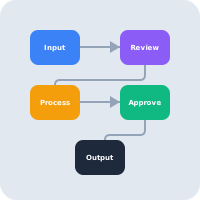
Control Tower
Nine lanes, ranked by severity
The executive view. Each lane counts its own records, ranks them by severity, and hands you the five that matter most with a link straight into the record — in the browser or deep-linked into the mobile app.
Stock Risk
Items likely to trigger stock pain first, ranked using fourteen days of real demand rather than the reorder point alone.
Delayed Purchase Orders
Open orders already past their expected delivery date.
Unpaid Invoices
Open receivables putting pressure on cash collection.
Suspicious Adjustments
Inventory movements that deserve an executive second look.
Pending Payouts
Team pay drafted or approved but not yet posted.
Overdue Tasks
Open work already past its due date.
Blocked Tasks
Work that has stopped and is waiting on something.
On Leave Today
Who is away today, so the day is planned around real capacity.
Payroll Due
A payroll run that has reached its date and still needs action.
Those nine lanes cross five modules — inventory, procurement, sales, projects and HR. That is the point of the screen: the things most likely to ruin a week rarely live in the module you happen to have open.
Approvals Hub
Fifteen record types, one queue
Everything waiting on a signature, wherever it came from, grouped by the module it belongs to and counted in a summary at the top.
Stock adjustments · procurement requests · RFQs · quotations · purchase orders · invoices · stock transfers · asset movements · asset pool movements · trash deletions · item master changes · leave requests · overtime records · payroll runs · helpdesk tickets.
Approving here applies the effect in the module it came from — the leave request moves the person on the attendance board, the transfer actually moves the stock. The decision and its consequence are the same action, and both land in the audit log.
Smart Alerts
Seven rules, watching continuously
- Low stock items
- Stockout risk on seven-day coverage
- Overdue invoices
- Delayed purchase orders
- Pending adjustments
- Margin risk items
- Locations over capacity
Fixed rules on your live data, computed against a cache with an explicit refresh — not a machine-learning model, and we would rather say so than let a demo imply otherwise. Each alert that fires is kept as an occurrence you can assign to a person, who is notified, and acknowledge with a note; it resolves itself when the condition clears.
Anomaly Radar
Three ways pricing goes wrong quietly
- Selling below cost — A selling price that has fallen under what the item costs you.
- Thin margin pricing — Priced above cost, but by too little to carry the handling.
- Missing selling price — An item that can be issued but has no price to issue it at.
Pricing is where a small error survives longest, because every screen still works and every line still sells. These three rules are deterministic and read the catalog directly.
Scan & Act
A barcode, then the right record
One screen for a person holding a scanner. Scan a code and it resolves to the record behind it — an item, an asset, a customer, an invoice, a purchase order, a stock transfer or an adjustment — then offers the actions that record can accept.
It keeps a list of recent scans, flags a duplicate scan rather than silently repeating the action, and asks you to choose when a code matches more than one record instead of guessing.
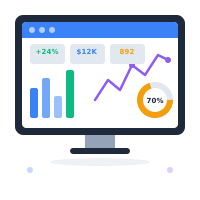
What AWRA OpsHub does today
- A nine-lane Control Tower — stock risk, delayed purchase orders, unpaid invoices, suspicious adjustments, pending payouts, overdue tasks, blocked tasks, on leave today and payroll due, each counting its own records and ranking them by severity.
- Stock risk ranked on real demand, using fourteen days of issued quantity to work out days of coverage, rather than comparing stock to a reorder point and stopping there.
- An Approvals Hub fed by twenty record types across inventory, procurement, sales, assets, governance, HR, finance and the helpdesk — finance meaning expense claims, staff advances and their retirements, petty cash vouchers and payment runs — grouped by module with a summary count per group.
- Out-of-office cover on approval chains — an approver names a delegate for a set of dates under Settings › Out of Office, the delegate is told about and signs the steps waiting on them, and every decision records on whose behalf it was made.
- Approval that applies the effect where it belongs — the leave request moves the person on the attendance board, the transfer moves the stock — rather than only clearing a row on the approvals screen.
- Seven Smart Alert rules on live data: low stock, seven-day stockout risk, overdue invoices, delayed purchase orders, pending adjustments, margin risk and locations over capacity.
- An owner and an acknowledgement on every Smart Alert — each occurrence is kept, can be assigned to a person who is then notified, acknowledged or reopened with a note, and resolves itself when its condition clears; a recurrence opens a fresh occurrence.
- Three deterministic Anomaly Radar rules — selling below cost, thin margin pricing and a missing selling price — read straight from the catalog.
- Scan & Act across seven record types — item, asset, customer, invoice, purchase order, stock transfer and adjustment — with duplicate-scan detection and an explicit choice when a code matches several records.
- Every row deep-links into the record, in the browser and into the matching screen in the mobile app, so a lane is a route to the work rather than a report about it.
- Computed against a cache with an explicit refresh, so opening the tower on a busy morning does not recompute nine lanes for every person who opens it.
More we can add to your workspace
- Alert thresholds you tune per workspace — a low-stock rule that fires at your number rather than the shipped one, set on a screen instead of in a deployment.
- Alert routing by role or department, so procurement sees supplier risk and finance sees collection pressure without either scrolling past the other.
- Control Tower lanes you define yourself, built from a saved filter over any module rather than chosen from the nine that ship.
- Anomaly rules learned from your own trading history, flagging a movement because it is unlike your last six months rather than because it breaks a fixed rule.
- A scheduled digest of the tower, delivered by email or WhatsApp each morning to people who will not open a dashboard.
- Batch approval across record types, clearing eleven transfers and four leave requests in one action from the summary row.
- Snooze on a Smart Alert, setting when an acknowledged alert should come back, and the same owner-and-acknowledgement lifecycle on Control Tower lanes and Anomaly Radar signals, which are computed fresh rather than kept today.
Where we point you to a specialist
- We will not tell you an adjustment was fraud. Suspicious Adjustments ranks movements that deserve a second look and shows you who made them and when. Calling it theft is a conclusion about a person, and that is yours to reach — with an investigator if it comes to that, not with a lane on a dashboard.
- We will not describe Smart Alerts or Anomaly Radar as machine learning. They are deterministic rules over your live records. They are genuinely useful and they are genuinely not a model, and the difference between those two matters most at the point somebody is deciding whether to buy.
- We will not act on a lane automatically. Nothing in Operations Hub raises an order, writes stock off or pays anybody on its own. Every lane ends at a person and a record, because an automation that acts on a ranked risk is precisely where a wrong rank stops being visible.
Tell us which lane your mornings actually start with and we will build it for your workspace.
Every item under More we can add to your workspace is scoped work we will quote, not a roadmap promise. Several of them are a few days each.
Where the lanes come from
Operations Hub holds no data of its own. Each lane reads a module you are already running.
Inventory
Stock risk, suspicious adjustments, stock transfers
Procurement
Delayed orders, requests, RFQs, quotations
Sales & POS
Unpaid invoices and collection pressure
Projects
Overdue tasks, blocked tasks, pending payouts
Human Resources
Leave today, overtime, payroll due
Helpdesk
Tickets waiting on an approval
See the tower with your own numbers
Open the sandbox and the lanes fill as you work, or start a free workspace and point them at your data.
Help Center
Need a quick answer while you read?
Run inventory, procurement, assets, sales, and field work with approved AWRA guidance for setup, migration, integrations, security, pricing, and support.
AWRA Operations Hub
Frequently asked questions
What is AWRA Operations Hub?
Operations Hub is the command layer of AWRA OpsHub. It holds no data of its own — it reads the modules you already run and presents five screens built for deciding: a Control Tower, an Approvals Hub, Smart Alerts, an Anomaly Radar and a Scan & Act screen.
What does the Control Tower show?
Nine lanes, each counting its own records and ranking them by severity: stock risk, delayed purchase orders, unpaid invoices, suspicious adjustments, pending payouts, overdue tasks, blocked tasks, who is on leave today, and payroll that is due. Every row links straight into the record.
What can go through the Approvals Hub?
Fifteen record types: stock adjustments, procurement requests, RFQs, quotations, purchase orders, invoices, stock transfers, asset movements, asset pool movements, trash deletions, item master changes, leave requests, overtime records, payroll runs and helpdesk tickets. Approving applies the effect in the module it came from.
Are Smart Alerts and Anomaly Radar machine learning?
No. Both are deterministic rules over your live records — seven alert rules and three pricing rules. They are useful and they are not a model, and we would rather say so than let a demo imply otherwise.
Does Operations Hub act on its own?
No. Nothing in Operations Hub raises an order, writes stock off or pays anybody automatically. Every lane ends at a person and a record.