
Public Web
OperationalMarketing pages, login routes, help content, and public product information.
AWRA OpsHub Health
Core AWRA OpsHub surfaces are available and the background scheduler is reporting inside the expected freshness window.
Scheduler Pulse
1 minute ago
Support Route
Active
Mobile Sync
Monitored
Component Board
Public Web
Marketing pages, login routes, help content, and public product information.
Authenticated App
Operational dashboards, inventory, procurement, sales, accounting, and admin views.
API Services
Backend routes used by the web app, Android app, dashboards, and workflow actions.
Mobile Offline Sync
Offline queue intake, field movement sync, GPS payloads, and conflict review surfaces.
Health Matrix
AWRA shows the public operational posture and scheduler heartbeat here. Deeper organization-specific issues are handled inside authenticated dashboards and support workflows.
Marketing pages, login routes, help content, and public product information.
Operational dashboards, inventory, procurement, sales, accounting, and admin views.
Backend routes used by the web app, Android app, dashboards, and workflow actions.
Offline queue intake, field movement sync, GPS payloads, and conflict review surfaces.
Scheduled jobs, notifications, summaries, sync checks, and automation tasks.
Transactional email, alerts, approval notifications, and operational reminders.
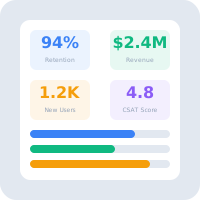
Reliability Signals
Scheduler
Last pulse: 1 minute ago.
Offline Mobile
Offline sync activity is reviewed in the authenticated operations views.
Organization Workflows
Customer-specific queues and approvals stay inside secure organization workspaces.
Maintenance
Disruptive maintenance is communicated through customer channels when required.
Incident Handling
Heartbeat checks, user reports, and operational symptoms are reviewed against the affected module.
The team separates user-facing incidents from background-job delays, data sync conflicts, and integration issues.
Affected customers get practical updates through support channels, dashboard notices, or direct follow-up.
The fix is applied, verified against the affected workflow, and monitored until the service is stable.
Follow-up improvements are captured for automation, alerting, documentation, or product hardening.
Support Ready
For incident reports, uptime confirmation, or a customer-specific service concern, contact AWRA OpsHub support with your organization name and affected workflow.
Help Center
Run inventory, procurement, assets, sales, and field work with approved AWRA guidance for setup, migration, integrations, security, pricing, and support.