

Ask AwraIQ about features, pricing, onboarding, login, integrations, security, demos, mobile apps, automation, reports, or support.
Warehouse Operations
Stock Transfers and Approvals
Move multiple items in one request, assign a destination per item, and approve or reject in seconds. AWRA keeps every transfer accountable with a complete transfer details view.
One request
Multi-item
One click
Approve all
Need step-by-step guidance? The Transfer Playbook shows how to run multi-location moves with confidence.
Transfer Draft
HVAC Filters 120
Copper Pipes 48
Sealant Kits 60
From: Main Warehouse
To: Branch East
3 destinations
12 line items
2 approvals
Build transfers in minutes, not hours
Transfers rarely happen one item at a time. AWRA lets you bundle multiple items into a single transfer, keeping related stock together and reducing paperwork. Each line item carries its own quantity and notes so teams can move stock with confidence.
Whether you are moving replenishment stock to a branch, redistributing slow movers, or staging inventory for a project, the transfer request stays clean and organized from creation to approval.
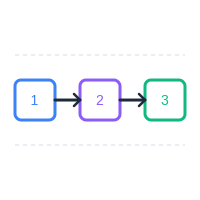
Step 1: Select items
Add as many items as needed with their quantities and notes.
Step 2: Set destinations
Assign where each item should land, even across different warehouses.
Step 3: Submit for approval
Route to approvers with one clean request for fast decisions.
Per-item destinations for precision moves
Not every item goes to the same shelf. Assign a destination per item so your transfer matches the real warehouse flow. Each item can land in its own location or warehouse while staying part of one transfer record.
This keeps teams aligned on where each unit is headed, cuts receiving errors, and makes post-transfer reconciliation fast.
Destination
Branch East
Location
Aisle 3 / Bin 12
Quantity
48 units
Approve or reject all in one action
When transfers are time sensitive, approvals cannot be a bottleneck. AWRA supports approve all and reject all actions, with stock-aware controls to prevent approvals when quantities are insufficient.
Each approval updates inventory immediately, and every action is logged for accountability.
For a deeper look at audit trails and role-based safeguards, visit Inventory Controls and Approval Workflow.
Stock-aware controls
Approval buttons automatically reflect available quantities to prevent over-allocation.
Audit-ready actions
Every approval or rejection is recorded with user, time, and context.
Transfer details that tell the full story
Every transfer has a dedicated details view showing origin, destination, per-item quantities, and approval history. Teams can trace each move without chasing paperwork or spreadsheets.
Clear summary
Status, timestamps, and origin details are always visible.
Item line transparency
Every item displays its destination and approved quantity.
Approval audit trail
Know who approved, when it happened, and what changed.
Transfer ID: TR-2048 Status: Approved
HVAC Filters 120 units
Destination: Branch East / Aisle 3
Copper Pipes 48 units
Destination: Branch West / Bin 12
Sealant Kits 60 units
Destination: Main Warehouse / Zone C
Pick, pack, and account for every unit that left
Before a transfer leaves, a line can be picked, and the quantity actually taken off the shelf becomes the quantity dispatched. It is then packed into a counted number of packages, and a packed line cannot be picked again. Photos can be attached at pack, dispatch, receipt and discrepancy.
When a delivery arrives short, the receiver says why, and a discrepancy opens in the same step. It is resolved only by saying where every missing unit is: found at the destination, sent back to the source, or written off, with the three adding up to the shortfall. A write-off posts the loss once, at the cost fixed at receipt.
All of this works in the mobile app, offline included. A step queued on a phone is never applied twice, and one overtaken by a change made elsewhere comes back as a conflict instead of being forced through. See Transfers on the floor.
In-Transit Ledger
Every dispatched line checked three ways: it balances, the movement records at both ends agree, and every short unit has a discrepancy.
The right end does each step
Pick and pack at the source and a discrepancy at the destination. A phone assigned to another warehouse is refused.
Serials by name
For a serial-tracked item, the serials found or returned are named, and must be ones recorded missing on this transfer.
Storage rules hold
A receipt into a bin whose hazard, temperature or shelf-life rules the item does not meet is refused.
Smart Recommendations
Make every transfer part of a smarter stock decision.
A clean transfer record should connect the signal that triggered the move, the warehouse path it follows, and the proof that stock landed correctly.
01 Spot imbalance
02 Map destination
03 Approve movement
04 Verify arrival
Related AI feature
Inventory Balancing
Detect surplus and understocked locations, then turn replenishment recommendations into practical internal transfer work.
Open recommendation Related feature
Warehouse Management
Keep origin, destination, shelves, bins, and staging areas clear before teams dispatch stock.
Open recommendation Related control
Inventory Traceability
Preserve movement lineage across item, warehouse, batch, count, and approval history.
Open recommendationCustomers moving stock between locations also use
Related resources
Inventory Controls
See how stock-aware approvals and audit trails protect accuracy.
Explore controlsHelp Center
Need a quick answer while you read?
Run inventory, procurement, assets, sales, and field work with approved AWRA guidance for setup, migration, integrations, security, pricing, and support.