
AWRA OpsHub Search

ERP software

ERP software that puts stock, purchasing, sales, people and the books on one record — sized for a growing team.

A cloud ERP with inventory, procurement, sales and POS, accounting, HR and payroll, and assets in one workspace — priced by plan, with every module switched on for the 30-day trial and set up for the country you trade in.
The problem

What it looks like before.

A quote that starts with consultants

The ERP shortlist came back with licence fees, a partner day-rate and a go-live date a year away.

Three vendors, three logins

Stock in one product, payroll in another, accounts in a third — and a monthly export that someone has to make agree.

Local tax added as an afterthought

The system was built for one country, and VAT rates, currency and payroll rules for yours are a customisation project.

A system the store room will not use

The desktop screens suit the finance office. The people moving the stock keep using paper, and the system is always a day behind.

How AWRA solves it

What changes, and where to read more.

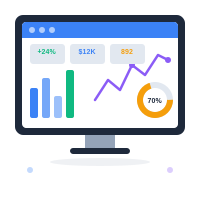
AWRA accounting dashboard fed by inventory, sales and procurement

Inventory across locations

Stock by warehouse, shelf and batch, transfers signed at both ends, and counts that raise adjustments for approval.

Read more

Procurement from request to payment

Requisitions, RFQs, side-by-side quotes, and purchase orders that can only descend from an approved quotation.

Read more

Sales, invoicing and the till

Quotes, orders, invoices and credit notes, plus a point of sale that deducts stock at the branch it rings up in.

Read more

Accounting beside the operations

A chart of accounts, journals with maker-checker approval, budgets against actuals and a month-end close checklist, fed by every module.

Read more

HR and payroll

Employees, leave, attendance, overtime and payroll on the same records, with Kenya’s statutory deductions and return files built in.

Read more

Fixed assets and custody

A register with custodians, maintenance work orders and depreciation posted to the same ledger.

Read more

Typical workflow

How organisations usually adopt it

  1. 1

    Start the trial: the workspace takes its currency and sales-tax rate from your country, and every module is on.

  2. 2

    Load items, suppliers, customers, warehouses, assets, employees and the chart of accounts from the import templates.

  3. 3

    Set who approves what — by role, and by amount where your policy needs it.

  4. 4

    Go live on one workflow first, usually stock or purchasing, while the rest of the team keeps its spreadsheet a little longer.

  5. 5

    Switch on the next module once the first one sticks; the Control Tower ranks what needs attention across all of them.

Coming from Excel?

Most of our buyers are replacing a spreadsheet, not another system.

AWRA vs spreadsheets, in full
Spreadsheets AWRA
One workbook per department One workspace for every department
Month-end exports between tools A sale, a receipt and a payslip on the same ledger
Approvals in email threads One Approvals Hub across record types

Migration

Already using Excel, QuickBooks or another system?

You do not need to throw everything away. Most teams keep something they already run and connect it, rather than replacing it on day one.

Excel → AWRA

Import items, suppliers, customers, assets and your chart of accounts.

  • Upload a CSV or Excel file for items, vendors, customers, assets, custodians, warehouses, locations or the chart of accounts — each from a template you download first.
  • A file is imported whole or not at all. One bad row rolls the file back, so you never find half a catalogue in the system and half still in the sheet.
  • Opening stock comes in on the item sheet into your default location; a count at each branch then puts every unit where it actually sits.
  • Employees import from CSV with a preview you check before anything is written.

More we can add

Opening ledger balances by upload. The template is already in the product, and switching the upload on for your workspace is work we can take on.

QuickBooks → AWRA

Keep QuickBooks for the books. Let AWRA run the operational workflow in front of it.

  • Connect your QuickBooks Online company from settings, with its own sign-in for your organisation.
  • AWRA pushes vendors, items, purchase orders, customers, invoices, payments received and tax codes across, so the lists stop being typed twice. A vendor saved in AWRA syncs on its own.
  • A sync log shows what went across and what QuickBooks refused, so a failed record is a line you can read rather than a mismatch you find at month-end.
  • Available on Premium and Enterprise.

More we can add

Supplier bills and credit notes sent to QuickBooks, and records pulled back from it — both are extensions we can build for your workspace.

Existing ERP → AWRA

Run AWRA beside the system you have, connected through its API and webhooks.

  • An API keyed to your organisation serves items, categories, warehouses, customers, invoices, vendors and purchase orders to the other system, and lets it create records in AWRA under write scopes that follow the same approval rules people do.
  • Workflows send signed webhooks when something happens — a stock movement, a low-stock item, a procurement request, an RFQ or a quotation — so the ERP hears about it without polling.
  • Inbound webhooks accept signed events from the other system and start a workflow in AWRA.
  • The same workflows can post to a Zapier or Make catch-hook when the other side already lives there.

More we can add

Write access on the API, so another system can create records in AWRA directly rather than through a webhook-triggered workflow.

Pricing

What it costs

Pro is the first tier where the whole ERP is in: full procurement, sales, accounting, HR and payroll, assets, workflow automation and reporting. Premium adds bank reconciliation, QuickBooks sync, KRA eTIMS and the deeper governance controls.

Pro plan · Run on automation

$45 / month

or $490 billed yearly

Charged in KES at the live rate, excluding VAT.

Full procurement, sales, accounting and HR (employees, leave, attendance & payroll) plus workflow automation and reporting.

Before you pay anything

30-day free trial

Thirty days of the full platform, every module switched on and no card required. Choose a paid tier whenever you are ready.

What the ERP covers today, and what we can add

What AWRA OpsHub does today

  • One ledger under every module. A goods receipt, a customer invoice, a payroll run and a depreciation charge each post to the same chart of accounts, without an export between systems.
  • Set up for your country at sign-up. The workspace takes its base currency and sales-tax rate from the country profile, and records can be held in other currencies alongside it.
  • Approvals in one queue, from requisitions and transfers to leave, overtime and payroll runs, each visible only to the people whose role may act on it.
  • A mobile app for the floor, with stock movements, counts, asset hand-overs and POS sales queued offline and sent when the signal returns.

More we can add to your workspace

  • Statutory payroll for countries beyond Kenya. Payroll runs anywhere you employ people, with your own allowances and deductions; another country’s tax and social-security rules are a build we can scope with you. Commission it
  • Electronic invoicing to tax authorities beyond Kenya’s eTIMS, for markets that require each invoice to be cleared before it is issued. Commission it
  • Production planning (MRP) and routings, on top of the bills of materials and assembly orders that ship today. Commission it

Where we point you to a specialist

  • We will not promise a country’s rules before they are in the product. Each market page says what is configured for that country today, and anything beyond it is quoted as a build.

Everything in that middle column is scope, not a ceiling. Tell us which of it you need and we will come back with a written spec, a timeline and a price to add it to your workspace.

See it on your own process

Bring the spreadsheet you want to retire.

We will walk through it in AWRA with you — your items, your approvers, your locations — and show you what the first workflow would look like.

Questions buyers ask

ERP software, answered

What does AWRA’s ERP include?
Inventory and warehouses, procurement, sales and point of sale, accounting and payments, HR and payroll, fixed assets, projects and a helpdesk, on one set of records with one login and one approvals queue.
Do you have ERP pages for specific countries?
Yes. The markets directory at /markets lists a researched guide for each country we cover in depth and a tax and currency profile for many more. Start there if you need the local detail; this page is the product in general.
How long does an ERP implementation take?
It depends on how much you switch on at once. Most organisations go live on one workflow — stock or purchasing — and add modules as each one settles. The import templates load your items, suppliers, customers, assets, employees and chart of accounts, so the first workflow does not wait on retyping.
Can we keep our current accounting software?
Yes. AWRA can push vendors, items, purchase orders, customers, issued invoices and payments received to QuickBooks Online while it runs the operations in front of it. Other systems can read and write through the developer API.
Which plan do we need?
Pro is the first tier with the full ERP: procurement, sales, accounting, HR and payroll, assets and automation together. Basic suits a team that starts with stock and basic sales. Every module is switched on during the 30-day trial.

Help Center

Need a quick answer while you read?

Run inventory, procurement, assets, sales, and field work with approved AWRA guidance for setup, migration, integrations, security, pricing, and support.

Search all approved AWRA public help articles.

Open Help Center