








Ask AwraIQ about features, pricing, onboarding, login, integrations, security, demos, mobile apps, automation, reports, or support.
Integration Directory
Connect the systems your operations already depend on
34 connectors are live today across accounting, tax, payments, chat, SMS, email, storage, CRM, e-signature, identity and automation — each configured with your own credentials, in minutes.
AWRA prioritizes integrations that remove manual work, preserve traceability, and keep records moving between teams without losing governance.
34 live 10 categories 5 on the roadmap
34
live connectors
8
automation & API
13
alert channels
Every live connector
Each one is configured from inside AWRA with your own account credentials or a one-click OAuth grant — you own the keys, and you can rotate or revoke them at any time. Open any connector for setup steps and what it syncs.
Communication & Notifications
13 livePush alerts, approvals and operational events to where your team already works.
Slack Bring your own keys
Operational alerts where your team already talks.

Microsoft Teams Bring your own keys
Adaptive-card alerts inside Microsoft Teams.
WhatsApp Bring your own keys
Reach vendors and staff on WhatsApp.
Telegram Bring your own keys
Instant alerts via a Telegram bot.
Discord Bring your own keys
Rich embeds for ops teams on Discord.

Africa's Talking SMS Bring your own keys
Transactional SMS across Africa.

Twilio SMS Bring your own keys
Global SMS via your Twilio account.

Infobip SMS Bring your own keys
Enterprise SMS through Infobip.

Google Chat Bring your own keys
Card notifications in Google Chat spaces.
Mailchimp Bring your own keys
Grow campaigns from your live customer list.

Mailjet Bring your own keys
Send transactional email from your Mailjet.

Mailgun Bring your own keys
Deliver at scale from your Mailgun domain.

Brevo Bring your own keys
Transactional email via Brevo (Sendinblue).
Accounting & Finance
1 liveSync vendors, items, invoices and purchase orders with your books.
Payments & Collections
3 liveCollect and disburse funds through local and global payment rails.
Tax & Compliance
1 liveMeet e-invoicing and tax authority obligations automatically.
Storage & Documents
4 liveArchive invoices, POs and vendor documents to external file storage.
CRM & Sales
1 liveKeep customers and deals in sync with your sales stack.
Contracts & E-Signature
1 liveSend POs, vendor contracts and prequalification forms for legally binding signatures.
Identity & SSO
2 liveSingle sign-on and enterprise identity for secure workspace onboarding.
Productivity & Automation
7 liveCalendars, spreadsheets and no-code automation across thousands of apps.
Google Workspace One-click OAuth
Deadlines on Google Calendar, mail from your Gmail.
Microsoft 365 One-click OAuth
Outlook calendar deadlines and mailbox sending.

Zapier Bring your own keys
Connect AWRA to 6,000+ apps via Zapier.

Make Bring your own keys
Visual automation scenarios with Make.

Google Sheets One-click OAuth
Live registers in a Google Sheet.

Notion Bring your own keys
Mirror records into a Notion database.

Airtable Bring your own keys
Lightweight tracking in an Airtable base.
Developer & Data
1 liveReceive events from external systems and wire up custom pipelines.
Looking for something else? App marketplace & add-ons → Connector setup guides → Vote for a connector → Roadmap →
Integration is a control layer, not just a connector
Most integrations simply move data from one system to another. AWRA turns that data movement into operational control — mapping events to approvals, alerts, and financial records with full traceability. See how this connects to accounting automation.
Purchase orders, check-ins, and invoices become traceable operational records across finance, inventory, and sales teams — with ledger alignment through QuickBooks Online and compliant e-invoicing through KRA eTIMS. Explore the procurement workflow that drives those events.
Every connector runs on the same plumbing: credentials encrypted per organization, signed payloads, automatic retries with backoff, and a delivery log for each request. Broader legacy formats and bespoke connector work are scoped as implementation projects. Learn more in the API documentation.
When you connect tools through AWRA, you’re not just syncing records — you’re enforcing policy and enabling decisions at the moment they matter. Need a custom connector? Request an integration.
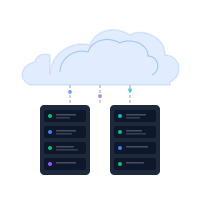
Ecosystem Connectivity
AWRA OpsHub serves as the central hub for your operational data. Live coverage spans your books and tax authority, the payment rails you collect and disburse on, 13 notification channels, 4 document archives, CRM, e-signature, enterprise SSO, and no-code automation.
Whether you're syncing operational data with QuickBooks or broadcasting workflow alerts to a Slack channel, AWRA focuses on clear ownership, retries, and auditability rather than hidden one-off transfers.
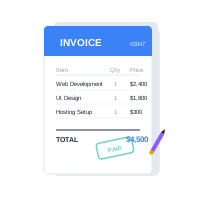
Automated Financial Synchronization
LiveThe QuickBooks Online connector syncs vendors, items, invoices and purchase orders, with on-demand sync actions and a sync-health view that surfaces any record that did not land. In Kenya, the KRA eTIMS connector submits invoices for compliant e-invoicing under your own PIN.
On the money side, M-Pesa, Paystack and IntaSend collect against invoices and reconcile automatically to the originating record, and M-Pesa and Paystack can disburse to vendors. You bring your own Daraja, Paystack or IntaSend credentials, so funds settle directly to you — AWRA never holds them.
Developer API & Webhooks
For teams with custom needs, AWRA exposes a documented REST API with scoped tokens, per-key rate limits and a daily call total set by your plan, covering the operational objects you work with day to day. Deeper object coverage can be scoped for implementation.
Outbound webhooks are HMAC-signed with replay protection, retried with backoff, and dropped into a dead-letter queue rather than lost — with a delivery log and status for every request. Inbound webhooks let external systems trigger AWRA workflows and notifications, and the Zapier and Make connectors put the same events in front of thousands of apps with no code at all.
Legacy System Bridging
Custom rolloutModernizing operations doesn't have to mean replacing everything at once. AWRA imports CSV, XLSX and XLS spreadsheets today, and can export live registers straight into a Google Sheet, Notion database or Airtable base. Broader ERP bridges such as XML or EDI are custom implementation work.
This hybrid approach can protect your historical investment while unlocking modern capabilities like mobile access and cleaner reporting as legacy components are gradually retired.
Alerts on every channel your team uses
Operational speed depends on getting the right information to the right person quickly. The same event — an approval, a stock exception, a payment — can fan out across 13 channels at once, and each recipient chooses how they want to hear about it.
Chat & Approvals Slack, Teams, WhatsApp, Telegram, Discord, Google Chat
SMS & OTP Africa's Talking, Twilio, Infobip — your own account
Transactional Email Mailjet, Mailgun or Brevo, sent from your own domain
Mobile & Web Push Approvals delivered straight to the handset
Need a custom integration?
We’ll help you connect AWRA OpsHub with your existing stack.
Request IntegrationHelp Center
Need a quick answer while you read?
Run inventory, procurement, assets, sales, and field work with approved AWRA guidance for setup, migration, integrations, security, pricing, and support.