Chart of Accounts
Structure accounts, system keys, balances, and finance categories for reliable reporting.
AWRA Accounting Automation links procurement, inventory, POS, payments, journals, bank reconciliation, petty cash, depreciation, period close, reports, and QuickBooks sync into one controlled finance workflow.
Core finance layer
AWRA turns finance work into a connected flow. Teams can capture transactions, post journals, track invoices and payments, monitor ledgers, and prepare reports without losing the operational context behind each record.
Structure accounts, system keys, balances, and finance categories for reliable reporting.
Automatic postings from every module, plus balanced manual journals tagged by department, branch and project.
Connect customer invoices, vendor payments, taxes, and payment status in one place.
Income statement by period and dimension, balance sheet at any date, trial balance, aging, a direct-method cash-flow statement and budget against actual per ledger account.
Finance teams rarely stop at posting rules. The next layer is AI exception monitoring, sync health, and governance controls that keep records explainable.
Monitor margin shifts, reconciliation gaps, cash movement, period-close blockers, and finance exceptions before review week.
Track sync readiness, mappings, retries, provider messages, and reconciliation context before reporting deadlines.
See how finance, operations, procurement, and inventory reporting can move from static exports to governed insight.
Recommended finance path
01
Capture source
02
Post cleanly
03
Resolve exceptions
04
Sync and report
Customers like you also use
Accounting workflow
Instead of waiting for month-end cleanup, AWRA carries financial context through daily operational actions. Finance teams can review postings, investigate exceptions, and keep ledgers aligned with real activity.
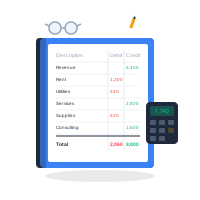
Bring sales, procurement, inventory movement, vendor bills, and payment events into accounting context.
Generate balanced journal entries and preserve links to the operational record that created them.
Match bank and M-Pesa lines to the ledger, retire petty cash and advances, run depreciation, and post accruals as tagged manual journals.
Lock the month, read statements by period, department, branch or project, and sync to QuickBooks to keep finance leaders, auditors and operators aligned.
The month-end, run inside the product
Every step a finance team takes to close a month now has a screen of its own, and every one of them posts to the same double-entry ledger the operations write to. Nothing is exported to be finished somewhere else, and the order below is the order most teams work in.
M-Pesa money moved through the app arrives on its own; a bank’s CSV, OFX or MT940 statement arrives by email or upload. Each line is stored once.
Bank feeds → MatchedLines matched to ledger entries, the ones missing from the books entered, the duplicates ignored. A statement completes only at zero difference, and what it cleared is locked.
Bank reconciliation → Cash accounted forEach float is its own ledger account, vouchers spend it and top-ups refill it. Advances sit as a receivable until they are retired against receipts.
Petty cash & imprest → Payables completeBills without an order book their expense on approval, and withholding tax is booked in step with each payment and remitted against the liability.
Payables → AdjustedRun the month’s depreciation once for every asset, then post the accruals and corrections as balanced manual journals tagged by department, branch and project — approved by a second person if you switch that on, and reversed rather than deleted.
Manual journals → ClosedA close checklist runs the automatic checks beside your own steps. A closed month then refuses a backdated entry and protects the ones inside it; an automatic posting rolls forward to the first open day.
Month-end close →| WASH Kilifi | School feeding | Unassigned | Total | |
|---|---|---|---|---|
| Revenue & grants | 4,820,000 | 1,240,000 | 610,000 | 6,670,000 |
| Expenses | 3,915,400 | 1,388,200 | 402,900 | 5,706,500 |
| Net | 904,600 | −148,200 | 207,100 | 963,500 |
Reconciliation discipline
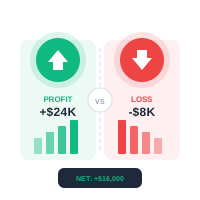
Accounting automation works best when the financial record reflects the operational event immediately. AWRA helps teams reduce duplicate entry, trace every posting, and resolve mismatches while the people who know the transaction still remember what happened.
Operational visibility
AWRA gives finance users practical views for ledger review, reporting, sync health, and decision support.


QuickBooks ready
Connect AWRA with QuickBooks so finance records can reflect approved operational events while AWRA keeps the audit trail, workflow context, and operational details close at hand.
Track sync readiness, exceptions, retries, and review points before reporting deadlines.
Preserve references from AWRA transactions to accounting outputs and external sync activity.
Use permissions and approval history to protect financial records from unclear changes.
Analyze spend, payment movement, supplier exposure, and reporting signals from one dashboard.
Why finance teams use it
Replace repetitive data entry with controlled posting flows and clear source records.
Spot aging, reconciliation, sync, and ledger issues before they become close blockers.
Keep finance decisions connected to procurement, inventory, POS, and payment activity.
Preserve evidence trails for approvals, postings, reversals, and sync decisions.
Help Center
Run inventory, procurement, assets, sales, and field work with approved AWRA guidance for setup, migration, integrations, security, pricing, and support.
AWRA Accounting