Paying in a different app
Initiate B2C, B2B, or a Paystack transfer from the approved PO — no switching to the M-Pesa portal or your bank.
Settle approved purchase orders by M-Pesa or bank transfer straight from your own account — B2C to a supplier's phone, B2B to a paybill or till, or a Paystack transfer to a vendor's bank account — and watch the payment post itself back onto the PO balance.
It runs on your own Safaricom Daraja and Paystack credentials, so money flows directly from your M-Pesa shortcode or Paystack wallet to the vendor — AWRA only initiates the transfer and records the outcome. Non-custodial by design, and completely separate from your AWRA subscription billing.
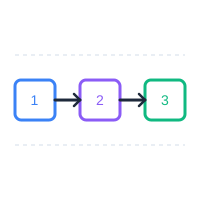
Most teams approve a purchase order in one system, then jump to M-Pesa or online banking to actually pay — and re-key the amount, the reference, and the balance by hand afterwards. Vendor Payments closes that loop: pay from the PO itself, on your own rails, and the balance and status update automatically.
Initiate B2C, B2B, or a Paystack transfer from the approved PO — no switching to the M-Pesa portal or your bank.
Funds leave your own M-Pesa shortcode and Paystack wallet directly to the vendor. AWRA never holds or routes your cash.
Each confirmed payment posts onto the PO, updates amount paid and balance due, and flips status to partial or paid.
Small suppliers take M-Pesa on a phone; companies have a paybill or a bank account; some payments still happen offline. Vendor Payments covers all four — every one recorded against the same purchase order.
Send from your paybill or till straight to a supplier's personal M-Pesa number — ideal for small vendors. Uses Daraja's B2C API with your stored initiator credentials; the async result posts back automatically.
Settle a company vendor's registered paybill or till number, with the PO number embedded as the account reference so they can reconcile on their side too.
Transfer from your Paystack wallet to a vendor's bank account at any supported bank. The account is validated and saved as a reusable recipient, and the wallet balance is shown before you confirm.
Paid outside the system? Record an offline payment — cash, cheque, or bank EFT — with its reference and date. It posts onto the PO balance immediately, no webhook needed.
Vendor Payments only opens on POs that are approved with a balance still due — paying a draft or cancelled PO is blocked at the server, not just hidden in the UI.
A cashier opens the PO, picks a method, and confirms the amount (pre-filled to the balance due) and the vendor's phone, paybill, or bank account.
Safaricom or Paystack sends a secure, signed result to AWRA. The transaction is logged idempotently with its receipt or transfer code; a status poller keeps the cashier updated.
On success the payment posts onto the PO — amount paid, balance due, and status (partial / paid) all update — and the vendor gets a remittance email.
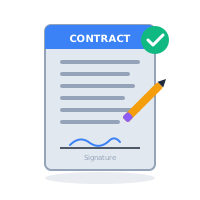
Vendor Payments uses your own Safaricom and Paystack credentials, so every shilling leaves your shortcode or wallet and lands with your vendor. AWRA initiates the request and records the outcome — it never holds, pools, or routes your funds. This is entirely separate from how you pay for your AWRA subscription.
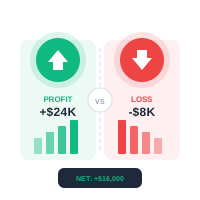
Before a bank transfer, AWRA shows your live Paystack wallet balance and blocks the payment if there aren't enough funds — so a transfer never fails silently. Vendor bank accounts are validated on first use and saved as reusable recipients, so future payments are one click.
Every payment is recorded against the PO with a unique provider reference, so a repeated M-Pesa or Paystack callback can never double-post. A timeout is treated as still pending, never as a failure — so a cashier is never nudged into paying the same vendor twice.
Pay restock suppliers by M-Pesa the moment goods are received and the PO is approved.
Settle company subcontractors by B2B paybill or bank transfer against each PO.
Pay many small farm and produce suppliers to their phones, all tracked in one ledger.
Approve once, pay on-platform, and keep a clean, reconciled trail for every vendor payout.
Yours. Vendor Payments uses your own Safaricom Daraja and Paystack credentials, so funds leave your M-Pesa shortcode or Paystack wallet directly to the vendor. AWRA is non-custodial — it never holds your money, and this is entirely separate from your AWRA subscription billing.
B2C pays a vendor's personal M-Pesa phone number (common for small suppliers). B2B pays a company vendor's registered paybill or till number, with the PO number embedded as the account reference. You pick whichever the vendor uses.
Yes — via a Paystack transfer to any supported bank. The first time, you enter the bank and account number; AWRA validates it, confirms the account name, and saves it as a reusable recipient. Your Paystack wallet balance is shown before you confirm, and the transfer is blocked if there aren't enough funds.
When a payment is confirmed (or recorded manually), it posts onto the PO: amount paid and balance due are recalculated and the status flips to partial or paid automatically. No re-keying — and only approved POs with a balance can be paid.
A timeout is treated as still pending, never as a failure, so you are not nudged into paying the vendor twice. The transaction stays visible in the vendor payments dashboard until the provider returns a definitive result, and every callback is idempotent so a repeat can never double-post.
Yes — on a successful payment AWRA can email the vendor a remittance confirmation with the amount and the M-Pesa code or bank reference, provided the vendor has an email on file.
We'll walk your procurement and finance teams through connecting M-Pesa and Paystack, paying by B2C, B2B, bank transfer, or manual record, and watching every payment reconcile back onto the purchase order.