
AWRA OpsHub Search

Product Velocity

Built in public, hardened for operations.

Updates are shipped around real operational workflows: offline mobile movement, approval queues, dashboard decisions, audit trails, and clean enterprise communication.

Release Quality

Automated testsRequired
Security passActive
Mobile readinessTracked

Mobile Field Ops

Expanded

Offline readiness, GPS proof, scan flows, and sync visibility for Android teams.

Control & Governance

Hardened

Plan access control, organization-specific permissions, impersonation activity, and audit clarity.

Operational Dashboards

Polished

Sharper dashboard modes, action queues, approval hubs, and executive module surfaces.

Enterprise Emails

Unified

Transactional email layouts now use consistent org headers, system footer, and cleaner messaging.

Release Timeline

The operational changelog.

Each release note is written around business impact: what changed, who benefits, and how it strengthens the workflows customers run every day.

Release

v3.11

Oct 15, 2026

Latest

Approval Chains, Sealed Bids & Approving From Your Phone

Approval chains by amount. Set a rule per document type — requisitions, quotation awards (whole or item by item) and supplier bills — with an amount band compared in your base currency, an optional department and up to eight ordered steps, each a role or a named person. The requester can be barred, one person signs one step, and any change to the document restarts the chain. With no rule, approval stays one step by permission.
Budgets can block as well as warn. In Procurement Defaults, choose Off, Warn or Block; the amount left is the budget less what is spent and what is already committed to open orders and awarded quotes. Going over a blocking budget needs the override permission and a written reason, kept in the audit log.
Supplier payment details under dual control. A supplier is always emailed when their bank or M-Pesa details change, and an optional switch holds the change until a second person accepts it — on the web or in the app.
Supplier contracts and call-offs. A contract holds agreed item prices, dates, an optional ceiling and per-item maximums. A call-off raises a pending quotation at contract prices that is approved and ordered as usual, quotes above the contract price are flagged, and a daily check warns before a contract expires.
RFQ deadlines, sealed bids and quote validity. Quotes after the deadline are refused at every way in. A sealed RFQ hides prices on the web, through the API and in the approvals hub, and nothing can be awarded until the bids are opened after the deadline, which is recorded. A quote past its validity date cannot be awarded.
Purchase order change orders. An issued order changes only through a revision that a second person approves; a line cannot drop below what was received, an increase goes through the budget check, and approval re-sends the order and asks the supplier to acknowledge it again.
Out of office. Name a delegate for a date range in Settings › Out of Office; they can sign the steps waiting on you, and every decision records on whose behalf it was made.
Administrator controls: a sandbox workspace with a copy of your roles, approval rules and settings but none of your records, which sends no email; one switch in Settings › AI & Data that stops every call to a third-party AI provider, with a log of calls by provider and purpose, never content; audit log streaming every minute to Splunk, Datadog or signed JSON, each event carrying its place in the hash chain; and a restore drill that can rehearse restoring the newest backup and record recovery time and recovery point.
Approve or reject from the notification. On Android, a push for something you can decide carries Approve and Reject, and Reject takes your reason from the reply field. The app checks the request is still pending before acting. The approvals hub on the web and in the app now also carries expense claims, staff advances, petty cash vouchers and payment runs.
More of the app works with no signal: leave requests, new expense claims with their receipts, task time, and completing a work order with photos and a signature are queued and sent once on reconnect.
Proof on completed work orders: up to six photos and the acceptance signature with the signer’s name, on the web and in the app. Counts in the app scan a barcode straight to its line, and attendance sites can set clock-in and clock-out hours by day of the week.
Every module opens on an Overview. Sales, Inventory, Procurement, Accounting and Automation each start with headline figures, alerts for what needs someone today, a KPI row and panels such as overdue invoices, late purchase orders, cash by account and failing workflows; every item opens the list behind it, and anything your role cannot open is left out. The Android app shows the same overviews with the same figures, and Procurement’s Analytics & Performance now opens from its overview.
Also shipped on 14 and 15 October, each with its own feature page: a CRM with leads, opportunities and a pipeline; a dunning ladder for overdue invoices, and recurring invoices that charge a saved card or send an M-Pesa prompt when they are raised; manual journal batches, GL budgets and a month-end close checklist; a helpdesk knowledge base, an SLA matrix, WhatsApp ticket intake and satisfaction ratings; staff loans, bonus and final-settlement payroll runs, a headcount plan and expiring-document alerts; and project portfolio and capacity views.

Release

v3.10

Oct 14, 2026

Shipped

Foreign-Currency Ledger, Outbound Webhooks & Till Discount Limits

Foreign-currency invoices and supplier bills now reach your books in your base currency. Record the exchange rate on the invoice or bill — on the web, through the API or in the app — and the document, its credit notes and payments, withholding, online collections and POS sales post at that rate. When a payment settles at a different rate, the difference is booked as a realised exchange gain or loss. A foreign document with no rate is not posted at a guess: it shows that it is waiting for a rate, and recording one makes the postings that were waiting. To do: record the rate on any open foreign-currency invoice or bill. Period-end revaluation and automatic daily rates are being built.
Discount limits at the till. An item’s own discount always applies; a manual discount above it is capped by a workspace maximum discount percentage in Settings › Sales, which starts at 0%. Going over it needs a cashier with the discount-override permission and a reason, or a supervisor’s approval PIN entered at the till. Every discount is recorded with the cashier, the approver, the percentage and the reason, and an over-limit sale made offline in the app is kept and flagged for review. To do: set your maximum, and have supervisors set their 4–8 digit approval PIN on their account security page or in the app’s Profile. A PIN locks for 15 minutes after five wrong entries.
Outbound webhooks now deliver. Subscribe an https URL in Settings › API & Webhooks to any of eight events — stock transfer completed, invoice created, invoice paid, purchase order created, customer created, vendor created, item at its reorder point, and a workflow action. Each delivery is signed with your secret, retried with a doubling wait, and kept as a dead letter in the delivery log if it never lands. Addresses on private or internal networks are refused. The API reference documents the headers and how to verify a signature.
Your workspace security policy now applies in the mobile app, at sign-in and on every request: SSO-only sign-in, password expiry, the IP allowlist, device approval, the idle timeout and the absolute session lifetime. With device approval on, a new phone is held until an administrator approves it, and a biometric unlock cannot stretch the absolute session limit. To do: where device approval is required, people on an older app build need to update the app.
Supplier bills are maker-checker. Whoever entered or last edited a bill cannot approve it — unless nobody else active holds the permission to approve bills, so a one-person team is never locked out.
Reorder points count till sales. The nightly recalculation now includes POS sales alongside issues and adjustments, and never writes a zero when lead time and safety stock are blank. Each item has an Automatic / Manual switch on the web item form and in the app, and a Manual reorder point is kept exactly as you set it.
FEFO picking skips expired and recalled batches, and a batch picked by hand is refused, with the reason, if it is past its expiry date or under recall.
In the app, approving a requisition now needs the same approve-RFQ permission as on the web, and the approvals hub opens for anyone with dashboard access, showing only the actions they are allowed to take.

Release

v3.9

Oct 14, 2026

Shipped

Moving-Average Cost, Units Of Measure & Drawer Sign-Off

Stock is now valued at a true moving average. Every receipt — a supplier check-in, a purchase order receipt, a count gain or a till return — blends its cost into the item’s average before the stock lands. The cost comes from a unit cost you type on the check-in, or else the purchase order’s price, net of tax and converted at the rate recorded on the order. The receipt’s journal posts at that same cost, and the valuation, dead stock, turnover and ABC reports read it.
Every item carries a unit of measure. Pieces, boxes, cartons, dozens and the other count units stay whole; kilograms, grams, litres, metres, square and cubic metres and hours take up to three decimals — across receipts, issues, transfers, counts, holds, reservations, the till, returns and purchase orders. The unit shows beside stock on the web and in the Android app.
A minimum and maximum per warehouse. Set them on an item’s Stock tab or in the app; Reorder for a warehouse offers what has fallen to its minimum and suggests filling up to its maximum, and transfer balancing uses the minimum as the floor. A warehouse without its own levels keeps using the item’s reorder point, as do low-stock alerts.
Each POS payment can carry its M-Pesa code or card authorisation — typed at the till, or filled in automatically when the register’s own STK push or card charge completed the sale — and the code shows on the sale’s payment list on the web and in the app.
Every till sale line now keeps the item’s cost at the moment of sale, so a later receipt that moves the average no longer rewrites an old sale’s margin, and a return reverses exactly the cost the sale posted. Lines sold before 14 October 2026 fall back to the current cost.
Drawer sign-off. A closed drawer now waits as Awaiting sign-off until someone with the new sign-off permission — never the person who closed it — signs it, on the web or in the app. The sign-off posts any shortage or overage between Cash and Cash Over and Short; a balanced drawer posts nothing.
The assets dashboard shows net book value as posted: cost less the depreciation the monthly run has charged, today and as a trend by day, week, month or year. Assets with no depreciation profile are carried at cost and counted, with a link to set them up. The Android app and the Asset Watch insight show the same figure.
Asset reminders, daily by email and in the bell. Returns due within your lead time (three days by default) or already overdue go to admins, and to each custodian for what they hold; warranties ending within a new warranty lead time (thirty days by default) go to admins. Both can be switched off in notification settings.

Release

v3.8

Oct 2, 2026

Shipped

Services: Sell And Buy Work That Carries No Stock

A new item type, Service, for the work you sell or buy — installation, repairs, consulting, delivery, laundry. It has its own typed price, an optional cost, its own income account and a KRA eTIMS services classification code, and it never carries stock: no shelf quantity, no low-stock alert, no count, no cost of goods sold.
Sell a service on quotes, sales orders, proformas, invoices, recurring invoices and at the POS till, with no stock check and price lists applied. Lines now read Item, Service or Custom line. An invoice of services alone books its revenue the moment it is issued.
Buy a service through a procurement request, an RFQ and a purchase order. It is received by confirming delivery on the order — part or whole — which books what you owe the supplier at the order price and opens the order for payment. Awarding a supplier’s quote moves the service’s cost, never your selling rate.
Withholding tax on a supplier bill is now worked out on its service and typed lines only, so goods on a mixed bill are no longer withheld on.
Sales by item shows services with a goods and services revenue split, and an honest n/a margin where no cost is recorded. The custom report builder, global search, bulk import and item exports all carry the item type. QuickBooks Online receives a service as a Service item.
The Android app creates services, sells them at the till without a stock check, and confirms delivered services on a purchase order. For integrators: the API and Developer API return item_type and can filter on it, and a service’s stock fields come back as null rather than 0.

Release

v3.7

Oct 1, 2026

Shipped

Sales Orders, Payables, Bank Reconciliation & Assembly

Quotes, sales orders and proformas. A quote is approved before it is sent, and the customer accepts or declines it from a link or the portal. A confirmed order reserves the stock it needs, backorders the rest, and is invoiced in parts. Per-customer price lists with quantity breaks price every sales document the same way.
Recurring invoices on a weekly, monthly, quarterly or annual schedule, raised as a draft, issued, or issued and emailed — one invoice per period, caught up after downtime, and never billed late for a paused period.
A customer portal. Your customers sign in with an emailed link, see their invoices, statement and quotes, download the PDFs, and pay an invoice by M-Pesa or card into your own accounts.
Payables. Supplier bills matched to their purchase order, purchase returns with debit notes, and payment runs that one person prepares and another approves, paid by bank file, cheque, cash, M-Pesa or Paystack.
Bank feeds and reconciliation. M-Pesa lines arrive every 30 minutes and bank statements by email or upload as CSV, OFX or MT940. Match lines to the ledger, enter bank charges from the line, and complete a reconciliation to lock what it cleared.
Withholding tax deducted from supplier bills, remitted against a monthly register with a CSV export and a certificate PDF, and recorded where a customer withheld from you. Petty cash floats on an imprest level, and staff advances issued and retired against receipts.
Bills of materials and assembly orders that build a finished item from its components in one costed movement, serial numbers on every stock movement, and stock reservations that every exit point — the till included — respects.
Helpdesk automation: canned replies with placeholders and one-click actions, auto-assignment that skips people on leave, and escalation rules that act when a ticket stalls. Asset maintenance schedules and work orders that record downtime shipped alongside.

Release

v3.6

Aug 18, 2026

Shipped

Dark Mode

AWRA now has a dark appearance, across the dashboard and the vendor portal. Switch it from the sun/moon button in the top bar, from Appearance in your account panel, or from the command palette — it applies immediately, with no reload and nothing lost from a half-filled form.
Three settings: Light, Dark, and System. System follows your computer or phone, so AWRA turns dark when your device does and back again when it does not.
The choice is stored against your account rather than the browser, so it follows you to any browser you sign in from — on a computer or a phone — and survives signing out and back in. The Android app has the same three settings, kept on the handset itself, so a shared device can stay dark without changing anything for the person who signs in next.
Printing stays light, whichever appearance you are using — as do PDFs (invoices, payslips, purchase orders, receipts, labels) and every email AWRA sends. A dark screen never becomes a dark page.
Charts, status badges, the offline and reconnected banners, and the scanner panels were all converted rather than left to fall back on browser defaults, so the parts of a page that are not plain text read correctly too.
The appearance is per person, not per organization. Changing it affects only your own screen; nobody else in your workspace sees any difference.

Release

v3.5

Aug 13, 2026

Shipped

Tamper-Evident Audit Trail, Workspace Security Policy & Managed Devices

The audit trail can no longer be erased by the people it records. Bulk delete is gone from the audit page entirely — audit history now leaves only through your own retention schedule, and every removal writes a receipt for the range it removed.
Every audit entry is now cryptographically chained to the one before it, so an edited or missing row is detectable rather than invisible. "Verify integrity" on the audit page checks the whole chain and names the exact entry that broke it.
Export the trail as CSV or JSON — streamed, so a multi-million-entry history downloads without straining anything — carrying the chain values, so whoever receives the file can verify it independently of us. The export is itself recorded in the trail.
Sixteen new security controls for your workspace, each wired to a real enforcement point rather than a checkbox: idle and absolute session limits, password length, complexity, expiry and reuse history, failed-login lockout, sign-in restricted to your own email domains, identity-provider-only sign-in, IP allowlisting and device approval.
Every new control ships switched off and can only tighten the platform baseline, never loosen it — a workspace cannot configure itself weaker than AWRA already is. Identity-provider-only sign-in is refused outright unless a provider is configured, so nobody can lock an entire organization out of its own workspace.
Android devices can now be configured centrally from your MDM console — server address, workspace, email domain and two security switches — so a shared warehouse tablet or ward handset arrives already pointed at the right place with no manual setup.
Screen capture can be blocked on Android for organizations that need payroll and financial screens to stay off the camera roll, and biometric app-lock timing is now set by your workspace policy instead of being fixed in the app.
A new Unsigned Handovers report answers the question the signature feature could not: which handovers went out with nobody signing, across stock receipts, issues, asset custody, transfers, counts, POS sales and returns, and resolved tickets — counting only the records where a signature was actually possible.
Losing your connection mid-task now looks like AWRA rather than a browser error page. A banner tracks the outage with a live retry countdown, a click or a form submission made while offline is intercepted instead of losing what you typed, and coming back online offers to resume the exact action that was blocked.

Release

v3.4

Aug 13, 2026

Shipped

Signature Capture — Proof of Handover

Take a hand-drawn signature at the moment goods change hands: a delivery received (including against a purchase order), stock issued out, an asset handed to a custodian, and both ends of a stock transfer.
A stock transfer takes two signatures rather than one — dispatch and receipt — so a shortfall in transit sits between two named people and two timestamps instead of beside a blank.
The signer's printed name and the moment they signed are stored with the drawing, and all three render on the printed and emailed check-in and check-out documents.
Signing works with no connection: the mark travels inside the movement record through the mobile offline queue rather than as a separate upload.
Each mark has one window and closes when the record is decided, so a signature cannot be backfilled once a movement has been approved, adjusted, completed or rejected. Signing is optional everywhere and never blocks a movement.

Release

v3.3

Aug 10, 2026

Shipped

AWRA OpsHub for Android on Google Play

The Android field app is published on Google Play, free to install, and now updates itself automatically from the store.
Field teams get the same inventory movement, asset custody, scanning, GPS proof and offline work as before — installed in two taps, with no security warning to click past.
Biometric unlock and offline queueing carry over untouched; sign in to your existing workspace and your queued work syncs as normal.
The direct download channel is retired. Anyone still running a directly installed build is prompted to move to the store version, and no data is lost in the switch.

Release

v3.2

Jun 7, 2026

Shipped

Public Trust, Docs Search & Operations Readiness

Public help and product resources now have clearer search paths across feature guides, release notes, trust resources, and support articles.
Platform health visibility is clearer across queues, scheduler heartbeat, backups, and worker supervision.
Public trust and legal resources were expanded with responsible disclosure, rights and brand usage guidance, and clearer footer navigation.
AwraIQ assistant and cookie preference experiences received mobile-friendly refinements for cleaner public-page support.

Release

v3.1

May 16, 2026

New

Ops Control Tower & Unified Exports

New Ops Control Tower: Unified executive oversight with Cyber-Ops aesthetics.
Enhanced Document Exports: Standardized server-side CSV and PDF exports.
Sales Credit Management: Native support for Credit Notes and balance adjustments.
Security Hardening: Encrypted MFA secrets and enhanced data integrity layers.

Release

v3.0

May 14, 2026

Major

Enterprise Governance & Integrity Suite

New unified Enterprise Governance Suite for high-scale oversight.
Google account sign-in/linking, MFA policy controls, and audit-ready compliance. Microsoft Entra ID is planned.
Real-time Vendor Intelligence with automated performance scorecards.
Live operational health monitoring for background processes.

Release

v2.9

Feb 6, 2026

Live

Awra Insights launch + smarter dashboards

Awra Insights for inventory, procurement, sales, and accounting.
Top recommendations with confidence scoring and action links.
Refined dashboard health cards and smarter quick actions.

Release

v2.8

Jan 22, 2026

New

Procurement and sales polish

Enhanced RFQ comparisons with vendor reliability signals.
Sales signals now include churn risk and overdue focus.
Improved filters and inline search across key tables.

Release

v2.7

Dec 30, 2025

Improved

Inventory accuracy upgrades

Low-stock and stockout risk monitoring improvements.
Stronger audit trail visibility across adjustments.
Cleaner item detail layouts and smart chips.

Feature Spotlight

Continuous delivery, with enterprise brakes.

AWRA OpsHub evolves continuously, but changes still move through the discipline expected from operational software: tested workflows, stable data behavior, permission checks, and release visibility.
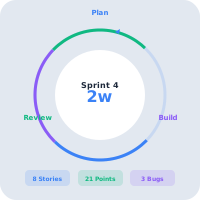
Continuous delivery engine

Coming Into Focus

What we are tightening next.

The roadmap favors features that reduce operational uncertainty: clearer action queues, stronger sync confidence, better governance, and more useful AI recommendations.

Offline operations telemetry

More sync-center intelligence for queued, failed, retried, and resolved mobile work.

Permission governance polish

Cleaner plan matrix reviews and organization effective-permission views for system owners.

AI next-action quality

More focused insight cards with impact, confidence, and recommended operational steps.

Stay Close To The Product

Want early access to new features?

Join AWRA OpsHub and follow the releases that keep inventory, procurement, sales, accounting, approvals, and mobile field work moving forward.

Help Center

Need a quick answer while you read?

Run inventory, procurement, assets, sales, and field work with approved AWRA guidance for setup, migration, integrations, security, pricing, and support.

Search all approved AWRA public help articles.

Open Help Center