

Ask AwraIQ about features, pricing, onboarding, login, integrations, security, demos, mobile apps, automation, reports, or support.
People · No-login self-service
Serve your whole team — without handing out logins.
Most of your people don't sit at a desk or need a system account. Give each of them a single secure link and a PIN, and they can handle leave, attendance, payslips and support from any phone — no app, no username, no IT ticket.
One link + one PIN · Leave · Time · Payslip & P9A · Support · Kiosk · Bcrypt-hashed & rate-limited
Leave Time
AWRA · Self-service
Hi, Amina O.
Enter your PIN to continue
123 456 789 0
No account needed · secure link
Payslip Support
0 loginsworks for employees with no account
1 PINunlocks all four employee portals
BcryptPINs stored as one-way hashes
5 triesthen the portal locks until HR resets
90 dayslinks auto-expire, then renew
Why it exists
An employee is not a user account.
Cleaners, drivers, warehouse crews, field staff, casuals — most of the people on your payroll will never log into a business system, and you shouldn't have to buy them a seat or babysit a password reset just so they can check a payslip. Yet these are exactly the people who most often ask “how much leave do I have left?”, “where's my P9A?”, or “can someone fix my clock-in from Tuesday?”.
AWRA answers that with self-service that needs no account at all. In AWRA an employee record is deliberately separate from a login — so you can give someone a secure, personal link and a PIN, and they get everything they need from the phone already in their pocket. No app to install, nothing to remember but four digits, and nothing for IT to provision.
The usual way
- A login seat (and licence) for every casual and field worker
- Payslips printed, emailed, or handed out by hand
- Leave and corrections chased over WhatsApp and paper forms
- HR fielding “what's my balance?” all day
With AWRA self-service
- One PIN-gated link per employee — no account, no licence
- Payslips & P9A self-served from any phone, any time
- Leave, clock-in and corrections done by the employee
- HR only handles approvals and the occasional PIN reset
Five doors, one PIN
Everything an employee needs — self-served.
Four employee portals open with the same link and PIN; a fifth runs unattended at the office. Here's exactly what each one does.
LeaveRequest & track
- See live balances for every leave type
- Submit a leave request in seconds
- Track approval status and full history
- Cancel a request — balance restored if it was approved
- Change their own PIN (4–6 digits)
Time & AttendanceClock & correct
- Clock in and out from their phone
- Verified by passkey, GPS geofence & office QR
- View today plus the last 14 days
- File and track correction requests
- Register a biometric device for faster clock-in
Payslip & P9AView & download
- View and download their own payslips
- Only finalised (approved/paid) runs — never drafts
- Download the Kenya P9A tax deduction card
- Pick the tax year for the P9A
- Clean, branded PDFs
SupportRaise & track
- Raise a helpdesk ticket with priority
- Pick a category or department
- Help articles suggested as they type the subject
- Track the status of tickets they've raised
- SLA applied and agents notified automatically
Attendance KioskUnattended display
- Full-screen rotating QR for a site
- Runs for weeks on a tablet or monitor
- No login to expire, nothing to log in to
- Employees scan it to prove they're on site
One PIN opens them all
Leave, Time, Payslip and Support share a single link and PIN. The employee moves between them without logging in again for 30 minutes.
Trust the clock-in
Three ways to prove someone's really there.
A no-login clock-in only works if you can trust it. AWRA layers three independent checks — use one, or stack them.
Passkey / biometric
Employees register a device passkey (WebAuthn) — Face, fingerprint or a security key — so clock-in is tied to a real device and can't be shared like a password.
GPS geofence
Clock-in is checked against each site's coordinates and radius, with a GPS-accuracy floor — so “I'm at work” has to actually be at work.
On-site QR
Optionally require scanning the office kiosk's rotating QR, proving physical presence at the moment of clock-in — a photo of it goes stale in seconds.
The unattended kiosk
Leave it running at the door for months.
Mount a tablet or screen at the entrance and forget about it. It shows a live, rotating QR that employees scan on their own phones to clock in — and it never needs a login that could time out.
Nairobi HQ · Main Gate
Scan to clock in
Refreshes every 30s - Truly unattended — a per-site token drives the display, so it survives weeks or months without a login session expiring.
- Rotates every 30 seconds — the QR is cryptographically signed and refreshes constantly, so a photographed code is useless almost immediately.
- The phone does the clock-in — employees scan with their own device in the Time portal, where the QR is checked alongside GPS and passkey. The kiosk itself stores nothing.
- A printable poster too — for low-tech spots, a static printable QR works without a screen at all.
No account ≠ no security
Eight layers guarding a login-free door.
Removing the password doesn't mean removing the protection. Every self-service link is wrapped in defences designed for the open web.
Unguessable link
Each employee's URL carries a unique 48-char random token — no sequential IDs to walk.
PIN, hashed
The 4–6 digit PIN is stored as a one-way bcrypt hash — never in plain text, never recoverable.
Locks after 5
Five wrong PINs lock the portal until HR resets it — no brute-forcing four digits.
Links expire
Every link auto-expires after 90 days; resending or regenerating renews it and kills the old one.
Short unlock
A successful PIN entry unlocks for 30 minutes, then the PIN is required again.
Rate-limited
Every action is throttled per identity and per IP, so scripted guessing gets nowhere.
Bot-screened
Honeypots, timing traps and optional Turnstile keep automated abuse off the forms.
Scoped to one person
A link resolves to exactly one employee's own data, isolated to your organisation.
Getting a team member set up
From HR click to employee's phone.
1
HR enables it
On an employee, HR turns on self-service. AWRA generates the unique link and a fresh 4-digit PIN, shown to HR once.
2
Send it their way
Email the link, PIN and QR, download the QR to share by WhatsApp or SMS, or print a QR badge.
3
They just open it
The employee taps the link on any phone — no app, no account — and enters the PIN.
4
Recover any time
Forgot the PIN or locked out? HR resets it in a click, keeping the same link — or disables access entirely.
Part of People & HR Explore People & HR
The employee end of your HR system.
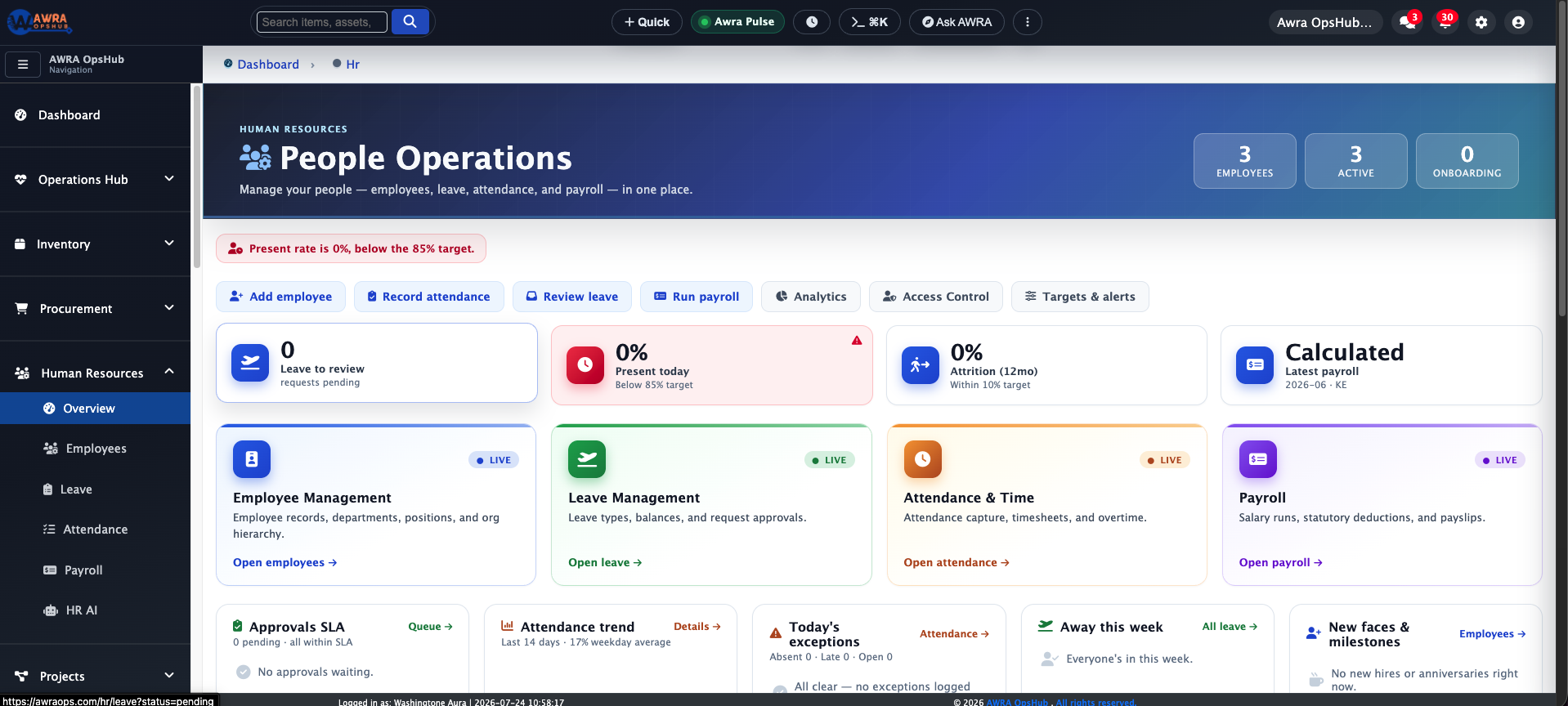
Self-service isn't a bolt-on — it's the employee-facing side of the same HR module your managers use. A leave request lands in HR's pending queue for approval; a clock-in feeds the same attendance records and correction reviews; a payslip is the exact one payroll finalised.
So the employee gets convenience, and HR keeps control: nothing self-served skips approval, and everything stays in one connected system of record — no re-keying, no parallel spreadsheet.
Clear scope
Honest about what it is.
These are focused, no-login portals for employees — reached by a personal link and PIN. Employees can request leave, clock in and correct time, view and download payslips and their P9A, and raise and track support tickets. They're intentionally lean: the payslip portal is view-only, the support portal is raise-and-track (replies to a ticket happen on the agent side), and the kiosk is a display that clocks no one in by itself — the employee's own phone does that. Portal links are delivered by email and QR, which HR can also share by WhatsApp or SMS.
The HR system behind it
Where self-served actions land.
Every portal mirrors a module your managers run. Follow the thread:
Questions, answered
Self-service portals FAQ.
Do employees need an account or app?
No. Self-service is built for employees with no system login. They get a unique, unguessable link and a PIN — opening the link on any phone browser and entering the PIN is all it takes. No username, no app install.
What can they actually do?
From one PIN: request and cancel leave and see balances; clock in/out and file attendance corrections; view and download their own payslips and the Kenya P9A; and raise and track support tickets.
How is it secure without a password?
The link uses a unique 48-character token; the PIN is stored as a one-way bcrypt hash; five wrong tries lock the portal until HR resets it; links expire after 90 days; a successful unlock lasts 30 minutes; and every submission is rate-limited and bot-screened.
Can I trust a clock-in from someone's own phone?
Yes — clock-in can combine a registered passkey (WebAuthn biometric), GPS geofencing against the site radius, and scanning the on-site kiosk's rotating QR, used together to verify real presence.
What is the attendance kiosk exactly?
An unattended full-screen display for a site, showing a QR that rotates every 30 seconds. It runs for weeks on a tablet with no login. Employees scan it with their own phones in the Time portal to prove they're on site; the kiosk stores nothing itself.
How does an employee get their link and PIN?
HR enables self-service on the employee, and AWRA generates the link and a 4-digit PIN. HR can email it (with a QR), download the QR to share by WhatsApp or SMS, or print a QR badge. Locked out? HR resets the PIN in a click.
Everyone, included
Bring your whole team into the system — no seats required.
Give each employee a secure link and a PIN, and let them handle leave, time, payslips and support from the phone in their hand. HR keeps the control; everyone else gets the convenience.