
Trusted Devices
Recognize approved devices, fingerprints, browser sessions, and mobile app contexts before sensitive work continues.
Device Trust
AWRA Device Trust gives enterprise teams a clear security layer for trusted devices, mobile offline access, session review, revocation, device evidence, and access governance across warehouse, field, finance, vendor, and admin workflows.
Why this page matters
Operational teams work from browsers, shared warehouse phones, scanners, Android field devices, finance laptops, and vendor portals. Device Trust helps AWRA explain who acted, from which device, whether that device was known, whether offline access was allowed, and how admins can review or revoke trust when the risk changes.
Recognize approved devices, fingerprints, browser sessions, and mobile app contexts before sensitive work continues.
Limit offline mobile access to devices that previously authenticated and hold a short-lived trusted session.
Let admins revoke device trust, terminate suspicious sessions, and contain endpoint risk quickly.
Connect device history, user identity, role access, sync status, and audit evidence into one review story.
Trust lifecycle
Device Trust works best when it follows the operational workflow. The same device context that unlocks mobile offline work should also support sync review, suspicious activity detection, session governance, and audit trails.
Verify identity through normal login, MFA where required, organization scope, and role-aware access rules.
Record device fingerprint, browser context, app context, IP pattern, session metadata, and recent trust status.
Permit normal work, mobile scanning, offline preparation, or sensitive review only when trust conditions are satisfied.
Surface unfamiliar devices, stale devices, unusual access, failed MFA, and sensitive actions for admin review.
Terminate sessions, revoke trust, expire offline unlock, and preserve evidence for governance review.
Security dimensions
A user account may be legitimate while the device deserves review. AWRA Device Trust gives security-conscious buyers a practical way to govern the endpoint, not only the username.
Preserve device context for access review, scanner sessions, mobile workflows, and audit trails.
Review active sessions, terminate risky access, and keep sensitive actions tied to trusted contexts.
Pair device trust with GPS, timestamp, scan source, user, and payload evidence when mobile work syncs.
Contain risk by revoking trust, blocking unknown devices, and requiring fresh authentication for sensitive work.
Governance controls
AWRA Device Trust can help admins decide which devices are safe, which need review, which should lose offline privileges, and which sessions should be terminated.
Review the conditions that matter most in enterprise operations.
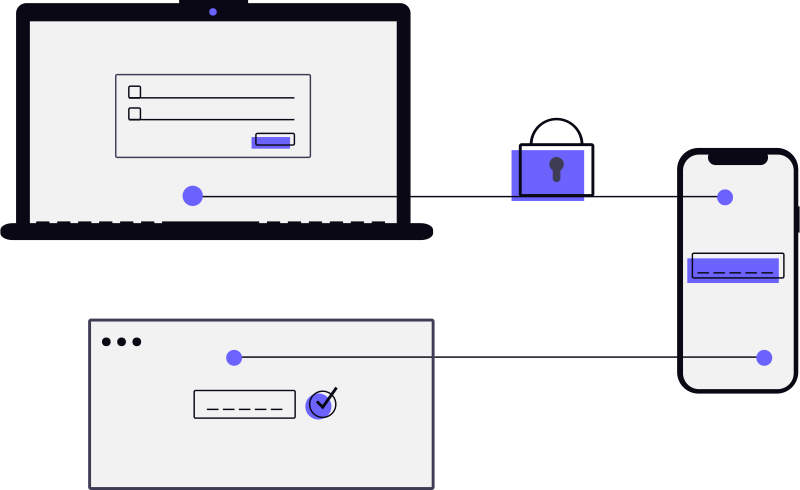
Show device trust beside the workflow so teams understand why access is allowed, challenged, or blocked.
Device governance should reduce risk without making warehouse, field, and finance work feel trapped behind vague security prompts.
Policy controls
A security questionnaire is a list of settings, and any vendor can produce the list. What matters is whether each row is wired to something that refuses. These are the controls an administrator configures for the whole organization, each shown with the mechanism that acts on it — and with what happens if you leave it alone.
How long a signed-in session survives, whether anybody is using it or not.
Four controls, all of which can only tighten what AWRA already demands.
The controls that decide whether an attempt is even eligible.
Network and device conditions, now driven by policy rather than only by the presence of a list.
Three controls the Android app collects from the server and applies on the device.
The design decisions behind the table, which matter more than any single row in it.
Said plainly
Screen-capture blocking is enforced by the operating system, so it holds. Compromised-device detection is a heuristic running on a device whose owner — if it genuinely is rooted — already has more privilege than our app process, so anyone determined defeats it. It raises the cost of casual misuse and gives you an honest record of what each device reported, and that is the whole of the claim.
Everything in the first four groups above is enforced on our side, which is why those are the rows to lean on. Where a device claims something, the claim itself is written to the audit trail — and that trail is now sealed so the record of a refused device cannot be tidied away afterwards.
Deploying to a fleet of shared handsets is covered on the Android app page, including the five managed-configuration keys your MDM console can set before a device reaches anybody’s hands.
Enterprise scenarios
It is built for shared devices, changing network conditions, field work, warehouse scanning, finance review, and vendor access where the endpoint matters as much as the user.
AWRA can allow a short trusted offline session only because the device authenticated earlier, then validate queued work when the phone reconnects.
An administrator can revoke trust, terminate sessions, review recent activity, and keep the evidence trail available for investigation.
Connected AWRA workflows
The value story connects mobile offline controls, scanner sessions, security operations, smart alerts, audit governance, and the broader trust center.
Unify IP controls, MFA enforcement, device governance, and audit intelligence.
Use trusted offline sessions, queued actions, GPS evidence, and server-side validation.
Monitor stale devices, failed syncs, queued payloads, GPS issues, and reconnect behavior.
Pair scanners through controlled QR sessions with token lifecycle and session closure discipline.
Surface unknown devices, stale devices, failed sync, suspicious sessions, and governance exceptions.
Keep roles, permissions, audit events, sensitive actions, and trust decisions reviewable.
Endpoint governance
AWRA Device Trust gives enterprise teams a practical control layer for mobile work, browser sessions, scanner pairing, offline access, sync validation, and security review.
Help Center
Run inventory, procurement, assets, sales, and field work with approved AWRA guidance for setup, migration, integrations, security, pricing, and support.
