Profiles & Contacts
Keep company names, contacts, email, phone, country, status, currency, and notes in one clean record.
AWRA Customer 360 gives sales, finance, and support teams a complete customer workspace for contact details, invoice history, balances, statements, tax settings, documents, notes, and follow-up priorities.
Why Customer 360 deserves its own page
The sales page can mention Customer 360, but the module is bigger than sales. Customer records connect contact details, VAT settings, countries, currency, credit limits, balances, statements, invoices, payments, notes, and follow-up history.
AWRA gives teams one account view so sales can understand the relationship, finance can manage exposure, support can answer questions, and managers can review customer activity without stitching records together manually.
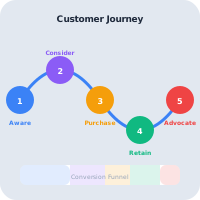
Customer operating layer
Customer 360 gives each team the context they need without creating duplicate customer lists or disconnected spreadsheets.
Keep company names, contacts, email, phone, country, status, currency, and notes in one clean record.
Review customer invoices, sales records, due dates, payments, and transaction history from the account view.
Track balance, credit limit, paid invoices, overdue risk, and follow-up pressure before revenue gets stuck.
Send statements and preserve invoice PDFs, tax details, account documents, payment evidence, and communication context.
Daily account workflow
Customer 360 helps teams manage the account lifecycle: create the customer, confirm billing and tax details, connect sales activity, monitor balances, send statements, and preserve the context needed for responsible follow-up.

Capture company, contact, country, status, currency, credit limit, notes, and tax settings.
Link quotations, invoices, POS activity, credit notes, payments, and account documents.
See open balances, credit limits, paid invoice count, due dates, and overdue pressure in context.
Use statement email and invoice follow-up workflows to keep customers informed and revenue moving.
Maintain actor history, edits, account notes, tax details, and documents for audit and support review.
Revenue and account control
Customer conversations become difficult when sales, finance, and operations are reading different records. AWRA keeps account details, balances, invoices, payments, statements, and notes together so every team can work from the same profile.
Account
Company, contacts, country, status, notes, and owner context.
Billing
Open, paid, overdue, cancelled, and partially paid activity.
Finance
Credit limits, outstanding balances, exposure, and payment behavior.
Action
Statement, reminder, account note, or sales review.
Tax
PIN, VAT number, exempt status, registered dates, and international trade controls.
Docs
Customer statement emails and invoice documents connected to the account.
Support
Notes and history help support answer account questions quickly.
Review
Account changes, communications, and financial records stay explainable.
From lead to account
Sales teams want customer profiles and purchase history. Finance teams want balances, invoices, statements, and credit exposure. Support teams want context, documents, and notes. Customer 360 packages all of that in one place, and the CRM pipeline feeds it: a lead you win becomes the customer record the rest of the team works from.
Understand the account identity, contacts, country, currency, status, notes, and tax setup.
Track leads by source, status and owner, and move opportunities across your own pipeline stages on a drag-and-drop board, with a probability and weighted value on each.
Log calls, emails, meetings, notes and tasks against a lead or deal, convert a lead into a new or existing customer, and turn a won deal into a quote.
See open balances and invoices that need attention, with an optional reminder ladder by email, SMS or WhatsApp that stops when the invoice is paid.
Keep statements, invoice PDFs, tax details, and payment evidence close to the account.
Help teams pick up the customer relationship without asking around for history.

Connected AWRA workflows
A customer profile becomes more valuable when it links to the operational records around it: invoices, payments, POS sales, accounting context, insights, documents, and support activity.
Leads become customer records here when they convert, with the deal that brought them in.
Staged overdue reminders per customer, with a per-customer pause and saved cards for recurring invoices.
Email a running-balance Statement of Account — opening balance, invoices, payments and closing balance — as a branded PDF for any period.
Create customer records, quotations, invoices, and follow-up workflows from one revenue layer.
Connect branch sales and receipts to customer history when named customers are used.
Use customer balances and invoice behavior to prioritize follow-up and recovery.
Keep customer invoices, payments, balances, and finance review connected to operations.
Analyze top customers, sales summaries, balances, and revenue trends.
Give teams practical guides for customers, invoices, payments, and sales workflows.
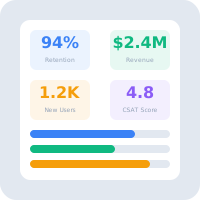
Business outcomes
Customer 360 helps teams stop treating customer history as something scattered across invoices, inboxes, notes, and memory. The account becomes a shared workspace where each new sale, payment, reminder, document, and decision strengthens the next interaction.
Sales, finance, and support read the same profile before they act.
Balances, invoices, and statements stay close to account ownership.
Teams answer questions with record-backed confidence instead of guessing.
Customer data becomes easier to analyze across revenue, payment, and account status.
Help Center
Run inventory, procurement, assets, sales, and field work with approved AWRA guidance for setup, migration, integrations, security, pricing, and support.