
Ask AwraIQ about features, pricing, onboarding, login, integrations, security, demos, mobile apps, automation, reports, or support.
All industry pages
Custody by site
Know what every site cost you — while the job is still running.
Contractors use AWRA to issue materials from store to site under named custody, track plant and equipment, measure committed and certified value against the bill of quantities, run procurement approvals, and chase retention.
Procurement software for contractors
The problem
Contractors usually learn what a site cost them after the job. Materials go to site on a delivery note, plant moves on a phone call, and the job file is reconciled at the end.
Materials that vanish between store and site
A delivery leaves the yard and what arrives on site is never confirmed.
Plant nobody can locate
Equipment is on some site, with someone, and nobody knows which.
Job cost after the job
Committed and certified value is compared with the bill of quantities at the final account.
How AWRA solves it
What Construction & Contracting teams get.
See committed and certified value against the BQ during the job instead of in the post-mortem.
Keep plant, tools and equipment on a register that records who holds them, since when, and on whose authority.
See overdue tasks, blocked work, pending payouts and who is on leave today in one Control Tower before allocating crews.
Hold site labour contracts, attendance and payroll beside the asset register and the project budget they are charged to.
Make every issue from the central store land on a named person at a named site, so a shortage has an owner rather than a rumour.
Site issues raised from the field as tickets, routed by category to a department queue, with a business-hours clock that skips weekends and public holidays.
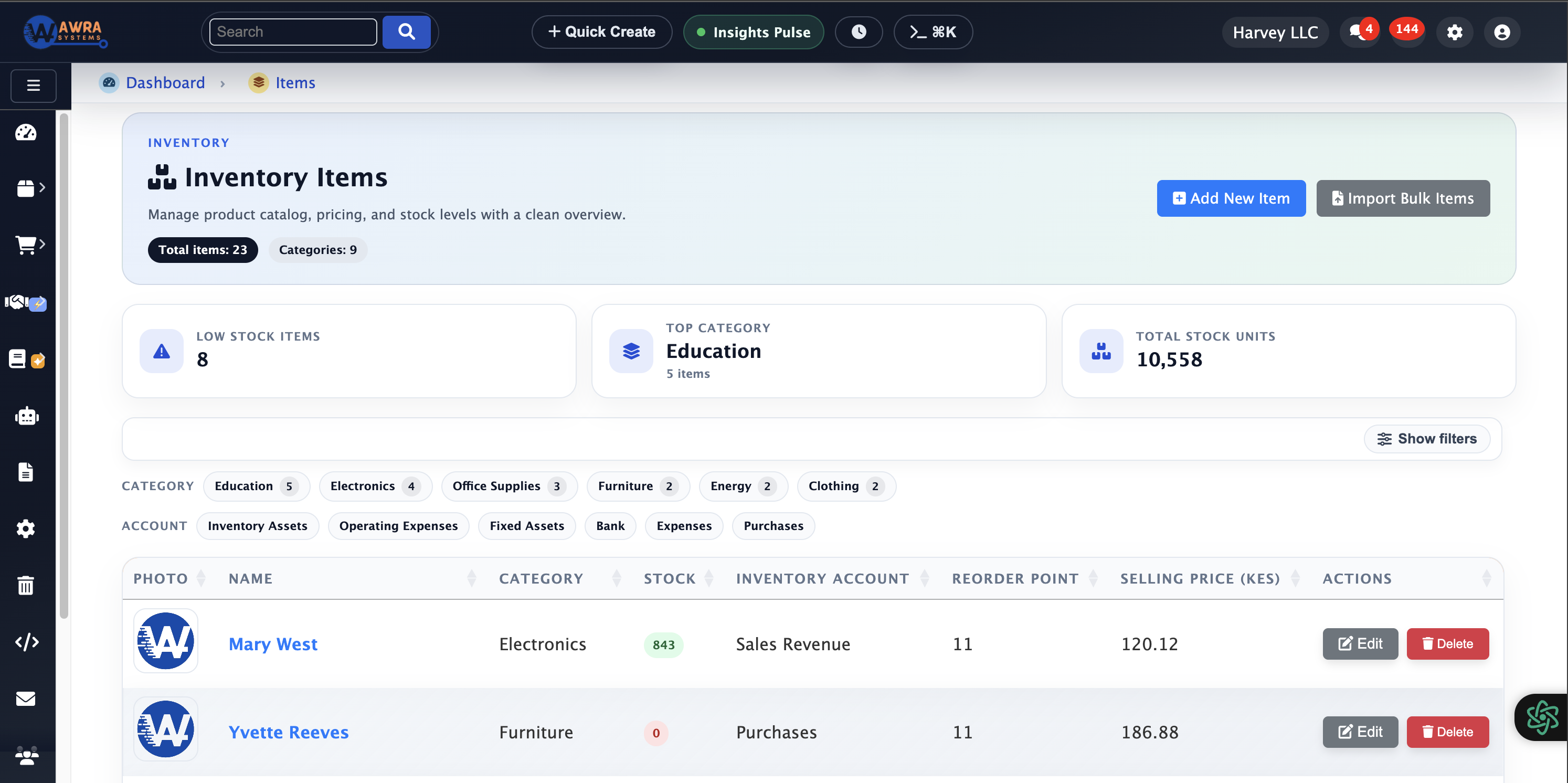
Store and site stock
What is held centrally, what is on site, and what is in transit.

Job and phase view
Spend, tasks and progress posted against the job it belongs to.
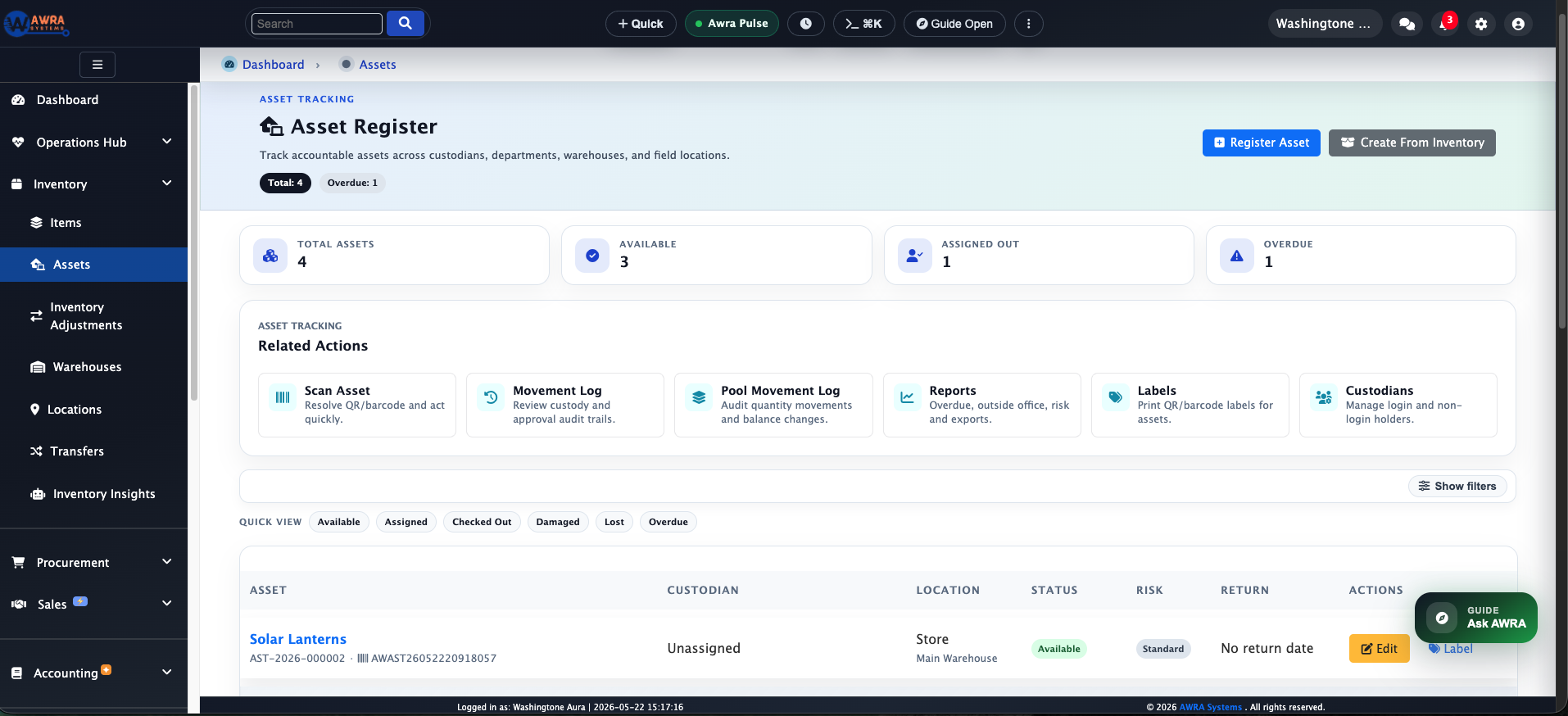
Plant register
Equipment with a custodian, a location, and a movement history.
Typical workflow
The routines AWRA runs for Construction & Contracting.
Store to site issue
- 1 Raise a site requisition against the job
- 2 Approve in the Approvals Hub
- 3 Dispatch the transfer and track it in transit
- 4 Receive on site, then close or escalate the variance
Live job cost review
- 1 Post materials, plant and labour to the job
- 2 Compare committed and certified value to the BQ line
- 3 Investigate the lines drifting fastest
- 4 Report margin by site before the next valuation
Plant custody and return
- 1 Assign equipment to a site and a custodian
- 2 Record each movement with date and reason
- 3 Flag items overdue for return or service
- 4 Reconcile the register at project close
Modules used
What a construction & contracting workspace runs on.
Procurement Automation Site requisitions through to purchase orders See the module Stock Transfers & Approvals Store-to-site issues tracked in transit See the module Asset & Plant Registers Plant and equipment under a named custodian See the module Job Costing & Budgets Materials, plant and labour posted to the job See the module
Example organisation
A building contractor with six live sites
An illustrative profile, not a named customer
Where they are today
A central yard, six sites, a plant register in a spreadsheet, and job costs reconciled at each valuation.
Where they would start
They would start with the yard stock and store-to-site transfers, then bring plant custody and job costing onto the same records.
What changes after implementation
Before and after, in the routines you already run.
| Before | After |
|---|---|
| Deliveries confirmed by phone | Transfers received and signed for on site |
| Plant located by asking around | Each item assigned to a site and a custodian |
| Job cost at the final account | Materials, plant and labour posted to the job as they happen |
| Requisitions on paper | Site requisitions approved and turned into orders |
How the rollout goes
1
Model jobs, sites, phases and BQ lines first — job costing is only as useful as the structure the spend posts against.
2
Start with the highest-value materials and plant rather than the full catalogue; custody is a behaviour change before it is a configuration.
3
Agree who may approve site requisitions and to what limit before go-live, or approvals become the bottleneck in week one.
What you can measure afterwards
Site material variance
Committed vs certified value
Plant custody age
Requisition cycle time
Retention outstanding
Pricing
What it costs for Construction & Contracting
Inventory, transfers and core projects are on Basic. Full procurement, the asset register and advanced project planning are on Pro.
Pro plan · Run on automation
$45 / month
or $491 billed yearly
Charged in KES at the live rate, excluding VAT.
Full procurement, sales, accounting and HR (employees, leave, attendance & payroll) plus workflow automation and reporting.
Before you pay anything
30-day free trial
Thirty days of the full platform, every module switched on and no card required. Choose a paid tier whenever you are ready.
See it on your process
Walk through a construction & contracting workspace with us.
Bring the spreadsheet or the paper form you want to retire. We will show you the first workflow in AWRA with your own items, people and locations.
Questions
What Construction & Contracting buyers ask.
Can we track materials from store to site?
Yes. A transfer is dispatched from the yard, tracked in transit and received on site, with a signature at each end and any variance recorded.
Can we track plant and equipment?
Each item is assigned to a site and a custodian, every movement is recorded with a date and reason, and a return coming due or overdue is emailed daily to admins and to the custodian who holds it.
Can we see job cost while the job is running?
Materials, plant and labour can be posted to the project, and committed spend compared with its budget before the next valuation.
How do site requisitions get approved?
A requisition waits in the Approvals Hub for someone holding the approve permission. Routing it to a different approver by site or value is something we can add for your workspace.
Customer story
Speak to someone who runs it.
We publish a named story only with that organisation’s consent. Ask us and we will put you in touch with a construction & contracting reference you can telephone, rather than a quote you cannot check.
Ask for a referenceNext-best links
Keep the evaluation moving.
Guides, pricing and support surfaces most relevant to Construction & Contracting.
Related industries
Compare adjacent operating models.

Retail
AWRA OpsHub connects POS, stock movement, replenishment, cash sessions, and branch reporting for retail operators.
Healthcare
Healthcare teams use AWRA to monitor critical consumables, control purchasing, receive supplies, and report availability by location.
FMCG Distribution
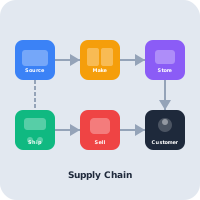
AWRA helps FMCG distributors manage item velocity, warehouse stock, vendor lead times, branch replenishment, and sales performance.
Help Center
Need a quick answer while you read?
Run inventory, procurement, assets, sales, and field work with approved AWRA guidance for setup, migration, integrations, security, pricing, and support.