
Ask AwraIQ about features, pricing, onboarding, login, integrations, security, demos, mobile apps, automation, reports, or support.
All industry pages
Fast-moving branches
Keep counters selling and shelves replenished.
AWRA OpsHub connects POS, stock movement, replenishment, cash sessions, and branch reporting for retail operators.
Inventory software for retail
The problem
Most retail operators run the counter on one system and the stock on a spreadsheet, and the two meet once a month at the count.
Stock that only exists on paper
The till says it sold; the shelf says it is empty; the sheet says there are twelve.
Cash that does not close
A drawer is short at the end of a shift and nobody can say which sale or which cashier.
Buying what another branch has
A reorder is raised for stock sitting idle at the branch down the road.
How AWRA solves it
What Retail teams get.
Branch issues raised as tracked tickets that route to a department queue on an SLA clock, instead of a WhatsApp thread nobody owns.
Start the day on a Control Tower that ranks stock risk by real branch demand, not just a reorder point.
Reduce stockouts on fast-moving items with low-stock and transfer signals.
Connect POS transactions to inventory, returns, cash drawer sessions, and reporting.
Give branch managers autonomy while head office keeps audit-ready visibility.
Roster branch staff against trading hours, and let the hours the rota actually worked be what payroll pays.
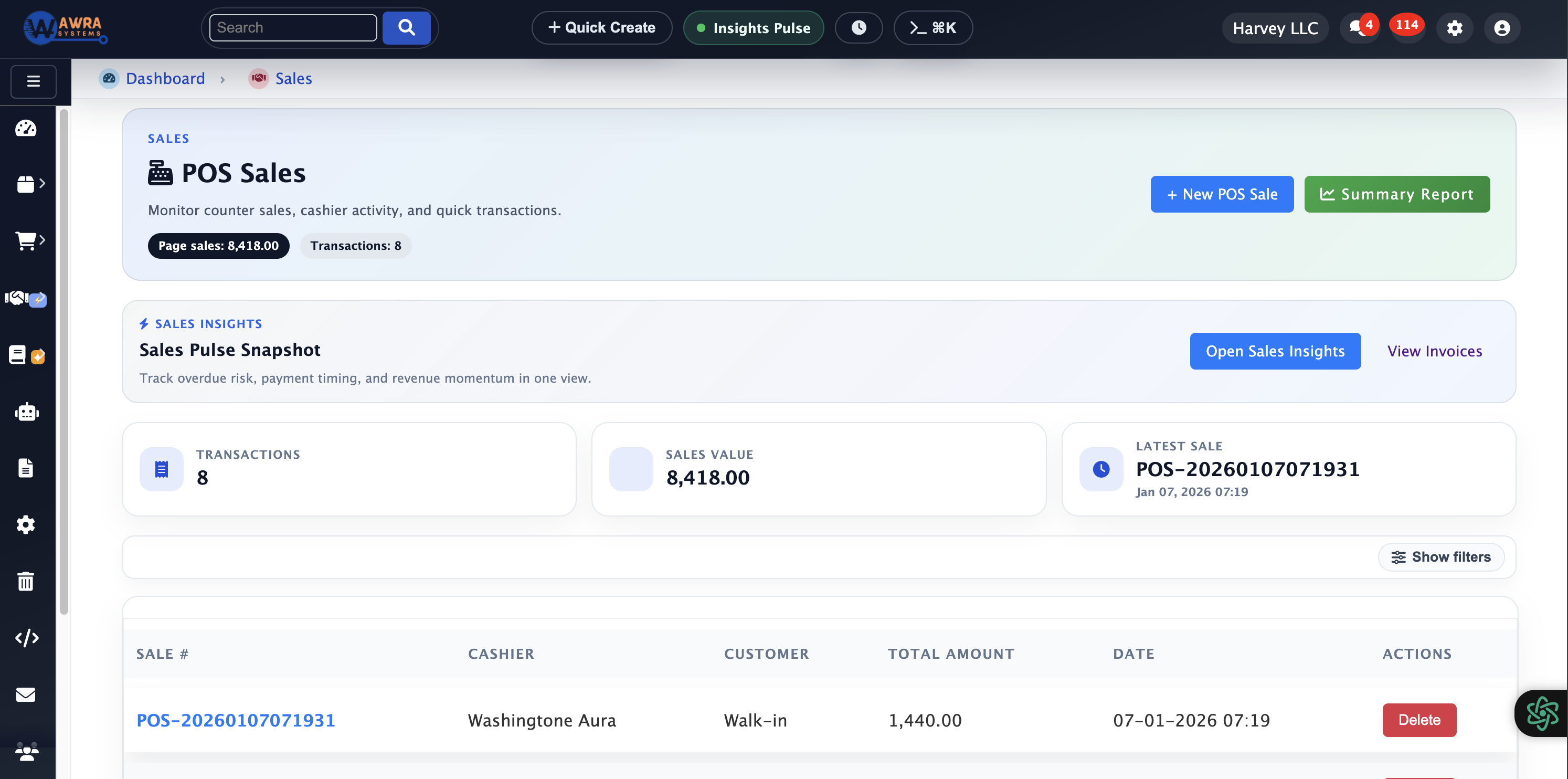
POS checkout
Counter sales, payments, returns, and receipts connected to inventory.
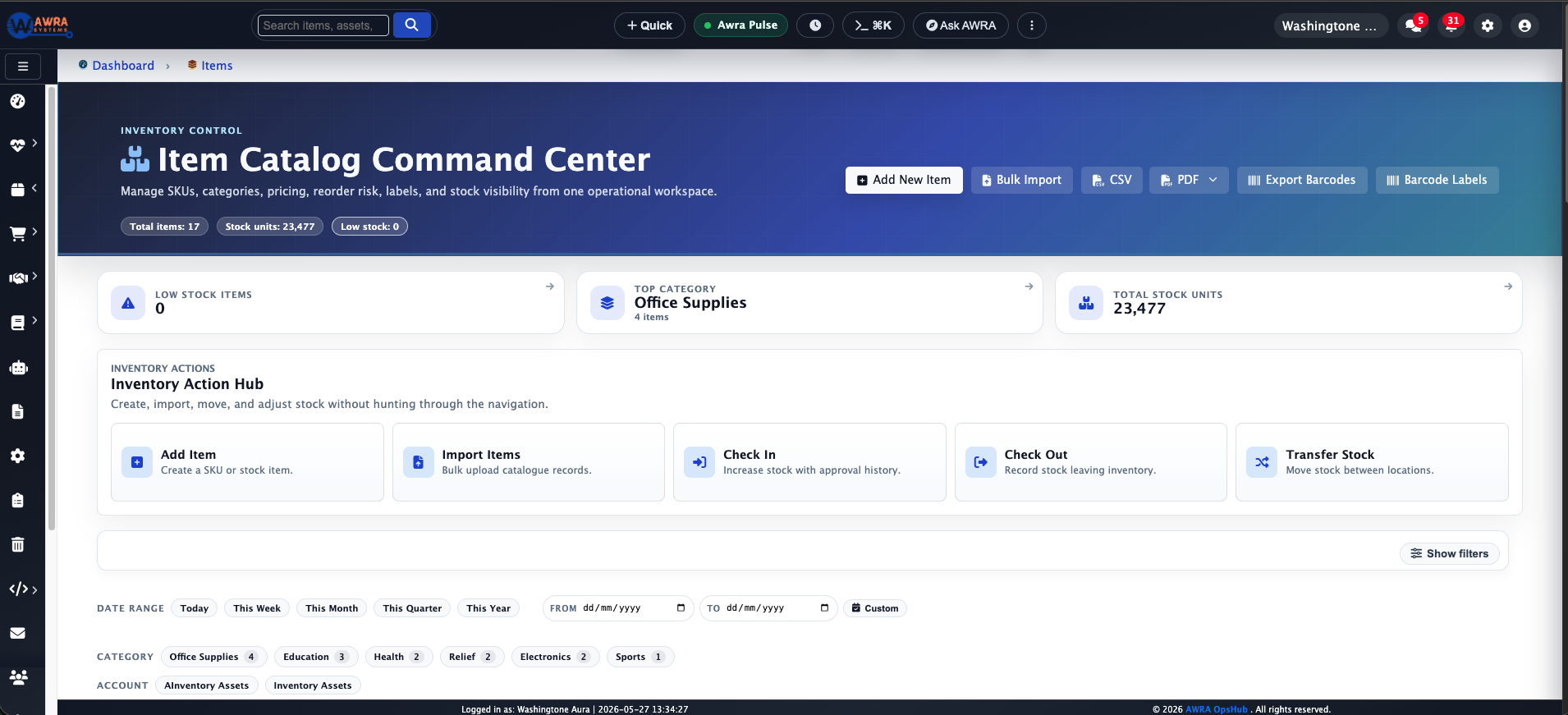
Stock visibility
Live stock by item, location, and operating status.

Branch balancing
Move stock between branches before buying more.
Typical workflow
The routines AWRA runs for Retail.
Counter sale to stock deduction
- 1 Scan or search item at POS
- 2 Record payment and receipt delivery
- 3 Deduct branch stock immediately
- 4 Review margin and return exceptions
Daily replenishment review
- 1 Review low-stock and high-velocity items
- 2 Check nearby branch excess stock
- 3 Approve transfer or purchase request
- 4 Track arrival and receiving
Cash session close
- 1 Open drawer by counter
- 2 Record sales and cash movement
- 3 Close shift with variance review
- 4 Escalate exceptions to finance
Modules used
What a retail workspace runs on.
Point of Sale Counter sales that deduct branch stock as they are rung up See the module Cash Drawer Management Drawer sessions per counter, closed with a variance See the module Stock Transfers & Approvals Moving excess between branches before buying See the module Sales Insights Margin, velocity and returns by branch See the module
Example organisation
A five-branch hardware retailer
An illustrative profile, not a named customer
Where they are today
One warehouse, five counters, about 4,000 items, and a stock sheet per branch emailed to head office every Monday.
Where they would start
They would start with the item list and opening counts at one branch, then switch that branch’s counter to AWRA POS.
What changes after implementation
Before and after, in the routines you already run.
| Before | After |
|---|---|
| Stock sheet per branch, merged on Monday | One stock figure per branch, current as each sale is rung up |
| Drawer shortfalls found at month-end | Each shift closed with its own variance and cashier |
| Reorders raised by feel | Low-stock signals and transfer suggestions before a purchase |
| Returns written in a book | Returns recorded at the counter and taken back into stock |
How the rollout goes
1
Start with item catalog cleanup, barcode coverage, branch stock counts, and POS counter setup.
2
Roll out one pilot branch first, then clone item, receipt, tax, cash drawer, and approval settings.
3
Use weekly branch scorecards to tune reorder points, transfer thresholds, and cashier controls.
What you can measure afterwards
Sales velocity
Stockout risk
Cash variance
Return rate
Branch margin
Pricing
What it costs for Retail
POS checkout, inventory and transfers start on Basic. POS counters and cash-drawer sessions — what the shift-close routine needs — are on Pro.
Pro plan · Run on automation
KES 5,800 / month
or KES 63,800 billed yearly
Full procurement, sales, accounting and HR (employees, leave, attendance & payroll) plus workflow automation and reporting.
Before you pay anything
30-day free trial
Thirty days of the full platform, every module switched on and no card required. Choose a paid tier whenever you are ready.
See it on your process
Walk through a retail workspace with us.
Bring the spreadsheet or the paper form you want to retire. We will show you the first workflow in AWRA with your own items, people and locations.
Questions
What Retail buyers ask.
Can each branch run its own POS counters?
Yes. Each counter is set up against its branch, sales deduct that branch’s stock, and cash-drawer sessions open and close per counter with a variance at the end of the shift.
Does the POS keep selling if the internet drops?
The mobile app queues POS sales and cash sessions on the device and sends them when the connection returns.
Can we take M-Pesa at the counter?
Yes — STK push, scan-to-pay QR and Paybill or Till, on your own Daraja credentials, so the money settles directly to you.
How do we move from our current stock sheets?
Import the item list from the template, count one pilot branch, and go live there first. The other branches follow with the same items, receipts and tax settings already in place.
Customer story
Speak to someone who runs it.
We publish a named story only with that organisation’s consent. Ask us and we will put you in touch with a retail reference you can telephone, rather than a quote you cannot check.
Ask for a referenceNext-best links
Keep the evaluation moving.
Guides, pricing and support surfaces most relevant to Retail.
Related industries
Compare adjacent operating models.
Healthcare
Healthcare teams use AWRA to monitor critical consumables, control purchasing, receive supplies, and report availability by location.
FMCG Distribution
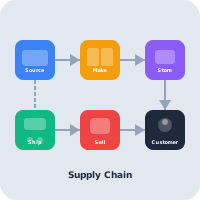
AWRA helps FMCG distributors manage item velocity, warehouse stock, vendor lead times, branch replenishment, and sales performance.
Logistics & Warehousing
Warehouse and logistics teams use AWRA for receiving, location control, transfers, cycle counts, scanner workflows, and approvals.
Help Center
Need a quick answer while you read?
Run inventory, procurement, assets, sales, and field work with approved AWRA guidance for setup, migration, integrations, security, pricing, and support.