
Ask AwraIQ about features, pricing, onboarding, login, integrations, security, demos, mobile apps, automation, reports, or support.
All industry pages
Critical supply control
Protect operational supplies with cleaner visibility and approvals.
Healthcare teams use AWRA to monitor critical consumables, control purchasing, receive supplies, and report availability by location.
Procurement management for hospitals
The problem
In a clinic or hospital, a stock-out is not an inconvenience. Yet critical consumables are often tracked on the same spreadsheet as the stationery.
Critical items found short at the point of use
The ward discovers the shortage; the store discovers it afterwards.
Urgent purchases with no trail
An emergency order goes out by phone, and the approval is reconstructed for the auditor later.
Expiry discovered on the shelf
A batch expires in a department store nobody counted this quarter.
How AWRA solves it
What Healthcare teams get.
Ward and supplier requests arrive as tickets with a first-response and resolution clock, and a signature captured when the job is signed off.
Review suspicious stock adjustments and stock risk in the Control Tower before either reaches a ward.
Keep critical supplies visible by department, branch, or storage location.
Control procurement and receiving exceptions with audit trails.
Use reporting to spot consumption changes, supplier issues, and replenishment gaps.
Build clinical rotas by site, record attendance against them, and carry the worked hours through to payroll without a second spreadsheet.
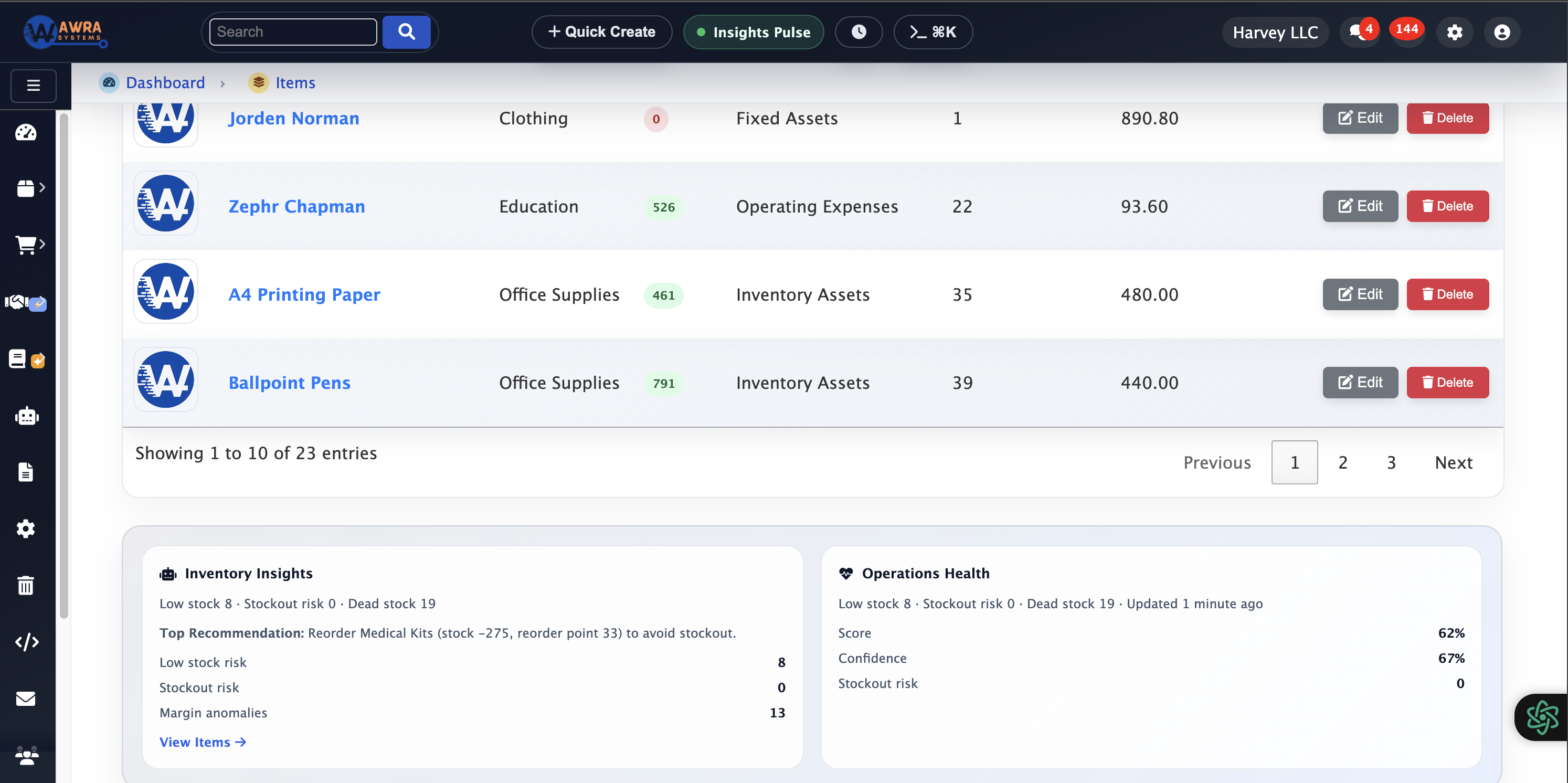
Critical stock insights
Identify consumption spikes and shortage risk before service impact.
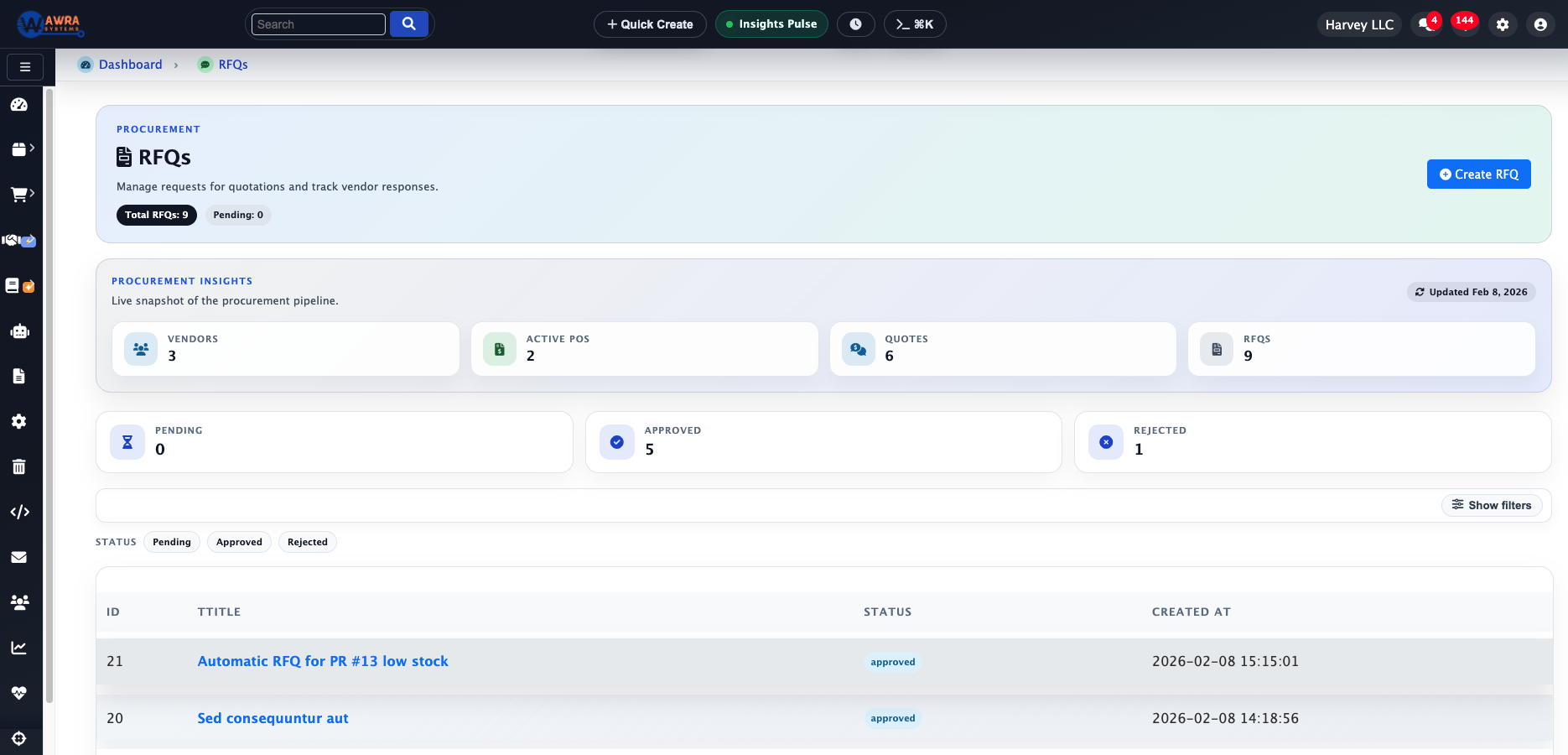
Supplier sourcing
Compare supplier responses for critical and recurring supply needs.
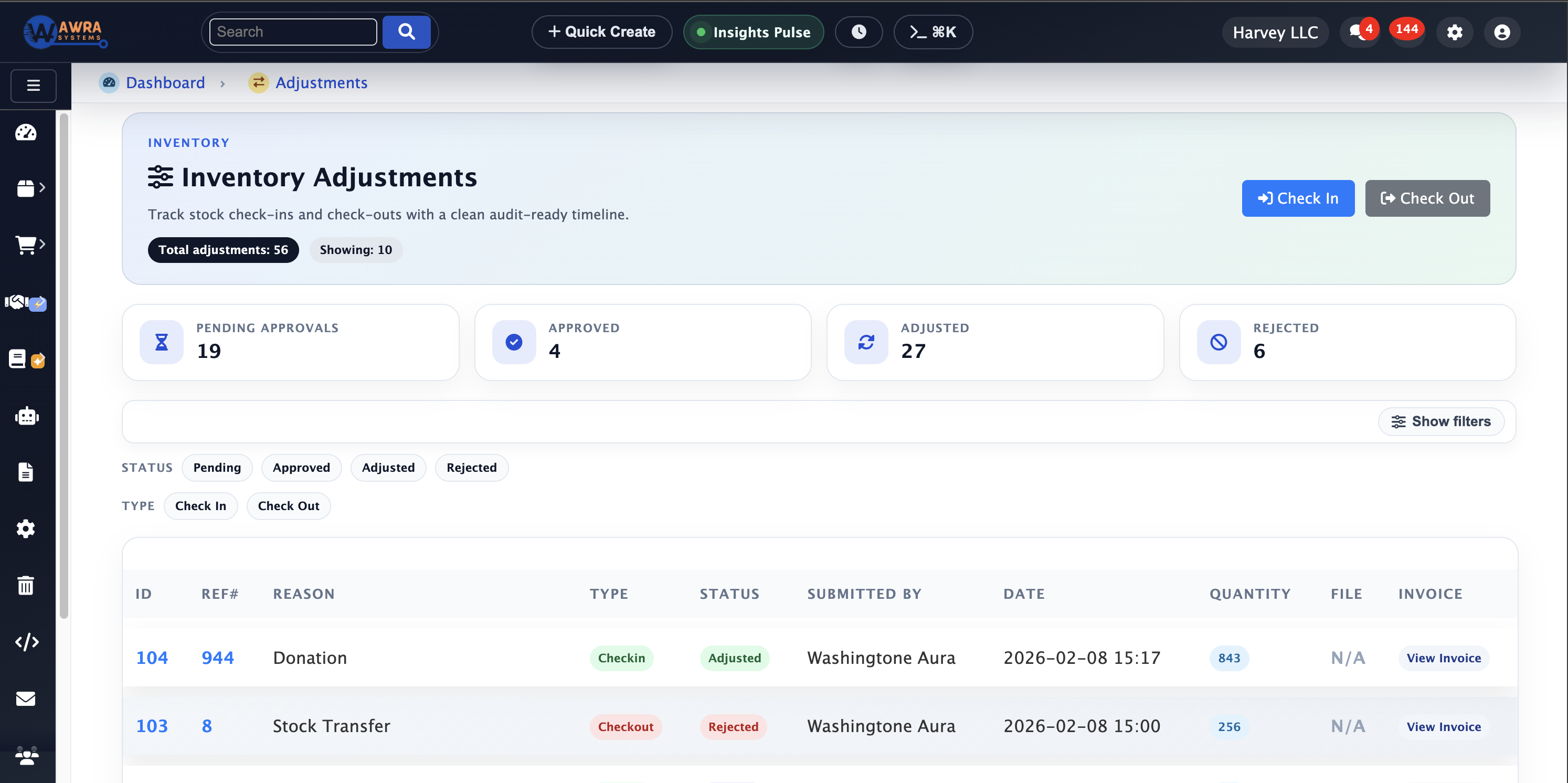
Audit-ready adjustments
Track stock corrections with approval context and reason codes.
Typical workflow
The routines AWRA runs for Healthcare.
Critical item monitoring
- 1 Tag critical consumables
- 2 Set reorder and minimum thresholds
- 3 Review shortage-risk alerts
- 4 Route urgent purchase requests
Controlled receiving
- 1 Receive against purchase orders
- 2 Capture quantity or quality variances
- 3 Approve adjustments
- 4 Update department availability
Supply governance review
- 1 Review supplier reliability
- 2 Check consumption trend by location
- 3 Export compliance-ready records
- 4 Tune reorder rules
Modules used
What a healthcare workspace runs on.
Inventory Management Critical consumables with reorder points per location See the module Procurement Automation Requests, RFQs and orders with the approval on the record See the module Batch & Serial Traceability Batch and expiry tracking on what is received See the module Quality Holds Holding a delivery until it passes inspection See the module
Example organisation
A 120-bed private hospital
An illustrative profile, not a named customer
Where they are today
A central pharmacy store, eight ward stores, and a procurement officer running quotations from email and a shared sheet.
Where they would start
They would start with the central store and its critical-item list, then bring ward requests and procurement onto the same records.
What changes after implementation
Before and after, in the routines you already run.
| Before | After |
|---|---|
| Shortages reported by the ward | Low-stock alerts on critical items before the ward runs out |
| Quotes compared in an inbox | RFQs with every supplier quote and the award reason kept |
| Expiry found during the count | Batches received with expiry dates the system watches |
| Receiving signed on paper | Receipts against the order, with over-receipt refused |
How the rollout goes
1
Begin with consumable categories, storage locations, approved supplier lists, and receiving rules.
2
Use role permissions for requesters, approvers, stores teams, finance, and administrators.
3
Keep sensitive clinical claims out of public assistant answers; route policy-specific questions to human follow-up.
What you can measure afterwards
Critical stock coverage
Supplier reliability
Receiving variance
Consumption trend
Approval compliance
Pricing
What it costs for Healthcare
Inventory and receiving are fully on Basic. Full procurement — order tracking, quality checks on receipt and supplier prequalification — is on Pro.
Pro plan · Run on automation
KES 5,800 / month
or KES 63,800 billed yearly
Full procurement, sales, accounting and HR (employees, leave, attendance & payroll) plus workflow automation and reporting.
Before you pay anything
30-day free trial
Thirty days of the full platform, every module switched on and no card required. Choose a paid tier whenever you are ready.
See it on your process
Walk through a healthcare workspace with us.
Bring the spreadsheet or the paper form you want to retire. We will show you the first workflow in AWRA with your own items, people and locations.
Questions
What Healthcare buyers ask.
Can we track batches and expiry dates?
Yes. Batches are recorded at receipt with their expiry dates, stock is held per batch and location, and the batch trail shows where each lot went.
Can a delivery be held until it is inspected?
Yes. Stock can be placed on a quality hold so that issuing and selling exclude it until it is released, downgraded or disposed of with a reason.
Is procurement evidence kept for audit?
The request, the RFQ, every quotation, the award reason and the purchase order stay linked on one record, and the audit log records who acted and when.
Does AWRA hold patient records?
AWRA runs the supply side — stock, procurement, receiving and suppliers — and patient and clinical records stay in your clinical system, which is where they belong.
Customer story
Speak to someone who runs it.
We publish a named story only with that organisation’s consent. Ask us and we will put you in touch with a healthcare reference you can telephone, rather than a quote you cannot check.
Ask for a referenceNext-best links
Keep the evaluation moving.
Guides, pricing and support surfaces most relevant to Healthcare.
Related industries
Compare adjacent operating models.
Retail
AWRA OpsHub connects POS, stock movement, replenishment, cash sessions, and branch reporting for retail operators.
FMCG Distribution
AWRA helps FMCG distributors manage item velocity, warehouse stock, vendor lead times, branch replenishment, and sales performance.
Logistics & Warehousing
Warehouse and logistics teams use AWRA for receiving, location control, transfers, cycle counts, scanner workflows, and approvals.
Help Center
Need a quick answer while you read?
Run inventory, procurement, assets, sales, and field work with approved AWRA guidance for setup, migration, integrations, security, pricing, and support.