
QuickBooks Alone Isn't an ERP: What Growing Teams Add Next
QuickBooks keeps the books honest — but the books are the last stop, not the whole journey. Here is exactly where growing teams outgrow accounting-only software, what an ERP layer adds on top, and why you keep the accounting tool you already trust.
QuickBooks is very good at what it was built for. Invoices go out, payments come in, the bank reconciles, and at year-end the books are tax-ready. For a young business that is often the entire finance stack, and rightly so — you do not need an ERP to run a five-person shop. The trouble starts later, and quietly: not because QuickBooks fails, but because it was never asked to run the warehouse, the purchase-approval chain, or the second branch. Those things happen somewhere else — in spreadsheets, in WhatsApp, in someone's head — and the ledger only learns about them after the fact, as a number to be reconciled.
This is the accounting-only ceiling. It is not a bug in QuickBooks; it is the edge of its job. An ERP does not replace that job — it wraps an operational layer around it so that the transactions the books record are generated by governed workflows instead of reconstructed after the money already moved.

The tell-tale signs you have outgrown accounting-only software
You rarely decide to outgrow QuickBooks; you notice you already have. The symptoms are operational, not accounting ones — which is exactly why the accounting tool cannot show them to you:
If three or more of these are true, you are running an ERP job without an ERP
- Stock value in the books drifts from what is physically on the shelf, and the count only agrees after a manual adjustment.
- Purchase approvals live in email or chat, and only the invoice ever reaches the accounting system — never the request, the quotes, or the receiving note.
- A second location rolls up to head office by someone copying figures between files.
- Your salespeople quote availability from a workbook that is a day or two behind the real stock.
- Nobody can answer "who approved this, and what else did we quote?" without a search through inboxes.
- Month-end is reconstruction — stitching operational reality back onto the ledger — rather than retrieval.
Each of these is an operations gap masquerading as a finance chore. The reconciliation labor they create is real salary spent buying agreement between records that a connected system would never have let diverge — the same hidden cost that makes running operations on spreadsheets so expensive.
What the ERP layer actually adds
An ERP is not "a bigger accounting package." It is the operational half of the business made into a system — the half QuickBooks assumes has already happened by the time an invoice appears. Concretely, that means four things the ledger cannot do on its own.

1. Real inventory, not a ledger balance
In accounting-only software, inventory is a number in an account. In an ERP it is a living record: every item, every location, every movement and transfer, with low-stock signals and a full history of why the balance is what it is. The books still get their inventory value — but as a consequence of tracked movements, not as a figure you adjust to match a physical count.
2. Procurement as a governed flow
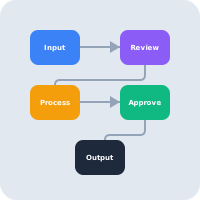
The single biggest gap above QuickBooks is buying. An ERP moves the whole chain — request, quotes, approval, purchase order, receiving — into one auditable flow, so the commitment is controlled before the invoice exists. That is what makes three-way matching possible: purchase order against goods received against invoice, the control that stops overbilling and quietly closes the gap where overspends live. Accounting software sees only the third document; the ERP owns all three.
3. Multi-location and multi-user reality
Growth is where accounting-only setups break hardest. A second branch, a fifth grant, a twentieth staff member — each one adds a workbook and a reconciliation. An ERP treats a new location or dimension as one more entry in the same structure, with role-based access so people see and do only what their job allows, and every action attributed to a name.
4. Operational reporting, not just financial statements
QuickBooks reports on money. An ERP reports on the operation that produced it: stock turnover, supplier performance, approval bottlenecks, branch-level P&L, spend against budget in real time. Leadership stops stitching operational context onto finance reports by hand because the two live in one source.
You do not throw QuickBooks away
This is the part most "ERP vs QuickBooks" arguments get wrong. The goal is not migration away from an accounting tool your accountant knows and your auditor trusts — it is putting the operational system in front of it. AWRA OpsHub is built operations-first and syncs with the accounting tools teams already use, so buying, stock, and branch workflows are governed in the ERP while the books stay where they belong.
The honest dividing line
Keep the accounting tool for what it is best at: invoices, payments, bank reconciliation, tax-ready books. Add the ERP for what the ledger was never designed to hold: inventory movements, procurement approvals, multi-location operations, and the operational reporting that sits on top. The mistake is asking one tool to do both jobs and paying for the gap in reconciliation hours.
The honest comparison
| Dimension | Accounting-only (QuickBooks alone) | ERP layer + accounting (AWRA OpsHub) |
|---|---|---|
| Inventory | A value in an account, trued up by manual count | Live records: items, locations, movements, low-stock signals |
| Purchasing | Only the invoice reaches the system | Request → quotes → approval → PO → receiving, all auditable |
| Controls | Approvals happen off-system, in email or chat | Enforced thresholds, three-way matching, attributed changes |
| Second branch | Another workbook, another reconciliation | One more location in the same structure, rolled up live |
| Sales / POS | Quotes from stale stock figures | Transactions sit next to live inventory |
| Month-end | Reconstruction of what operationally happened | Retrieval — the operational record is already there |
| The accounting tool itself | Doing two jobs, one badly | Kept for the books; fed clean data by the ERP |
If your operation is still small and mostly cash-and-carry, none of this is urgent — accounting-only is the right, cheap answer. The moment buying, stock, and branches start generating reconciliation work, the arithmetic changes. Our ERP pricing guide for Kenya prices the ERP layer honestly, and the implementation checklist shows how teams add it alongside the books without a disruptive cutover.
See exactly where accounting-only stops
Compare AWRA OpsHub with entry-level accounting tools side by side — inventory depth, procurement approvals, multi-location, and operational reporting — then bring your messiest buying workflow to a demo.
Compare AWRA to accounting-only toolsFrequently asked questions
Do we have to stop using QuickBooks to adopt an ERP?
No — and you usually should not. The point of an operations-first ERP is to govern the workflows QuickBooks never covered (inventory, procurement, branches) and sync clean data into the accounting tool your accountant and auditor already trust. Keep the books where they are; add the operational layer in front.
Is QuickBooks an ERP?
No. QuickBooks is accounting software — excellent at invoicing, payments, bank reconciliation, and tax-ready books. An ERP adds the operational systems the ledger assumes have already happened: live inventory, governed purchasing with approvals and three-way matching, multi-location control, and operational reporting. The two are complementary, not competitors.
When do we actually need more than accounting software?
When operations start generating reconciliation work. The practical trigger is three or more of: stock value drifting from the physical count, purchase approvals living off-system, a second location reconciled by hand, and month-end becoming reconstruction rather than retrieval. Below that, accounting-only is the right and cheaper choice.
What is the one thing an ERP does that QuickBooks fundamentally cannot?
Govern a commitment before it becomes an invoice. QuickBooks only ever sees the invoice — the third document. An ERP owns the request, the quotes, the approval, the purchase order, and the receiving note, which is what makes three-way matching and real spend control possible. That upstream half is the entire difference.
