
Plant & Equipment Custody: Tracking Assets That Move Every Week
A contractor's plant is capital designed to move — and that mobility is exactly why it goes idle, goes missing, and breaks down unplanned. Custody, movement history and a calendar service schedule are what a register can give you; the engine-hours clock is a discipline you keep beside it.
Plant is where a contractor's balance sheet lives out in the mud: mixers, compactors, generators, pumps, scaffolding, and a long tail of power tools, together representing serious capital. Unlike a factory's machines, this capital is designed to move — between sites, between crews, in and out of the yard — and that mobility is the whole problem. A generator on a finished site while another job hires one in. A compactor nobody can locate on a Monday morning. A register that was accurate the day it was typed and fiction within a month. Controlling plant is the discipline of always knowing three things: where each item is, who holds it, and when it was last serviced. A register does all three, with one limit this article is careful to state further down: it schedules service by the calendar, not by engine hours.

Custody: an asset is somebody's responsibility
The foundational control is custody. Every significant item of plant has, at any moment, exactly one named person responsible for it — a site agent, a foreman, an operator. When plant moves, custody transfers with it, recorded as a hand-off from one person to another. This does two things at once. It makes "where is the poker vibrator?" a lookup instead of a phone-around, and it changes behaviour: equipment that is always somebody's named responsibility is looked after very differently from equipment that belongs vaguely to "the company." Most tool loss is not theft; it is diffusion of responsibility, and custody is its cure.
Movement history: the register that stays true
A plant register is only useful if it reflects reality, and a register updated by memory never does. The fix is to make location a consequence of recorded movements rather than a field someone is supposed to edit: each transfer of plant between sites is logged the way material transfers are, so current location is always derived from the last movement. The by-product is a full history — this machine has been on four sites this year, and has not moved since the first week of August — which is exactly the data that exposes the second big plant cost: idle capital.
Idle plant: the machine you pay to own and do not use
Owned plant costs money whether it works or not — capital tied up, depreciation, insurance, storage. So idle plant is pure loss, and the most expensive plant mistake is hiring in equipment while an identical machine sits unused on a finished site because nobody knew it was free. Here the movement history earns its keep, though you should know exactly what it gives you: not a utilisation percentage, but a set of dates. A machine whose last movement was five weeks ago is idle, and you can see that by looking. Turning those dates into a utilisation figure per machine is arithmetic you do yourself, on a sheet, and for most contractors the by-eye version is enough to catch the hire-in-while-idle mistake that pays for the whole exercise.
| Plant cost | How it happens | What controls it |
|---|---|---|
| Lost tools | Responsibility diffused across "the company" | Named custodian on every item |
| Cannot locate plant | Register edited by memory | Location derived from logged movements |
| Idle equipment | No view of what is free vs in use | Movement dates read by eye; no utilisation figure |
| Unplanned breakdown | Service by reaction, not schedule | A preventive schedule per machine that opens its own work order |
Maintenance: scheduled beats stranded
The last discipline is service. Plant that breaks down mid-job does not just cost the repair — it can stall a pour, idle a crew, and blow a programme, so preventive maintenance on a schedule is far cheaper than reactive repair on a deadline. Each machine can carry a preventive schedule — an interval in days, weeks, months or years, on a fixed calendar or counted from the last service — and a daily job opens the work order when it falls due, tells whoever it is assigned to, and chases it once if it slips. Taking the machine out of service for the work records when it left and when it came back, so time out of service is measured rather than remembered. The one thing the schedule does not read is the hour meter: a compactor serviced every 250 hours needs that interval expressed as the weeks it usually takes on your sites, with the meter itself kept on a log sheet on the machine.
Plant is an asset register, not a spreadsheet
The reason plant control fails is that it is usually attempted in a spreadsheet that only one person maintains. Treating plant as proper assets — with custody, movement history and condition recorded on every hand-off — is the same discipline as any fixed asset register, applied to capital that happens to move. Once it moves on recorded transfers and services on recorded work orders, the register maintains itself. Only the hour-meter reading stays on a sheet.
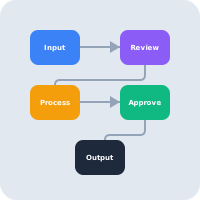
Plant custody is one pillar of the contractor's wider operation, sitting alongside materials control and job costing. Together they answer the question a contractor most needs answered and most often cannot: not just "did this job make money?" but "is this whole business — its materials, its cost, and its capital — actually under control?"
What AWRA OpsHub does today
- Every machine as an asset with serial number, purchase cost and date, status and warranty expiry.
- A named custodian and full movement history — check-out, check-in, transfer between sites and relocation — each carrying condition before and after, who performed it and when.
- GPS capture on movements, which can be made mandatory per movement type.
- Verification, so a site walk-round records that each item was seen, by whom and when.
- Retirement with a reason, a date and an actor.
- Offline-capable capture for site walk-rounds.
- Preventive schedules per machine, on a fixed calendar or from the last service, with the work order opened automatically when the service falls due and overdue work chased.
- Work orders — preventive, corrective or an inspection — with an assignee, a repair vendor, labour, parts and other cost, and a completion record.
- Time out of service, measured. A work order that takes a machine out of service records sent-to-maintenance and returned-from-maintenance movements, and the asset shows its hours out of service and maintenance spend over the last twelve months.
- Book depreciation in accounting — a profile per machine, straight line or reducing balance, posted to the ledger monthly, with disposal and its gain or loss.
More we can add to your workspace
- Utilisation tracking: meter readings, engine hours and idle-versus-working time, which is what makes "live utilisation" a screen rather than movement dates read by eye.
- Service intervals in engine hours, so a schedule falls due on the meter as well as the calendar.
- Spares drawn from the store onto a work order, valued from inventory rather than typed as a cost, with the work order's cost posted to the ledger against the machine.
- A hire or charge-out rate, so plant cost cannot be recharged to a job automatically.
The custody chain is genuinely strong and answers the question that matters most on a multi-site contractor — where is it and who has it. Servicing runs on the calendar: the work order is where a service is recorded, and closing it is what moves the next one on. Plant rated in engine hours is the part to scope with us, because the reading has to be captured before a schedule can use it.
Anything above that you need, we can build for you
Everything listed above as something we can add describes what ships in the standard product today — it is a starting point, not a limit on what AWRA OpsHub can do for your organisation. Kenya's eTIMS integration and its maintained payroll engine are both in the product because clients needed them and commissioned them; neither appeared by itself, and the same door is open for whatever you just read about. One qualification so this is worth what it claims: a small number of things on this blog we deliberately leave to a specialist rather than build — a statutory ledger we will not sign our name to, a rule that would decide a tax question for you, a clinical or member-funds record that belongs in a regulated system — and where that is true the post says so in those words. Everything else is a scope, a timeline and a price.
The operational work, which is what most commissions actually are
An extra approval stage in a chain that does not match the standard one, a custom field set on employees or assets that only your sector needs, an expiry that has to block an order rather than send an email, a report your board asks for in a shape nothing produces, or a scanner or weighbridge feeding the goods-in door. These are the commissions we are asked for most often and the smallest ones we quote — and unlike a revenue-authority pipeline, none of them waits on a regulator.
The module-shaped additions, which are the ones readers ask for most often
A price list with real discount authority, a customer-facing quotation that expires, a bill of materials or recipe costing, a staff advance that is issued, acquitted and chased, a member or unit ledger, a matching rule that holds a payment. Each of these is a build rather than a setting, and each has been quoted before — a bigger piece of work than a custom field, with a written spec and a date instead of a roadmap slide.
The report, document or pack nothing currently produces
The board pack in the shape your board actually asks for, a donor or funder layout, an invoice or receipt template carrying what your regulator or your customer expects, a dataset the report builder cannot reach yet. Usually the fastest thing on this list to deliver, because the data is already in the system.
Systems, rails and hardware you already run
The accounting package, CRM, online store, core banking or custom database you intend to keep — connected through our API so a fact is entered once and appears everywhere it is needed. Plus the physical edge: a scanner, a scale, a weighbridge or a till peripheral feeding the door it belongs to.
How it works: you describe the requirement, we return a written scope, timeline and cost, and once agreed it is built into your environment and maintained as part of the product. Nothing here waits on a regulator or a published specification, which is why operational builds are the ones we quote fastest. Tell us the requirement that would otherwise rule us out — that is a better first conversation than a demo.
Tell us what your operation needsControl the fleet you already own
Every machine with a named custodian, full movement history between sites, condition on every hand-off, and a verification trail from your last site walk-round.
Explore construction operationsFrequently asked questions
How do you keep a plant register accurate when equipment moves constantly?
By deriving location from recorded movements rather than a field someone edits. Each transfer of plant between sites is logged, so current location is always the result of the last movement, and a full history builds automatically. A register that depends on someone remembering to update it is wrong within weeks; one that is a by-product of logged transfers stays true.
What is the biggest hidden cost in construction plant?
Idle capital. Owned plant costs money whether it works or not, so equipment sitting unused is pure loss — and the classic mistake is hiring in a machine while an identical one sits idle on a finished site because no one knew it was free. Movement history is what catches it, but be clear on the form it takes: you get dates, not a utilisation percentage. A machine that has not moved in five weeks is visible to anyone reading the history; converting that into a utilisation figure is arithmetic you do on a sheet.
Why assign a named custodian to every item of plant?
Because most tool and equipment loss is not theft but diffused responsibility — things that belong vaguely to "the company" are looked after poorly. When each item is always exactly one named person's responsibility, and custody transfers on hand-off, behaviour changes and "where is it?" becomes a lookup instead of a phone-around.
How should plant maintenance be scheduled?
On a preventive schedule per machine. The discipline is worth the effort — preventive maintenance beats reactive repair on a deadline, and a breakdown mid-job can stall a pour and idle a crew, costing far more than the repair. Each schedule holds an interval on a fixed calendar or counted from the last service, a daily job opens the work order when it falls due, and closing that work order moves the next due date on. The schedule runs on the calendar rather than the hour meter, so for plant rated in hours, set the interval from the weeks those hours take on your sites and keep the meter reading on a log sheet.
Can we see how long a machine was out of service for repair?
Yes, when the repair is a work order. Starting a work order with the machine taken out of service records a sent-to-maintenance movement, and closing it records the return, so each work order carries its downtime and the asset shows its hours out of service over the last twelve months. Two jobs on the same machine at once are counted as one stretch of downtime, not two.
