
Ask AwraIQ about features, pricing, onboarding, login, integrations, security, demos, mobile apps, automation, reports, or support.
All industry pages
Seasonal and perishable
Hold a season of input stock across depots without losing it to expiry.
Agribusinesses and input distributors use AWRA for depot-level stock, batch and expiry tracking with first-to-expire issuing, enforced quality holds, landed costs on imported inputs, and blind cycle counts with valued variance.
Inventory software for agribusiness
The problem
An input distributor stocks for a season it cannot move: seed and chemicals bought months ahead, held across depots, and worthless the day they expire.
Expiry found in the depot
A batch expires on the shelf at a depot nobody counted this month.
The wrong batch issued first
New stock goes out while older batches age behind it.
Imported inputs costed without duty
Freight and duty never reach the cost of the input, so the margin is wrong all season.
How AWRA solves it
What Agribusiness & Farm Inputs teams get.
Issue the batch that expires first, automatically, rather than whichever pallet sits nearest the door.
Keep expired, damaged or quarantined stock out of every sale and issue until somebody releases it on the record.
Cost imported fertiliser and chemicals at landed value, so the margin you sell against survives a currency move.
Watch stock risk against fourteen days of real demand, and catch below-cost pricing on the Anomaly Radar at harvest.
Grower and depot queries handled as tickets with an owner and an SLA, and a satisfaction score recorded when each is closed.
Take on seasonal labour with contracts, attendance and a payroll run that handles statutory deductions without a separate system.
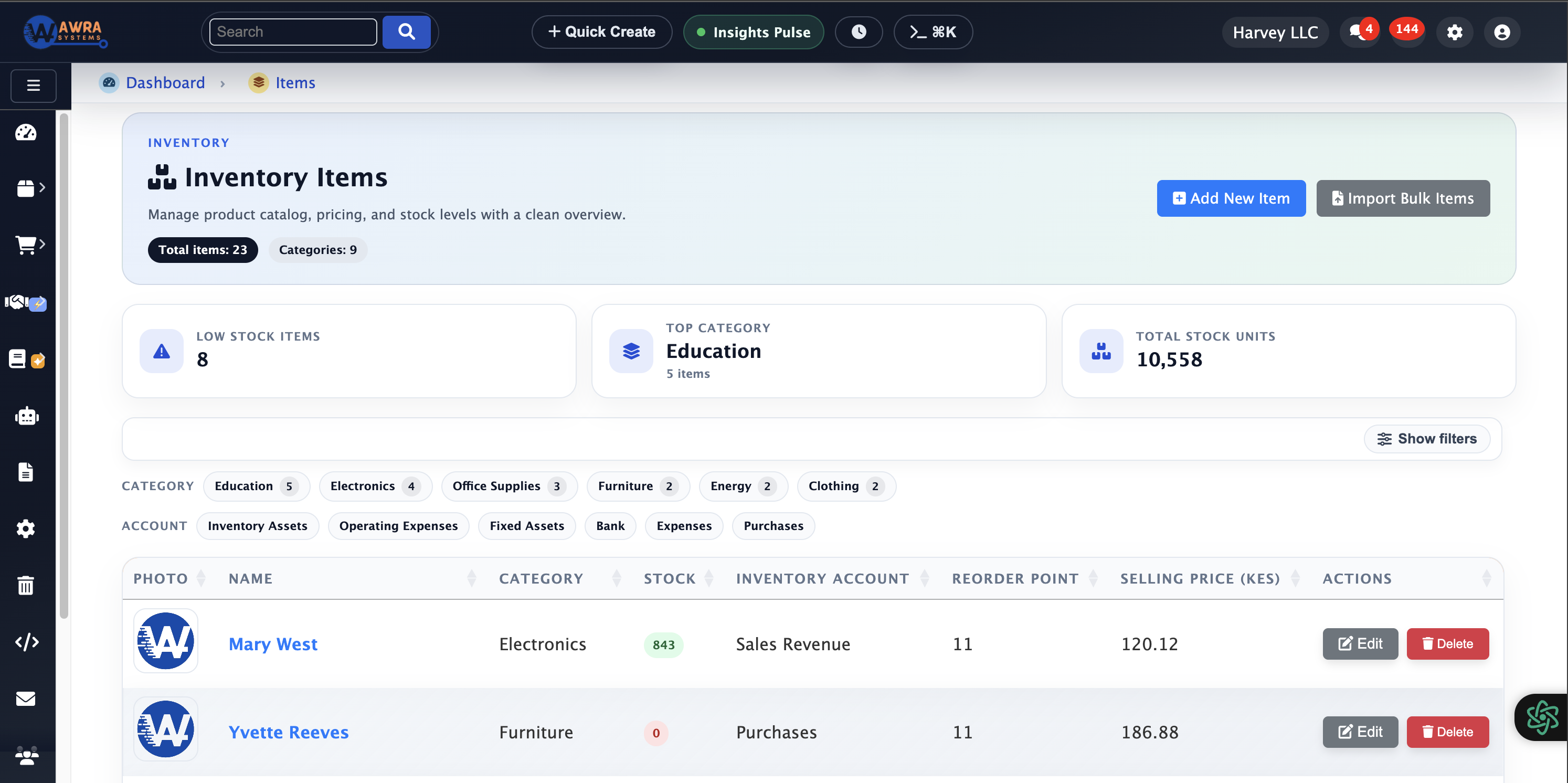
Depot stock
Availability by depot, batch and operating status.
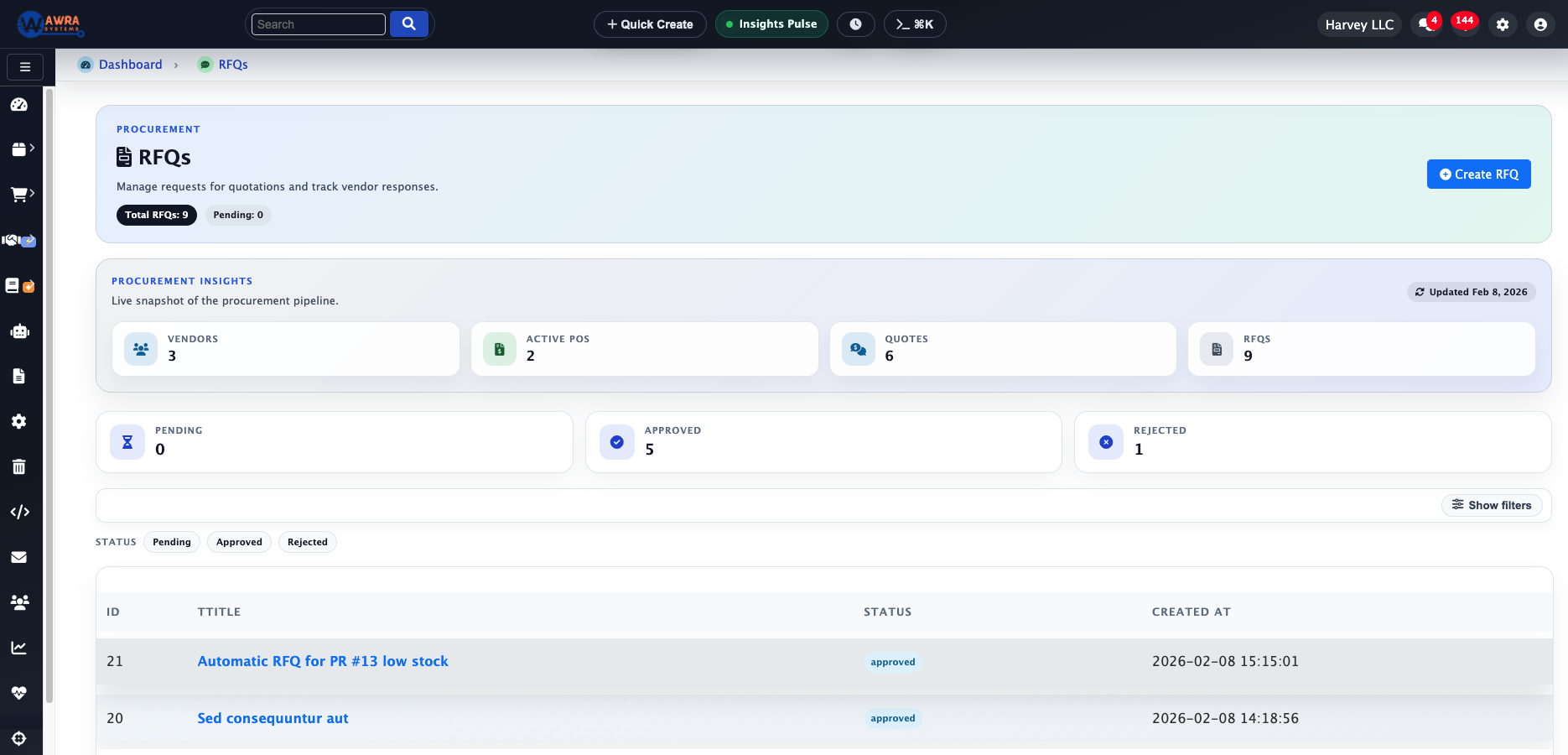
Input sourcing
Compare supplier responses ahead of the planting window.
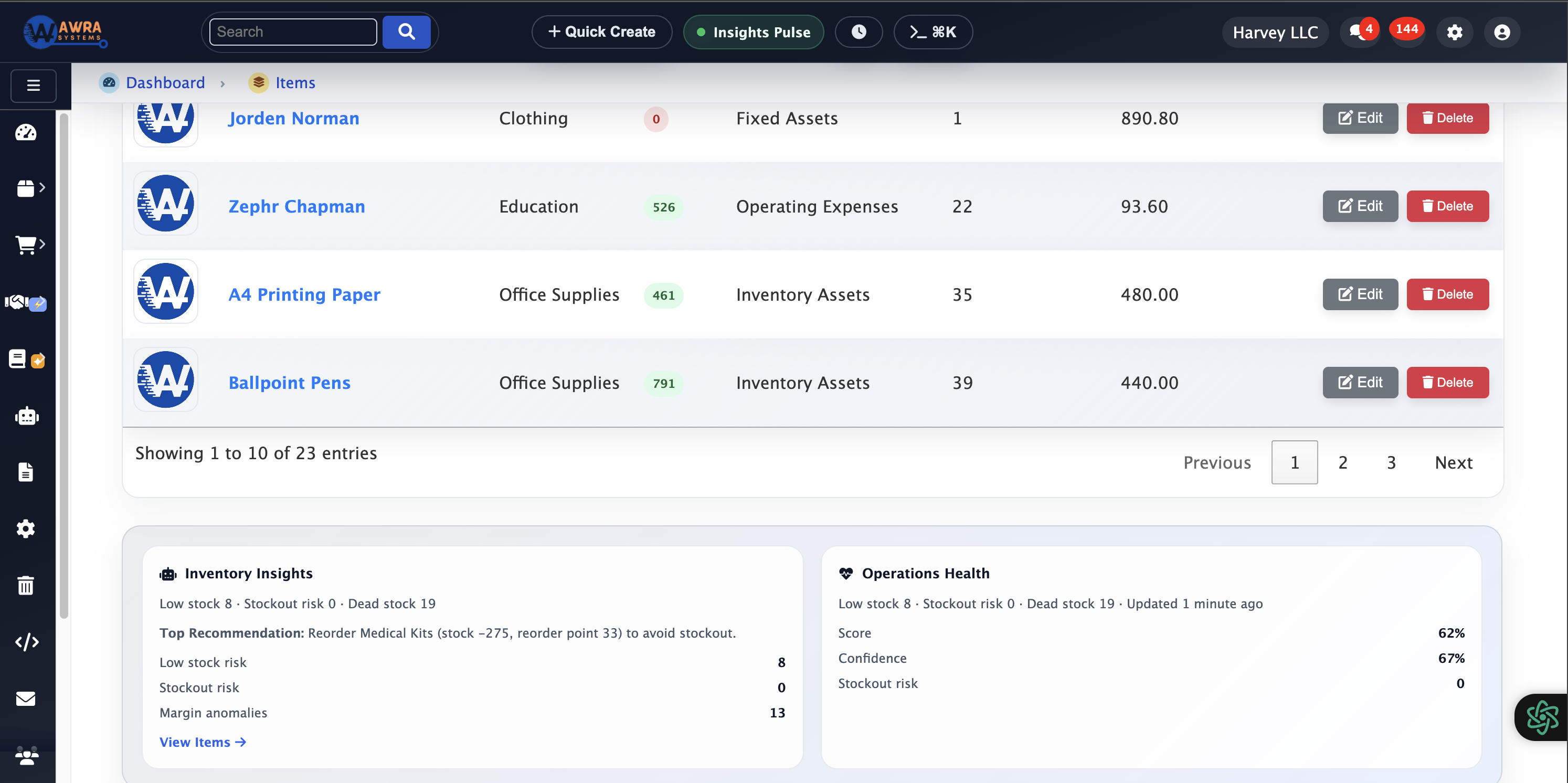
Seasonal signals
Consumption spikes and shortage risk before the season peaks.
Typical workflow
The routines AWRA runs for Agribusiness & Farm Inputs.
Seasonal build-up
- 1 Review last season consumption by depot
- 2 Raise purchase requests against the demand curve
- 3 Approve and receive at landed cost
- 4 Distribute to depots before the planting window
First-to-expire issuing
- 1 Record batch and expiry at receipt
- 2 Let the issue queue order by expiry date
- 3 Block expired batches from issue and sale
- 4 Report exposure by expiry window
Blind count and variance
- 1 Schedule a count without showing system quantities
- 2 Capture counted quantities per location
- 3 Price the variance at cost
- 4 Require a reason before the adjustment posts
Modules used
What a agribusiness & farm inputs workspace runs on.
Batch & Serial Traceability Batches and expiry dates recorded at receipt See the module Cycle Counts Blind counts with variance valued at cost See the module Landed Costs Duty and freight carried into input cost See the module Stock Transfers & Approvals Distribution from the main store to depots See the module
Example organisation
An agro-input distributor with five depots
An illustrative profile, not a named customer
Where they are today
Imported seed and crop chemicals, a main store and five rural depots, and expiry tracked on a printed list.
Where they would start
They would start with batch and expiry at receipt in the main store, then depot transfers and blind counts before the planting window.
What changes after implementation
Before and after, in the routines you already run.
| Before | After |
|---|---|
| Expiry on a printed list | Expiry dates recorded per batch at receipt |
| Depot stock reported by phone | Depot balances current with every transfer |
| Counts that show the expected number | Blind counts that hide system quantities |
| Input cost without duty | Landed cost on imported inputs |
How the rollout goes
1
Fix units of measure early — inputs bought by tonne, stored by bag and issued by kilo will otherwise misreport for a whole season.
2
Capture batch and expiry from the very first receipt; retrofitting expiry onto stock already on the shelf is the slowest part of this rollout.
3
Member registers, produce intake and grading, and input credit recovered by check-off are not in the product today. The Kenya agribusiness page states plainly what runs now and what would be a commissioned build.
What you can measure afterwards
Expiry exposure by window
First-to-expire compliance
Landed cost variance
Depot stock cover
Count variance value
Pricing
What it costs for Agribusiness & Farm Inputs
Inventory, transfers and counts are fully on Basic. Landed-cost allocation and full procurement are on Pro.
Pro plan · Run on automation
$45 / month
or $491 billed yearly
Charged in KES at the live rate, excluding VAT.
Full procurement, sales, accounting and HR (employees, leave, attendance & payroll) plus workflow automation and reporting.
Before you pay anything
30-day free trial
Thirty days of the full platform, every module switched on and no card required. Choose a paid tier whenever you are ready.
See it on your process
Walk through a agribusiness & farm inputs workspace with us.
Bring the spreadsheet or the paper form you want to retire. We will show you the first workflow in AWRA with your own items, people and locations.
Questions
What Agribusiness & Farm Inputs buyers ask.
Can we track expiry dates by batch?
Yes. Batch and expiry are recorded at receipt, and stock is held per batch and location.
Can counts hide the system quantity?
Yes. A blind count asks staff to record what they find without showing what the system expects, and the variance is priced at cost.
Can rural depots work offline?
The mobile app queues transfers, receipts and count lines on the device and syncs them when the signal returns.
Does AWRA calculate landed cost on imports?
Yes. Freight, duty and clearing are allocated into the cost of the input, including charges invoiced after the goods arrived.
Customer story
Speak to someone who runs it.
We publish a named story only with that organisation’s consent. Ask us and we will put you in touch with a agribusiness & farm inputs reference you can telephone, rather than a quote you cannot check.
Ask for a referenceNext-best links
Keep the evaluation moving.
Guides, pricing and support surfaces most relevant to Agribusiness & Farm Inputs.
Related industries
Compare adjacent operating models.

Retail
AWRA OpsHub connects POS, stock movement, replenishment, cash sessions, and branch reporting for retail operators.

Healthcare
Healthcare teams use AWRA to monitor critical consumables, control purchasing, receive supplies, and report availability by location.

FMCG Distribution
AWRA helps FMCG distributors manage item velocity, warehouse stock, vendor lead times, branch replenishment, and sales performance.
Help Center
Need a quick answer while you read?
Run inventory, procurement, assets, sales, and field work with approved AWRA guidance for setup, migration, integrations, security, pricing, and support.